Automated Fingerprint Attendance & Payroll System
A dedicated web-based HR, attendance, and payroll platform engineered for hotels, resorts, factories, and corporate enterprises in Sri Lanka. Connects directly to ZKTeco fingerprint and face recognition devices (Push ADMS & Pull TCP/IP), applies complex overnight shift boundaries, tracks leave, and automates monthly payroll with EPF/ETF, salary advances, and hospitality service charge distribution.
Real-Time Attendance Operations Dashboard
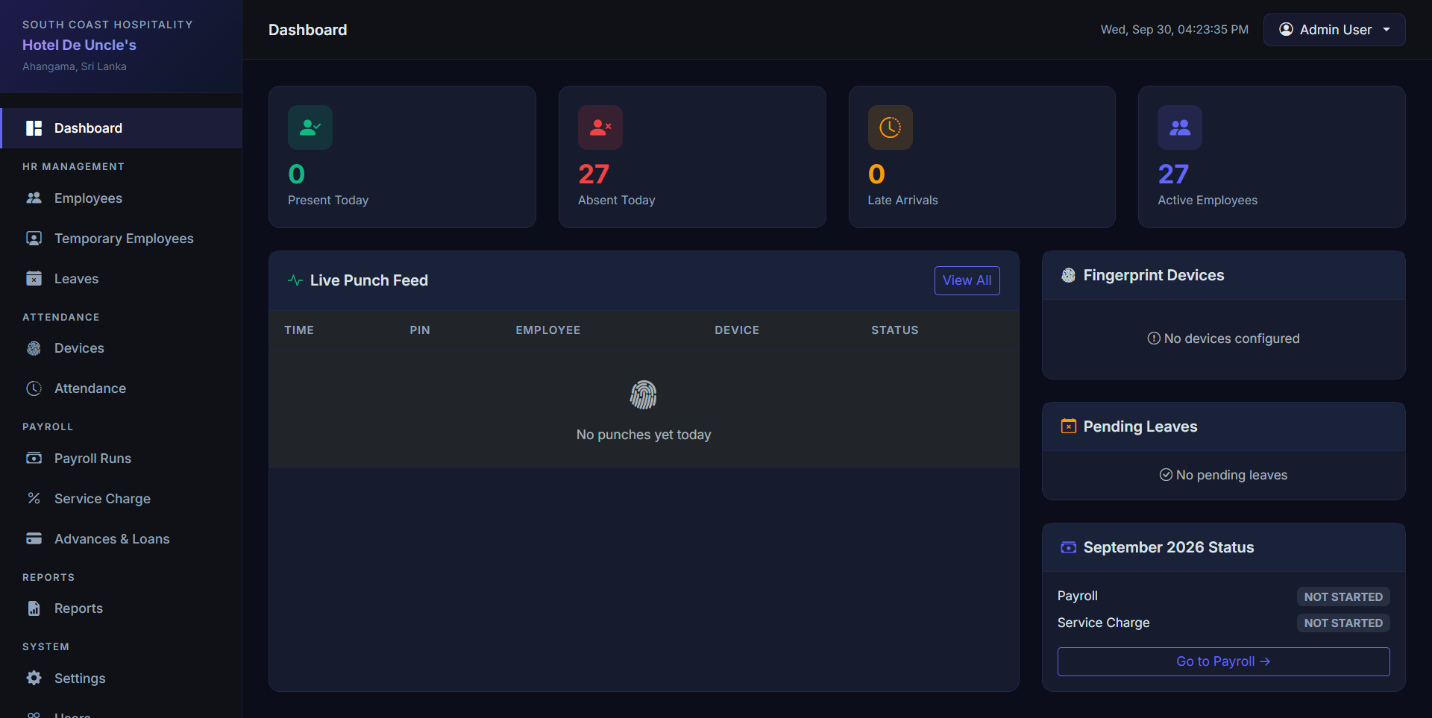
The central home screen provides HR managers and accountants with an immediate snapshot of today's workforce. Monitors real-time attendance counts, live biometric punch feeds, device connectivity status, and pending leave applications.
- 👆 Live Today's Stats: Instant counters for Present, Absent, Half Day, and Late Arrivals updated in real time.
- 👆 Live Biometric Punch Feed: Displays the 10 most recent punches received from fingerprint devices with employee name and PIN.
- 👆 Device Connectivity Status: Live indicators show whether biometric machines are online or offline across premises.
- 👆 Payroll Run Status: Quick tracker showing the calculation and approval state of the current month's payroll.
Employee Master Records & Biometric PIN Mapping
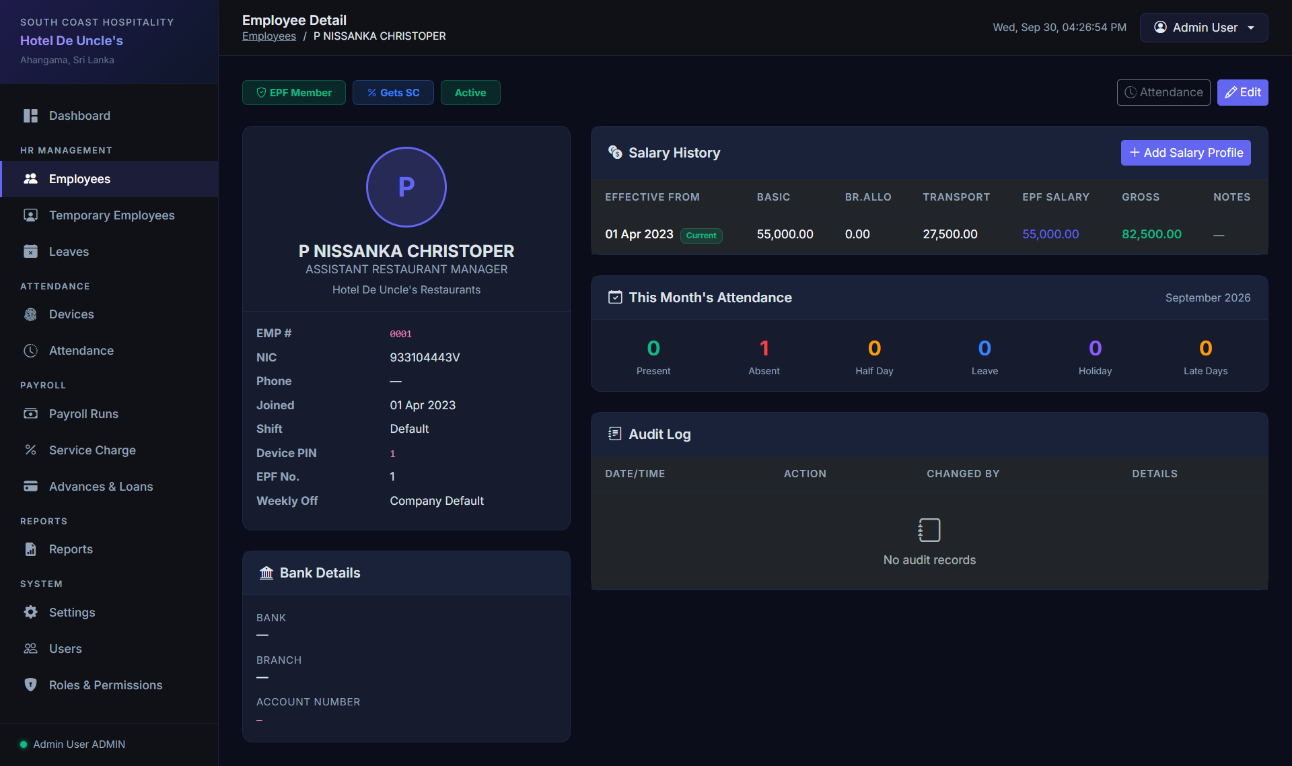
Centralizes complete employee profiles in one secure place. Maps staff member numbers to biometric device PINs, assigns departments and designations, and manages staff categories for statutory compliance.
- 👆 Comprehensive Profiles: Store Employee Number, Full Name, NIC, Contact, Bank Account Details, Date of Joining, and Photo.
- 👆 Biometric Device PIN Mapping: Links the hardware punch logs directly to the employee record for automated payroll generation.
- 👆 Staff Category Flags: Distinguish Permanent staff from Temporary and Training staff who are exempt from EPF/ETF or service charge.
- 👆 Salary Revision History: Maintains historical salary change records with effective dates, ensuring past payroll runs are never altered.
ZKTeco Biometric Device Integration & Raw Punches
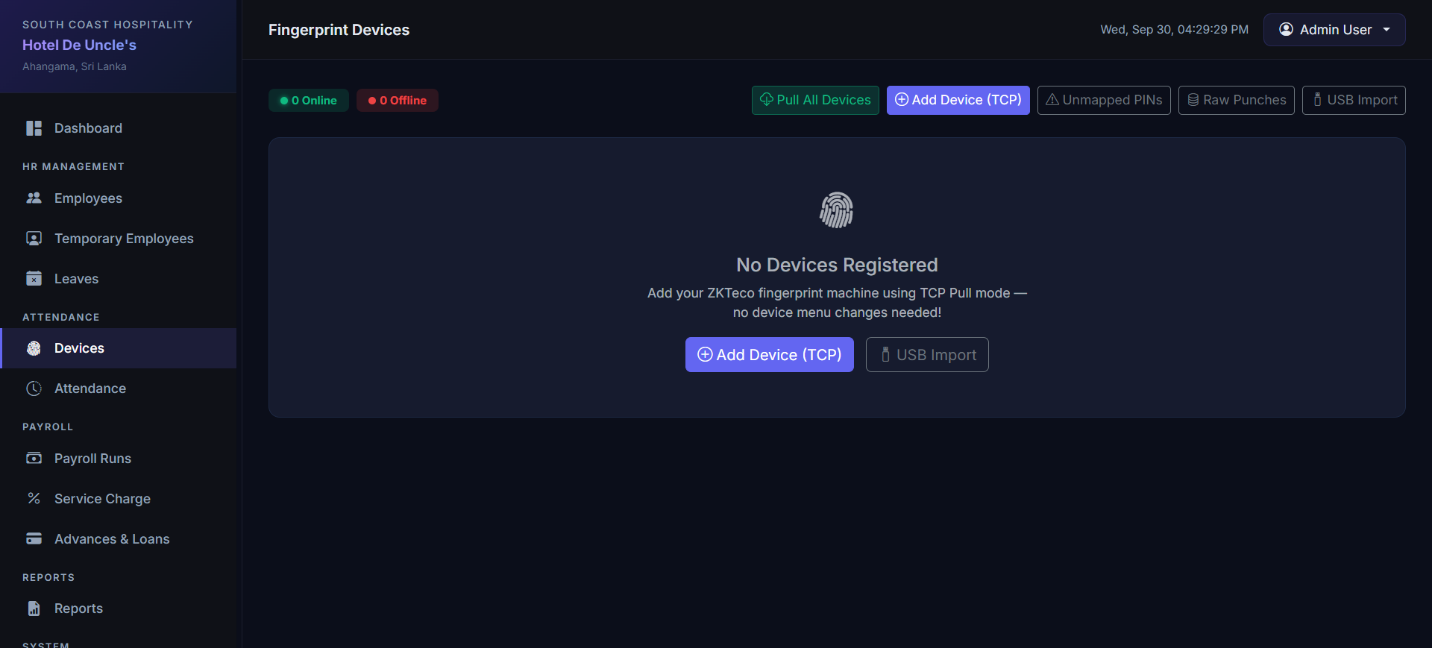
Collects fingerprint punches seamlessly from ZKTeco devices. Supports modern Push Mode (ADMS) where devices transmit punch logs directly over the internet to your cloud system without requiring on-site computers or port forwarding.
- 👆 Push Mode (ADMS): Devices automatically send attendance records over Wi-Fi/Ethernet directly to the cloud server.
- 👆 Pull Mode (TCP/IP): An automated background service polls local network devices every 60 seconds to retrieve fresh logs.
- 👆 Immutable Raw Punch Logs: Original device punch records are preserved permanently with verify mode and device timestamps.
- 👆 Twice-Daily Automated Processing: System automatically calculates attendance sheets at 23:30 and 07:05 daily.
Complex Shift Rules & Overnight Business Day Tracking
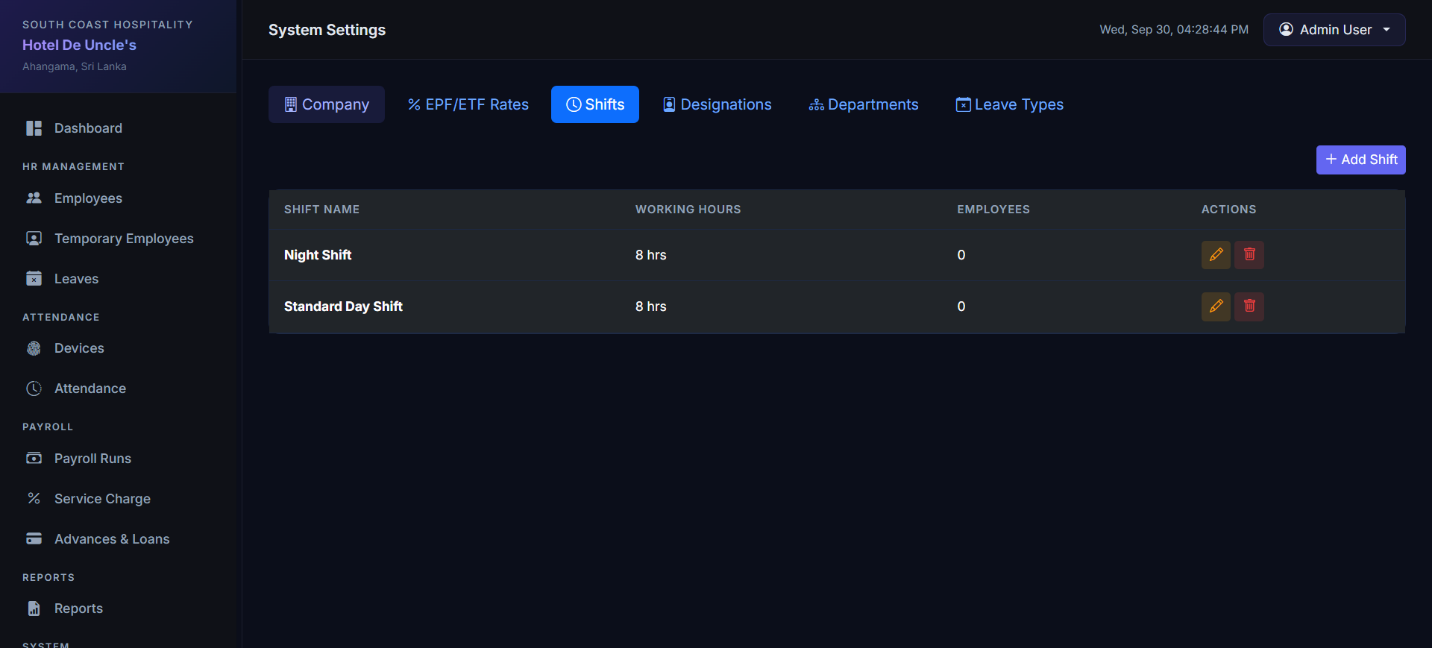
Handles the reality of hospitality and 24/7 business operations. Attendance follows a configured business day rather than a calendar day—meaning an employee punching out at 02:00 AM on Tuesday is counted accurately for Monday's night shift.
- 👆 Overnight Night Shift Support: Accurately tracks working hours crossing midnight without dividing them across separate days.
- 👆 Grace Period Configuration: Set allowed grace minutes (e.g., 15 minutes) before marking an arrival as late.
- 👆 Half-Day Minimum Hours: Automatically designates Half-Day status if worked hours fall between half-day and full-day thresholds.
- 👆 Departmental Shift Assignment: Assign default shifts (Kitchen Shift, Restaurant Service, Night Guard) to individual staff members.
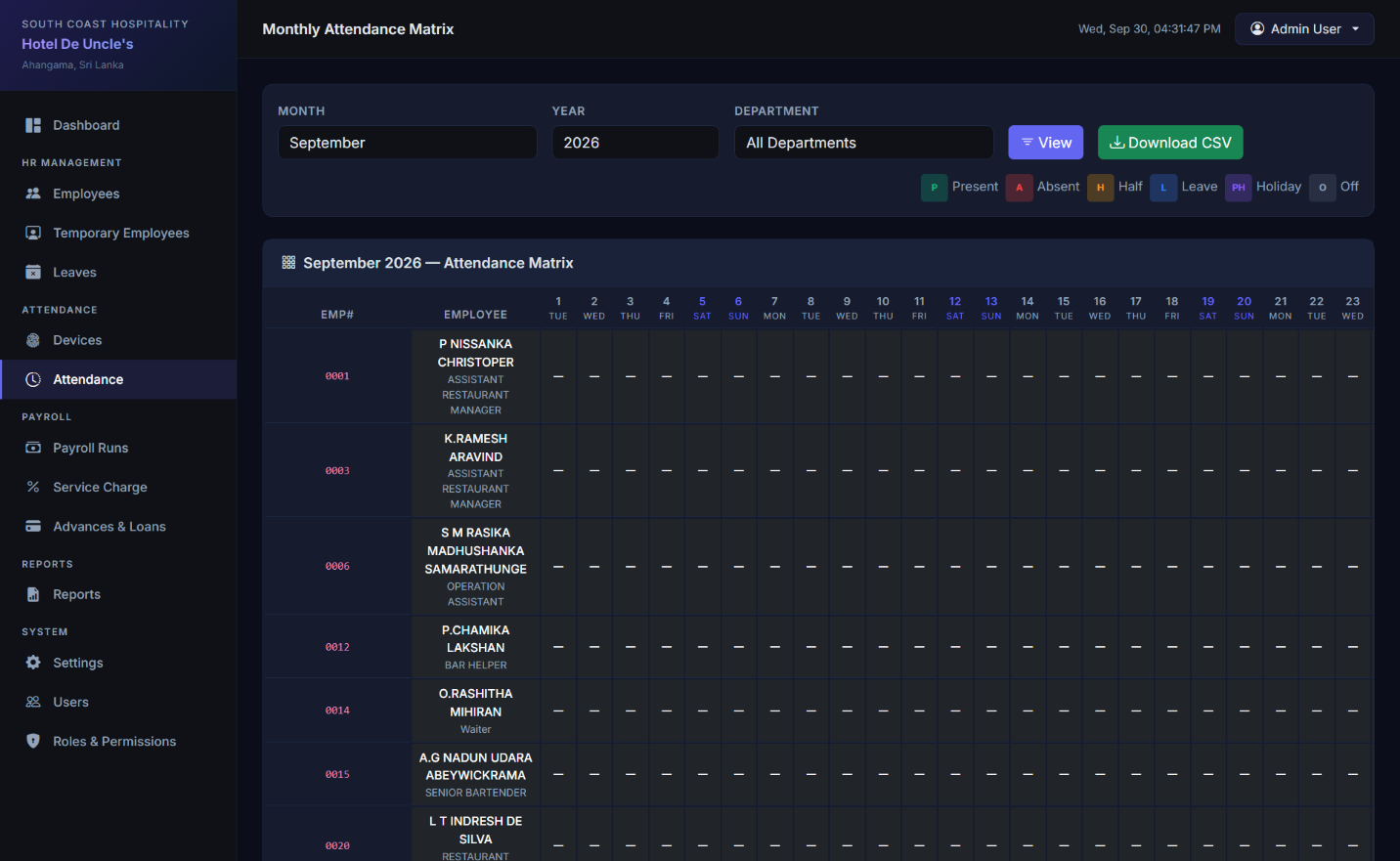
Daily Attendance Sheet & Monthly Attendance Matrix
Review and audit staff attendance with dual perspectives: Daily Attendance Sheet (listing first punch, last punch, worked minutes, and late minutes per employee) and Monthly Matrix (a full month-wise grid of statuses).
- 👆 Daily Calculated Status: Displays First In, First Out, Second In, Second Out, Total Worked Hours, Late Minutes, and Final Status.
- 👆 Monthly Attendance Matrix: 31-day visual calendar grid showing Present (P), Absent (A), Half Day (H), Leave (L), and Off Days.
- 👆 Departmental Filtering: Filter attendance views by Department (Kitchen, Housekeeping, Restaurant, Front Office, Maintenance).
- 👆 Export to CSV & PDF: Download month-end attendance spreadsheets for operational meetings and payroll audits in one click.
Manual Attendance Editing & Immutable Audit Trail
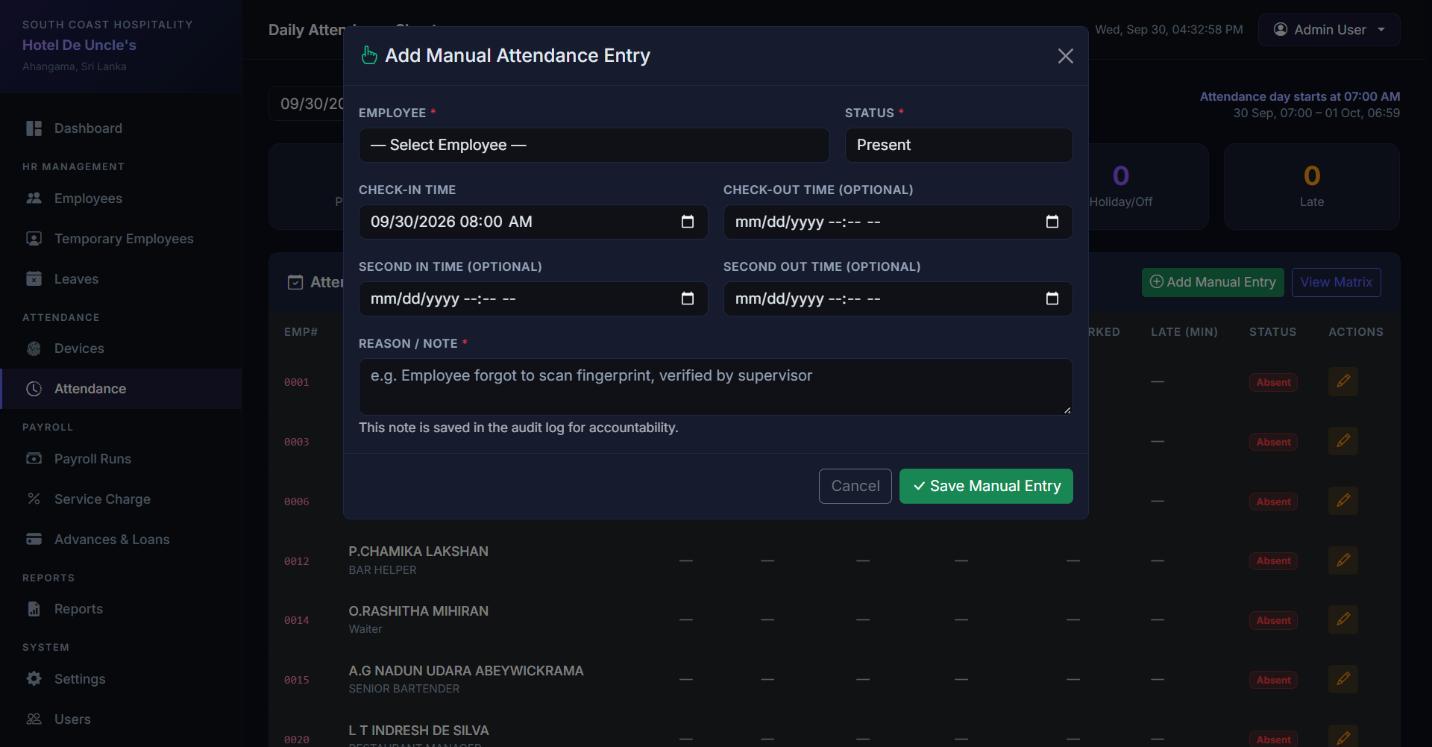
When an employee forgets to scan their fingerprint or attends an off-site assignment, authorized HR officers can manually add or adjust punch times with mandatory justification notes, preserved inside a permanent audit trail.
- 👆 Permission-Gated Editing: Only users with explicit "Manual Attendance Edit" permission can override biometric records.
- 👆 Synthetic Punch Creation: Adjusting punch times generates synthetic punch records to keep daily calculation formulas consistent.
- 👆 Mandatory Reason Notes: Operators must provide clear explanation reasons (e.g., "Supervisor verified off-site delivery").
- 👆 Full JSON Audit Trail: Stores old values and new values in the employee profile with operator ID and exact timestamp.
Leave Management, Holidays & Weekly Off Days
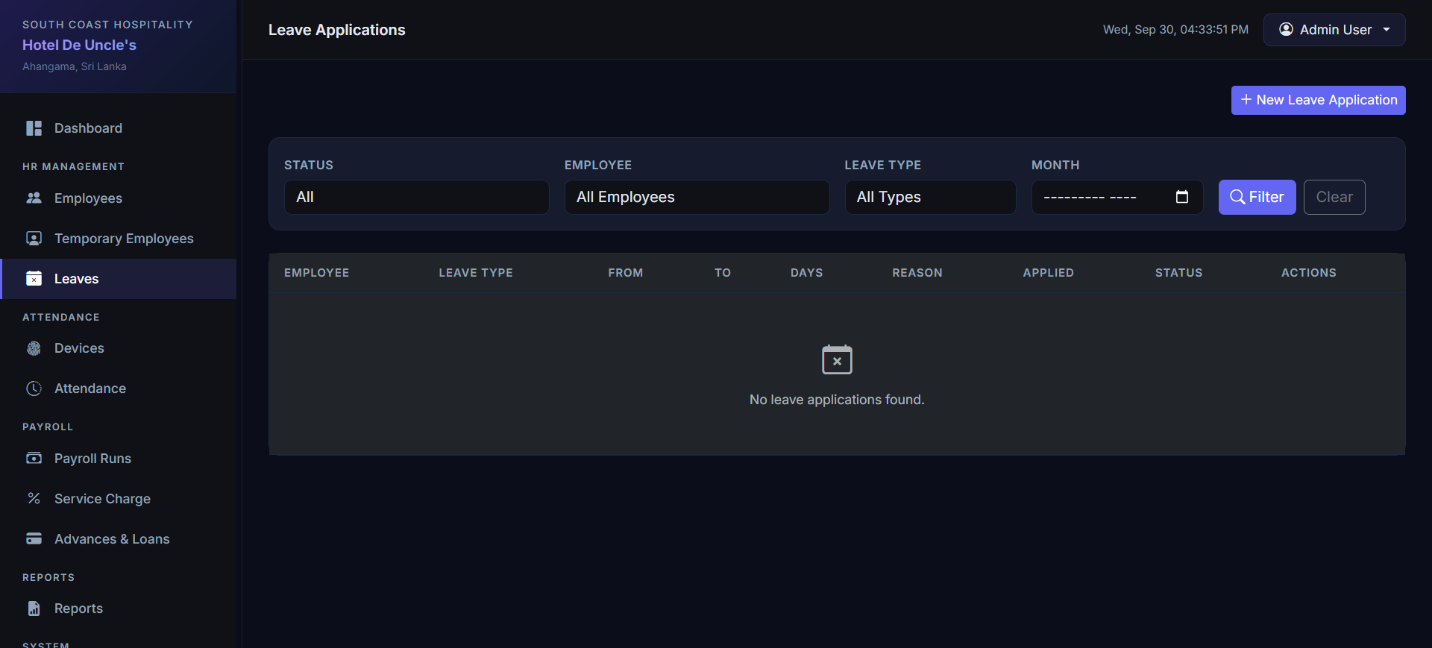
Manage employee time-off seamlessly. Configure Annual, Casual, Sick, and No-Pay leave quotas. Approved paid leave automatically overrides absent days in the attendance sheet, preventing unauthorized no-pay salary deductions.
- 👆 Leave Quotas & Types: Set annual allowed quotas for Annual, Casual, Medical, and Unpaid leave categories.
- 👆 HR Approval Workflow: Staff submit requests with date ranges and reasons; HR or Admin reviews and approves in 1 click.
- 👆 Automated Payroll Protection: Approved paid leave marks the day as 'Leave' and stops no-pay salary deductions.
- 👆 Weekly Off Day Protection: Company weekly off days (e.g. Sunday or rostered off) are protected from absence deductions.
Monthly Payroll Engine, EPF/ETF & Service Charge Pool
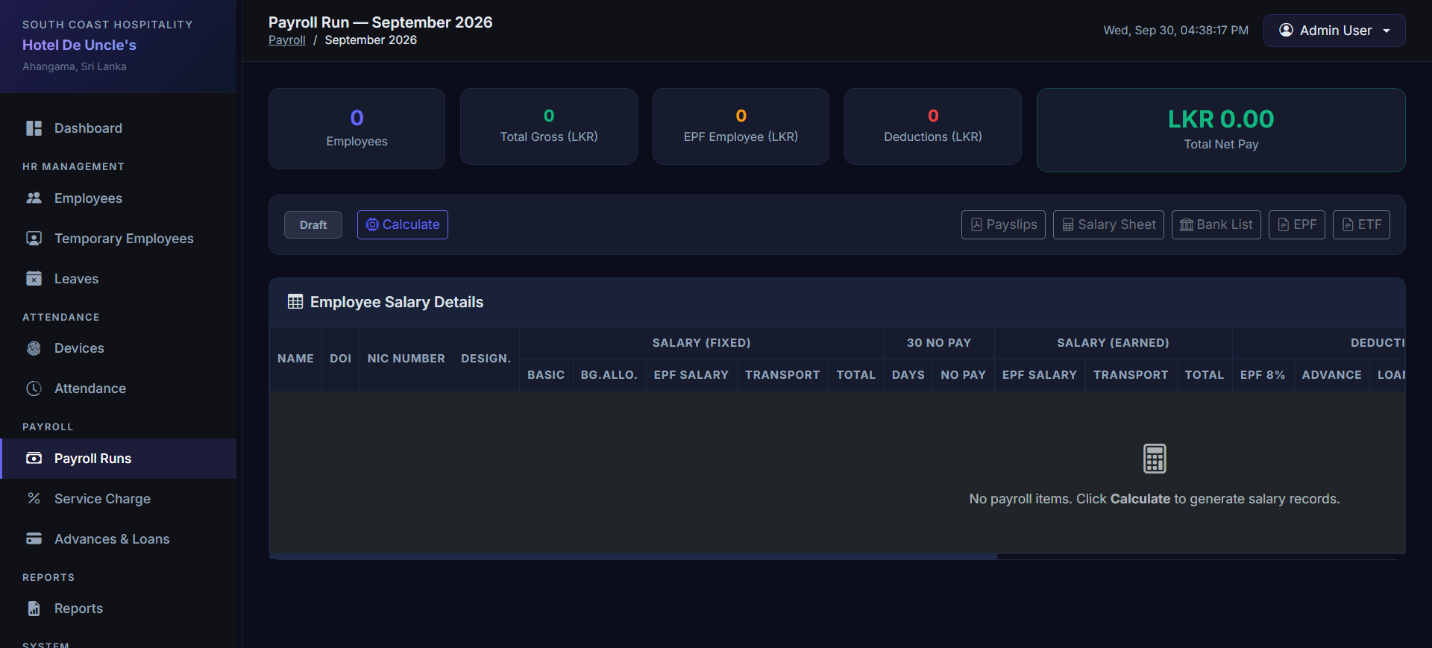
Turn biometric attendance directly into accurate monthly payroll. Automatically calculate basic pay, Budgetary Relief Allowance (BR.ALLO), transport allowance, deduct no-pay days, recover salary advances, and distribute the hospitality service charge pool.
- 👆 Automated No-Pay Deductions: System calculates no-pay deductions directly from attendance data (1 day per absent, 0.5 per half-day).
- 👆 Statutory EPF & ETF: Calculates employee EPF (8%), employer EPF (12%), and employer ETF (3%) based on statutory rules.
- 👆 Salary Advances & Loans: Automatically recovers advance disbursements and monthly loan installments from employee net salary.
- 👆 Hospitality Service Charge Distribution: Divides the monthly collected service charge pool by total eligible working days to compute fair daily shares.
Complete HR & Biometric Payroll Suite
Tailored specifically for Sri Lankan hospitality businesses, factories, and multi-shift enterprises.
Salary Advance & Loan Ledger
Disburse staff salary advances and track monthly loan installments with live remaining balance ledgers.
Bank Transfer & Cash Sheets
Generate formatted salary distribution sheets grouped by commercial banks (Sampath, Commercial, HNB) for bulk upload.
Role-Based Access Control
Granular access control isolating Administrator, HR Manager, and Accounts Officer roles with locked payroll approval states.
Bulk Payslips & PDF Exports
Produce professional confidential payslips in bulk or individual PDF documents with complete earning and deduction breakdowns.
Statutory EPF & ETF Reports
Ready-to-submit statutory remittance reports formatted specifically for Sri Lanka's Department of Labour and EPF Board.
Company Settings & Policies
Configure company profile, statutory tax rates, default weekly off days, custom leave types, and biometric device parameters.
Transform Your HR Operations Today
Eliminate manual attendance registers, automate night shift calculations, calculate error-free payroll with EPF/ETF, and distribute hospitality service charge pools with Fingerprint Attendance MultiBranch Sri Lanka.