OSUSALA POS — GROCERY & RETAIL POS MANAGEMENT SYSTEM
Osusala POS is an all-in-one Point of Sale (POS) and retail management platform built for grocery and general retail businesses that operate across multiple branches in Sri Lanka. It brings together walk-in checkout, wholesale billing, product catalog management, stock control, procurement, inter-branch stock transfers, cash and expense tracking, customer loyalty, and business reporting inside a single, centralized system branded under "Aureum Luxe."
Built Specially for Grocery & Hypermarket Businesses
Explore the essential modules engineered to optimize sales velocity, stock accuracy, packaging, customer loyalty, and procurement.
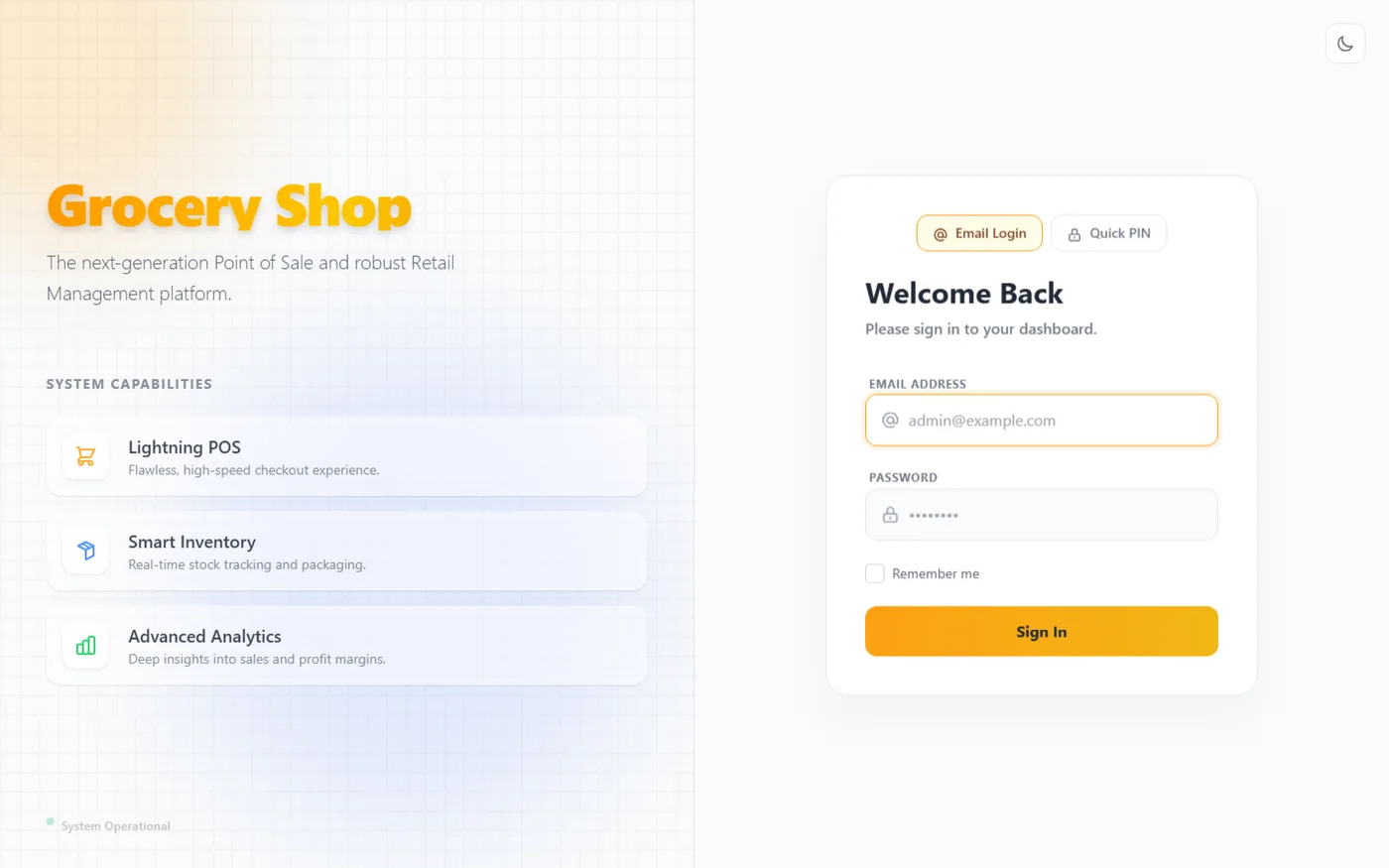
Login & "Aureum Luxe" Brand Identity
The login screen introduces the platform under its "Aureum Luxe" brand identity, describing it as "The next-generation Point of Sale and robust Retail Management platform."
- ⚡ Dual Sign-In Modes: Toggle tabs for Email Login and Quick PIN, allowing staff to sign in quickly during busy shifts.
- ⚡ System Capabilities Panel: The left panel highlights core features — Lightning POS, Smart Inventory, and Advanced Analytics.
- ⚡ System Status Indicator: A live "System Operational" indicator confirms backend connectivity before login.
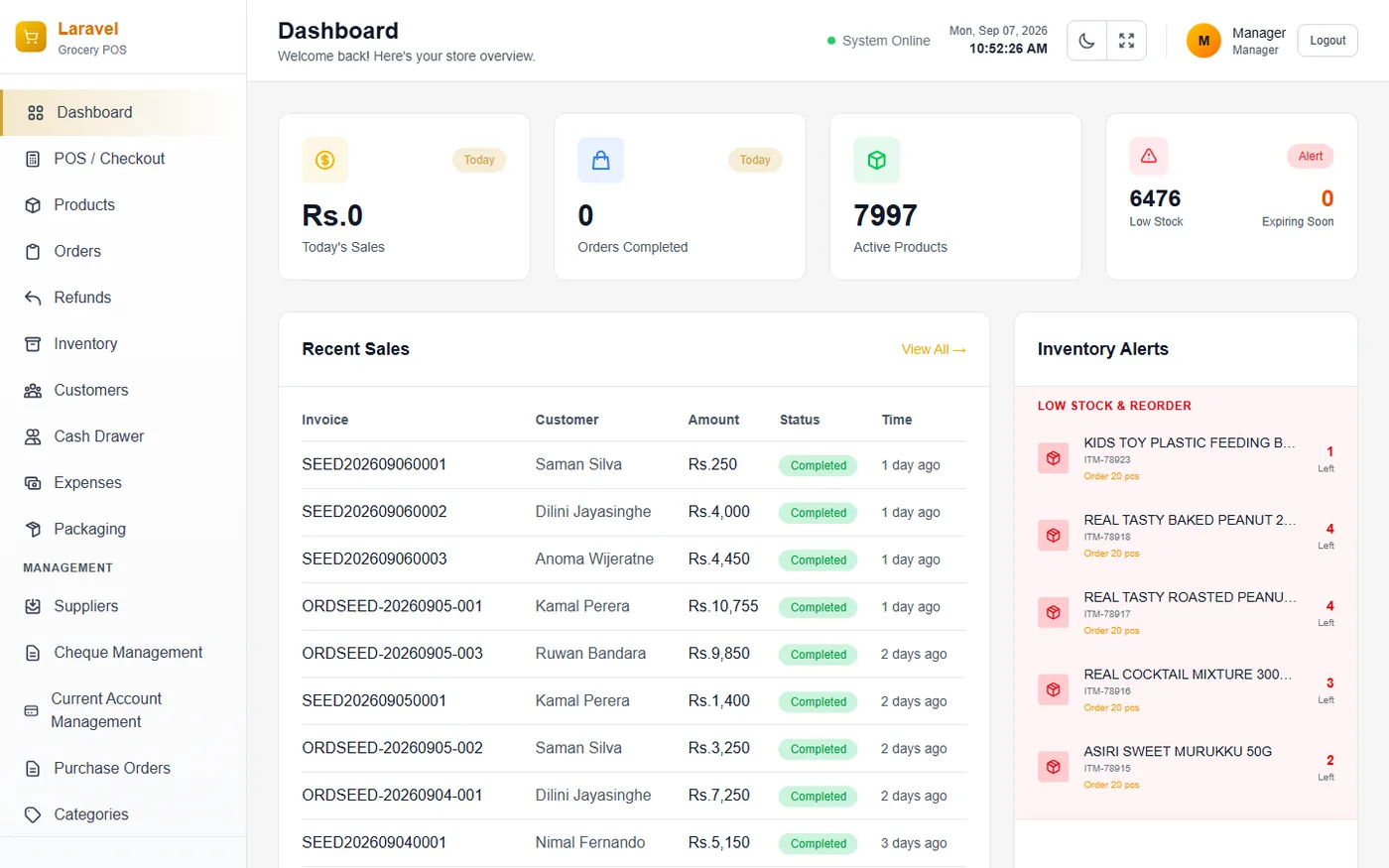
Active Branch Selection & Main Dashboard
Users choose their operating branch (Main Store, Colombo, Kandy, Kurunegala). The dashboard gives an instant snapshot of the active branch's daily performance.
- ⚡ Metric Cards: Total Revenue (Today), Orders Completed (Today), Pending Transfers, and Customer Outstandings.
- ⚡ Recent Sales Table: A live feed listing Invoice, Customer, Amount, Status, and Time for recent transactions.
- ⚡ Alert Tabs: Toggleable panels that surface low-stock/expiring items and inbound branch stock.
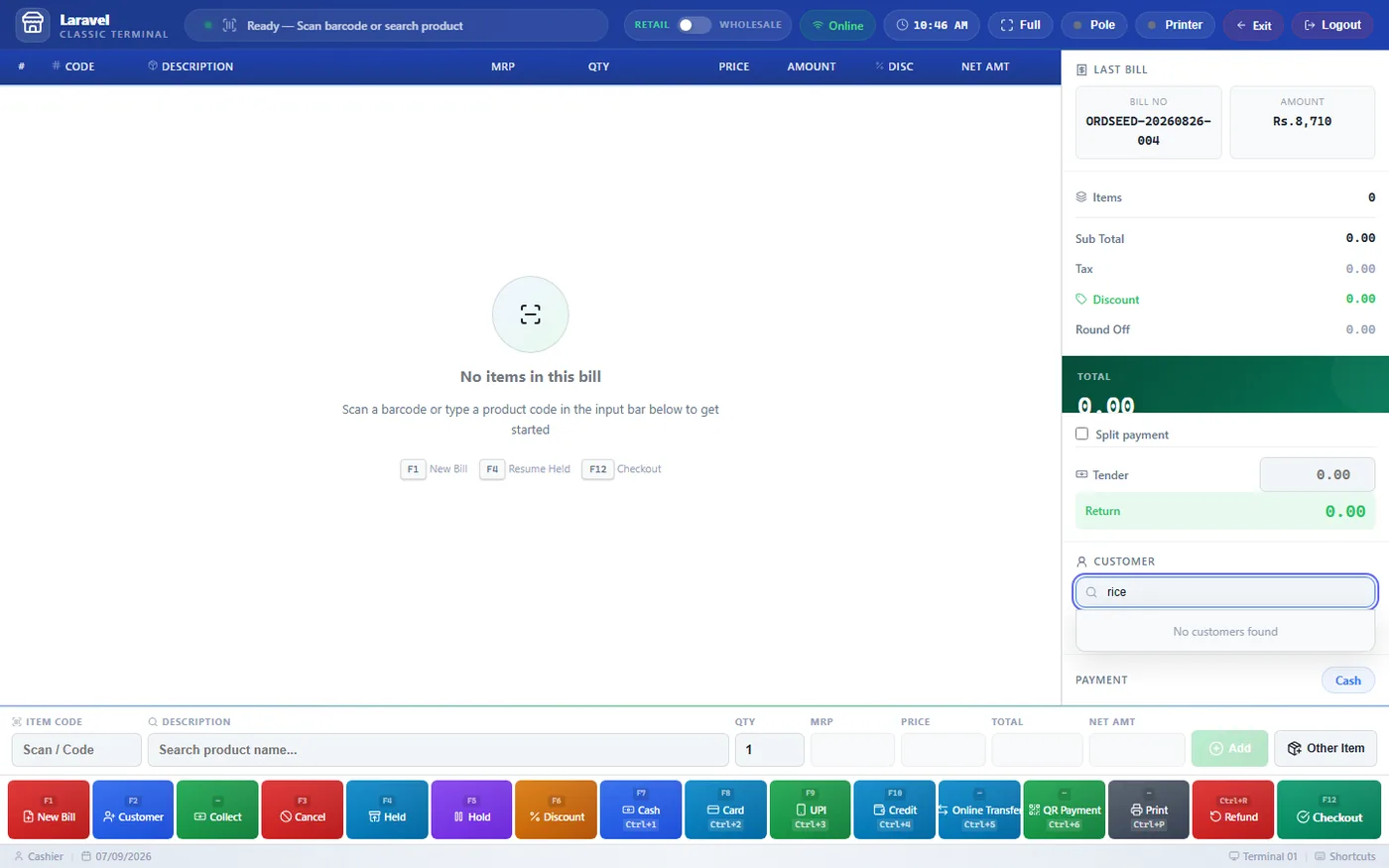
Checkout Terminal with Retail & Wholesale Modes
The core point-of-sale screen cashiers use to build and complete customer transactions with maximum speed and accuracy during peak store hours.
- ⚡ Retail / Wholesale Toggle: A switch that changes displayed pricing from retail rates to wholesale rates (with tax breakdown) instantly.
- ⚡ Category Tabs: Quick filters such as Fruits & Vegetables, Herbal Oils & Massages, Sesame Based Oils, and Dairy & Eggs.
- ⚡ Sale Mode (Grams / Kalan): Supports weighed or bulk grocery items sold by gram or by the local "kalan" unit (1 kalan = 5g).
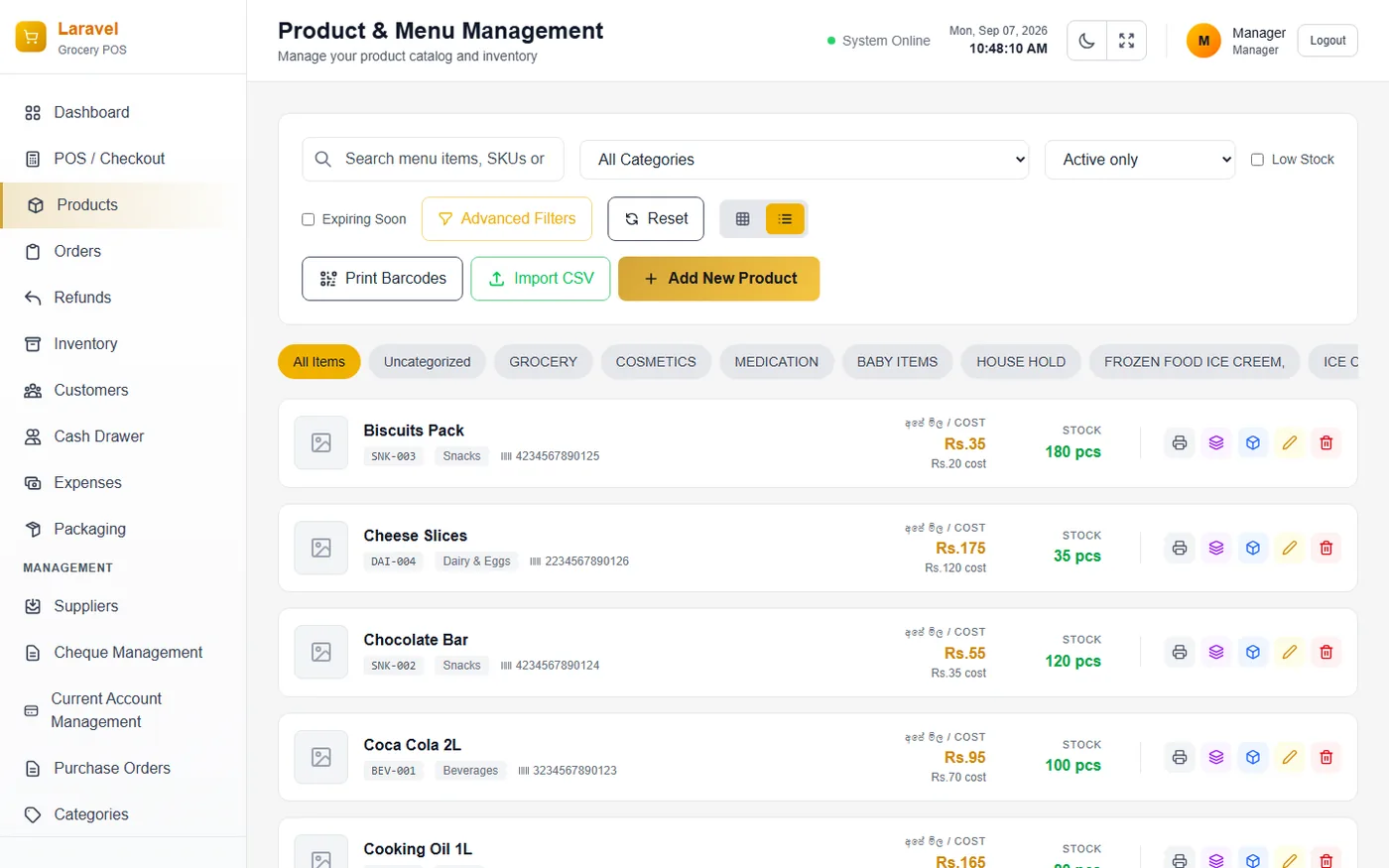
Product Catalog & Structured Add Product Form
A master catalog of every item sold across the business, organized by category, searchable by SKU/supplier, and paired with a multi-panel product onboarding form.
- ⚡ Search & Filter Bar: Filters by supplier, category, active status, low-stock flag, Expiring Soon, and Zero Cost.
- ⚡ Pricing & Unit Panel: Cost Price, Retail Price, Compare tool, Profit Margin, Wholesale price, Tax Rate, and Unit Type.
- ⚡ Stock Control Panel: Opening Stock, Free Stock, Expiry Date, Total Stock summary, and Reorder Point / Max Stock thresholds.
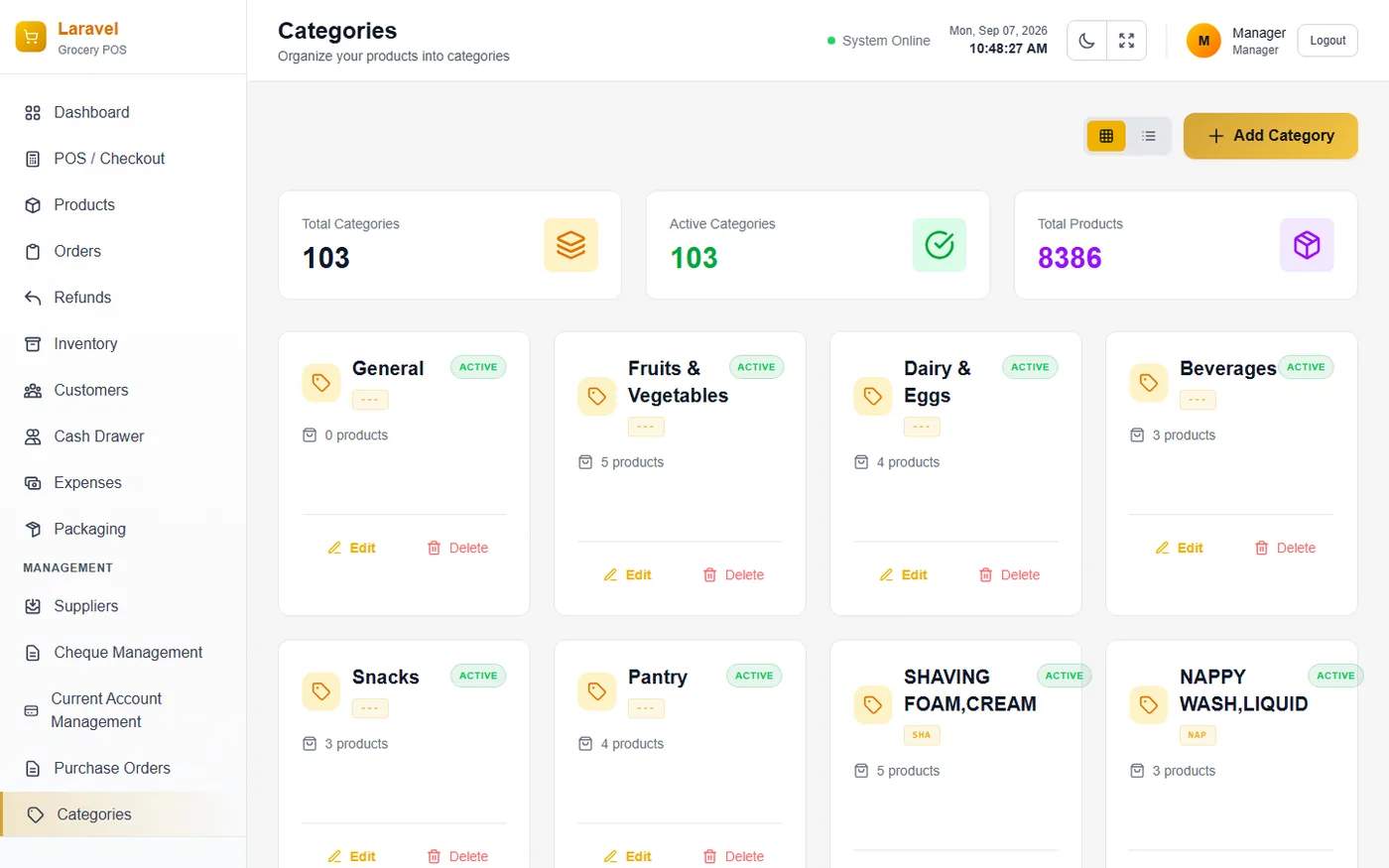
Category Hierarchy & Sales Invoices Ledger
Organizes the product catalog into nested hierarchies (parent and child categories) and maintains a consolidated transaction ledger of every completed sale.
- ⚡ Nested Category Hierarchy: Displays category name, Active status, short code, product count, and hierarchy level.
- ⚡ Invoices Search & Filter Bar: Search by Invoice number, Status (All/Paid/Pending), Payment method, and From/To date range.
- ⚡ Invoice Table Columns: Invoice #, Customer, Items, Total, Payment, Status, Date, and Actions.
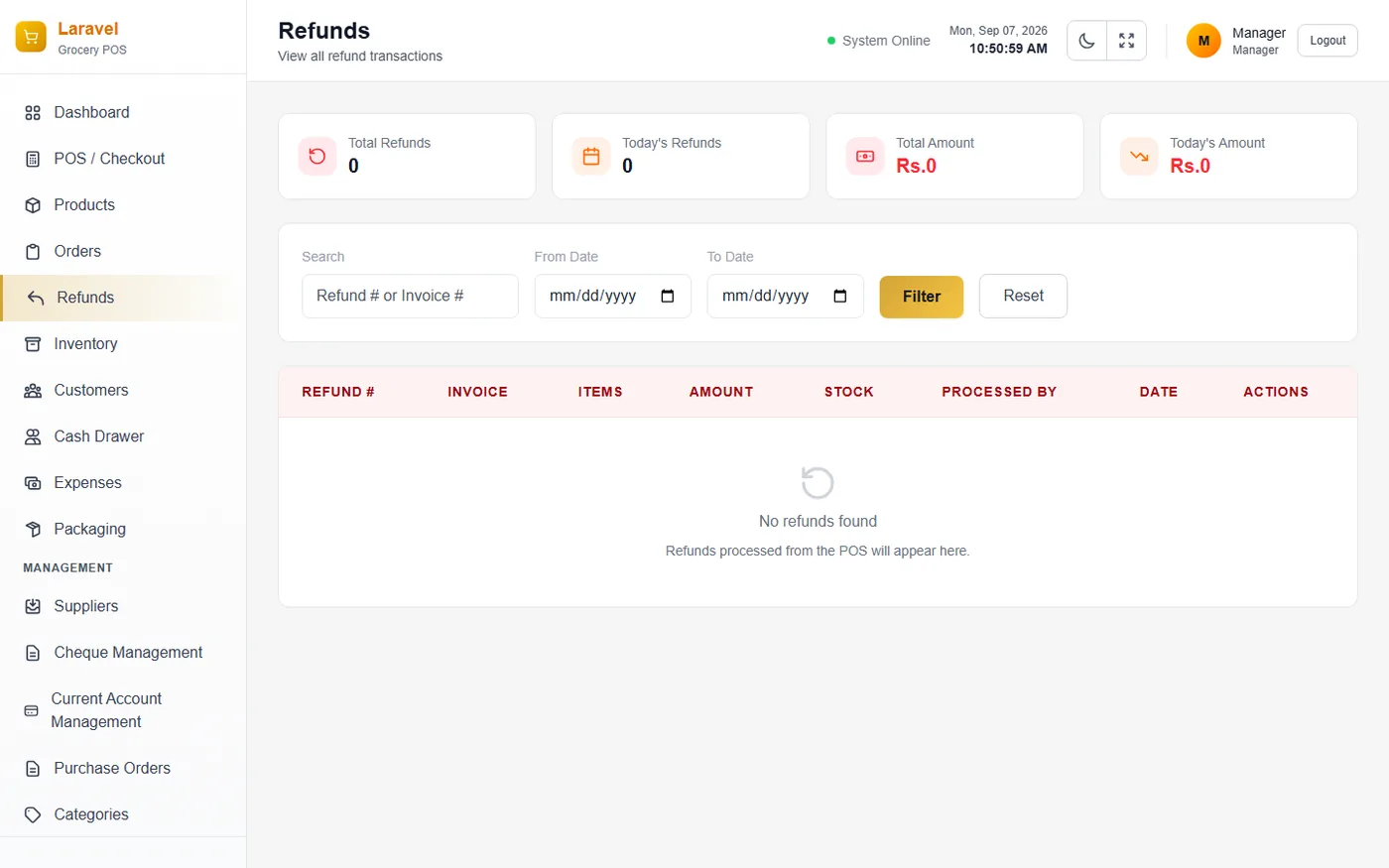
Customer Refunds & Supplier Stock Returns
Distinguishes customer POS checkout refunds from supplier stock returns (PO Returns) meant for sending expired, damaged, or unsold goods back to vendors.
- ⚡ Refunds Table: Columns for Refund #, Invoice, Items, Amount, Stock (restocked or not), Processed By, Date, and Actions.
- ⚡ Returns Tabs: Stock Returns vs PO Returns tabs for returns linked to specific Purchase Orders.
- ⚡ Returns Summary Metrics: Total Returns, Total Value, This Month, Items Returned, and Supplier Filter.
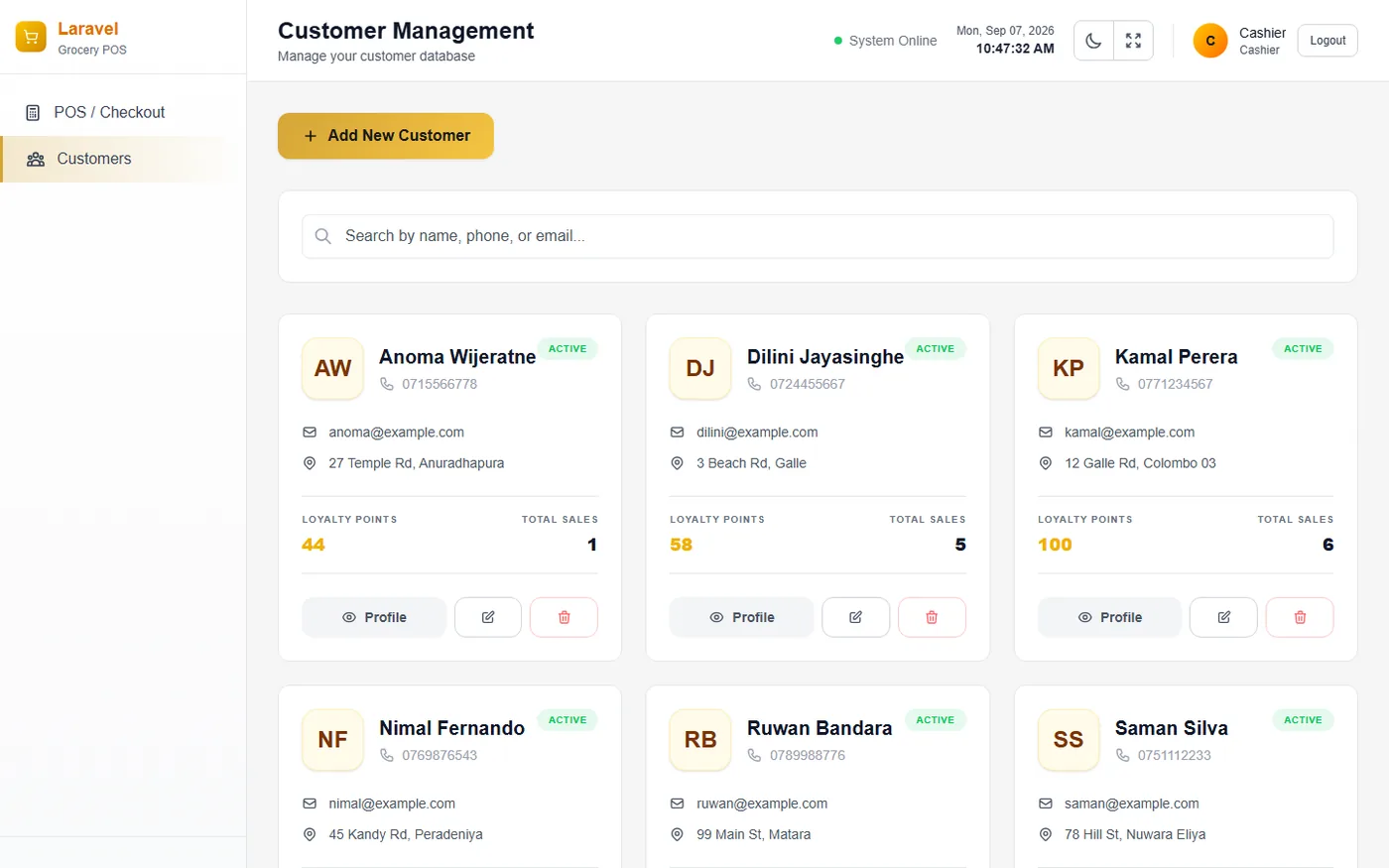
Customer CRM & Credit Account Registration
A comprehensive database of registered customers with credit accounts, prepaid balances, and daily settlement tracking across payment channels.
- ⚡ Summary Cards: Total Outstanding (unpaid credit across all customers), and Daily Settlement totals (Cash, Card, Bank/UPI).
- ⚡ Customer Table: Customer, Contact, Status, Credit Used, Credit Available, Prepaid Balance, Loyalty points, Orders.
- ⚡ Account & Financials Panel: Enable Credit Account toggle for trade customers, Notes, and Active Customer checkbox.
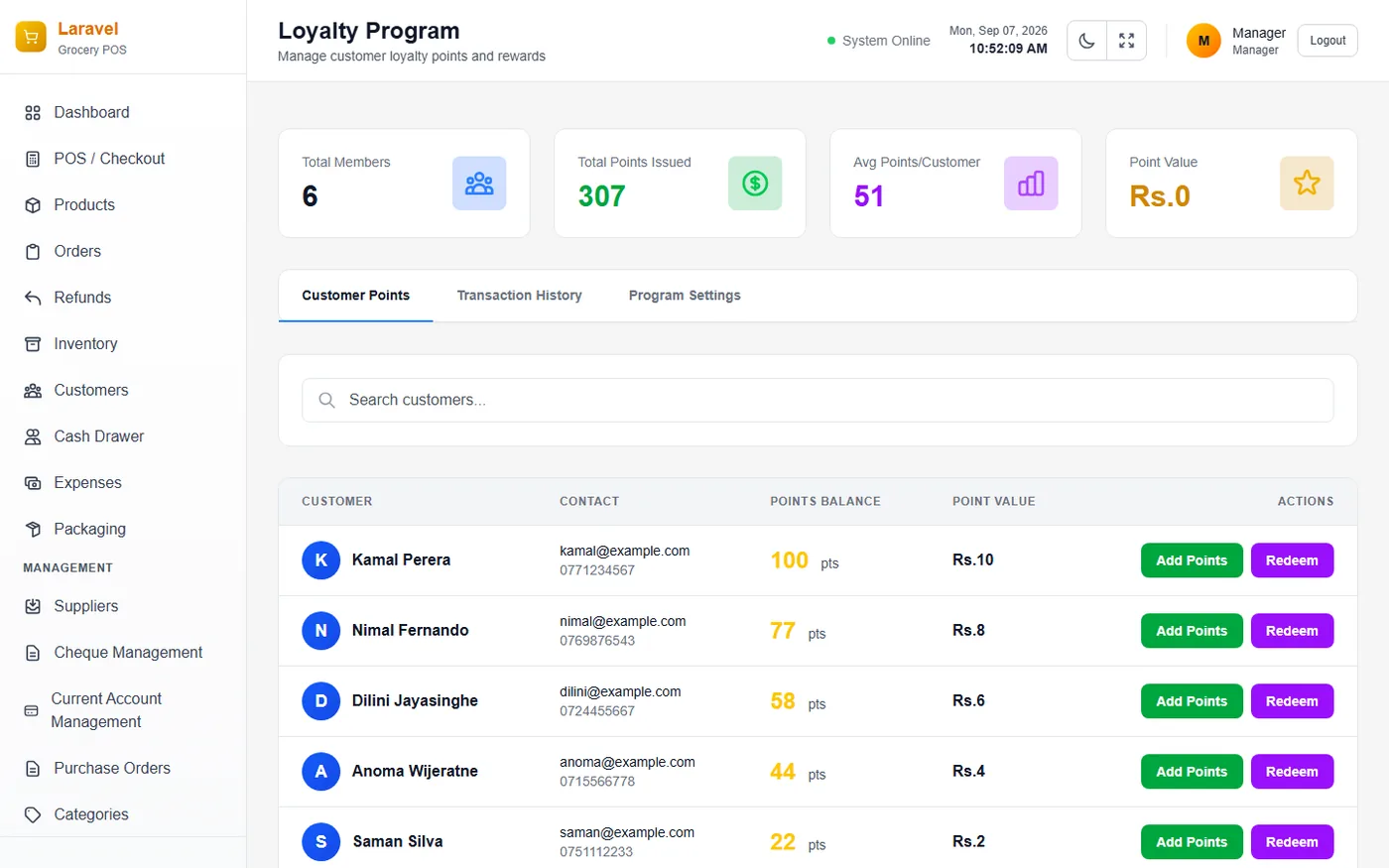
Points Loyalty Program & Promotional Deals
Manages points-based reward programs accumulated during transactions, alongside time-bound promotional campaigns and checkout discount rules.
- ⚡ Loyalty Summary: Total Members, Total Points Issued, Avg Points/Customer, and Point Value.
- ⚡ Points Table & Actions: Lists Customer, Contact, Points Balance, Point Value, and Add Points / Redeem controls.
- ⚡ Promotions & Discounts: Configure time-bound deals, discount type (percentage/fixed), min purchase amount, and active/scheduled status.
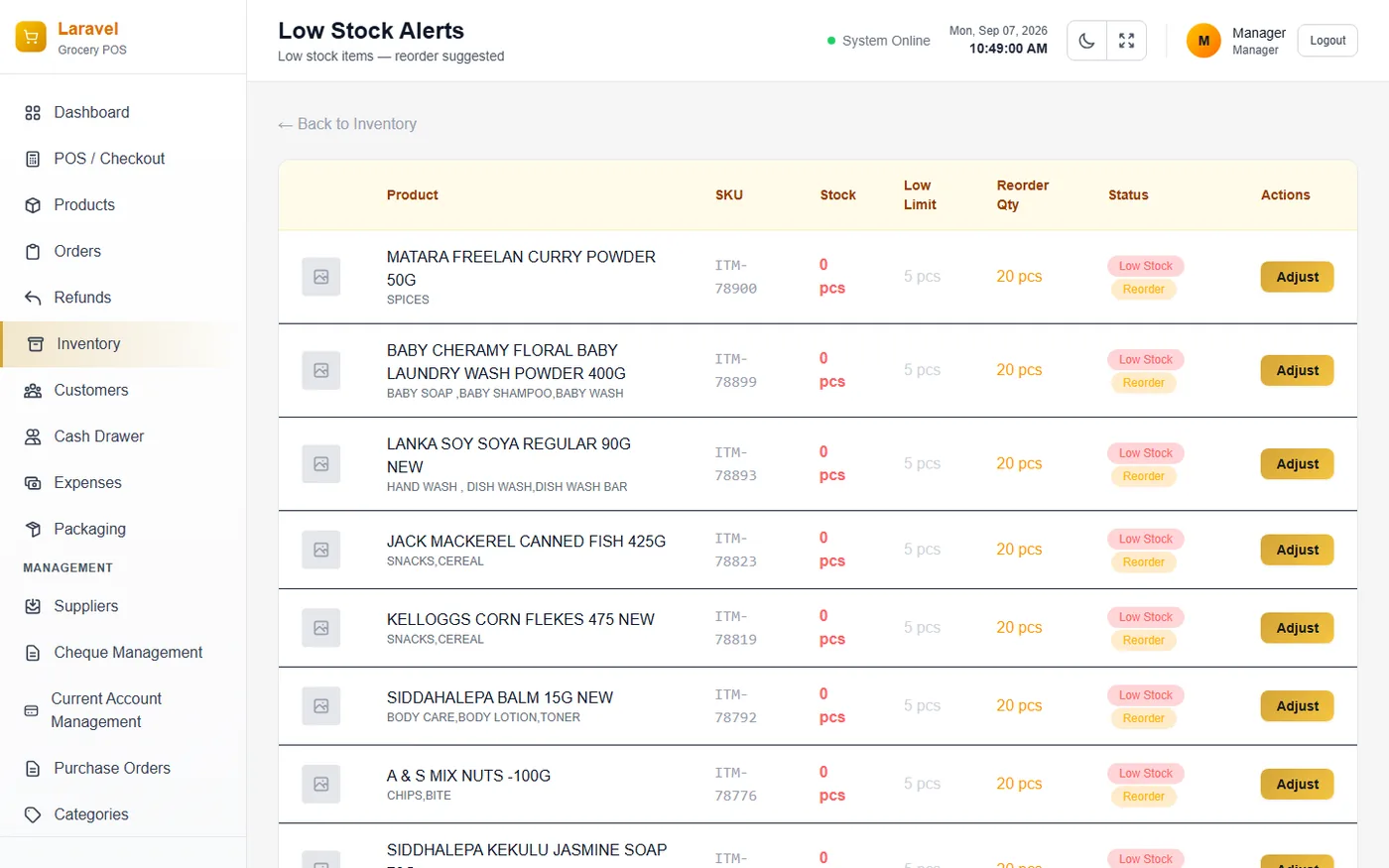
Dynamic Inventory Valuation & Physical Audit
A branch-level overview of total stock health and value, combined with a fast physical stock-counting interface used during periodic audits.
- ⚡ Summary Cards: Total Products, Low Stock count, and Stock Value (both Cost and MRP valuation).
- ⚡ Stock Count Modes: Physical Count, Stock Add, and Stock Reduce modes with fast keyboard shortcut controls.
- ⚡ Stock Movements Ledger: Complete audit trail showing Date, Product, Type, Quantity, Before/After levels, Branch, User, and Reason.
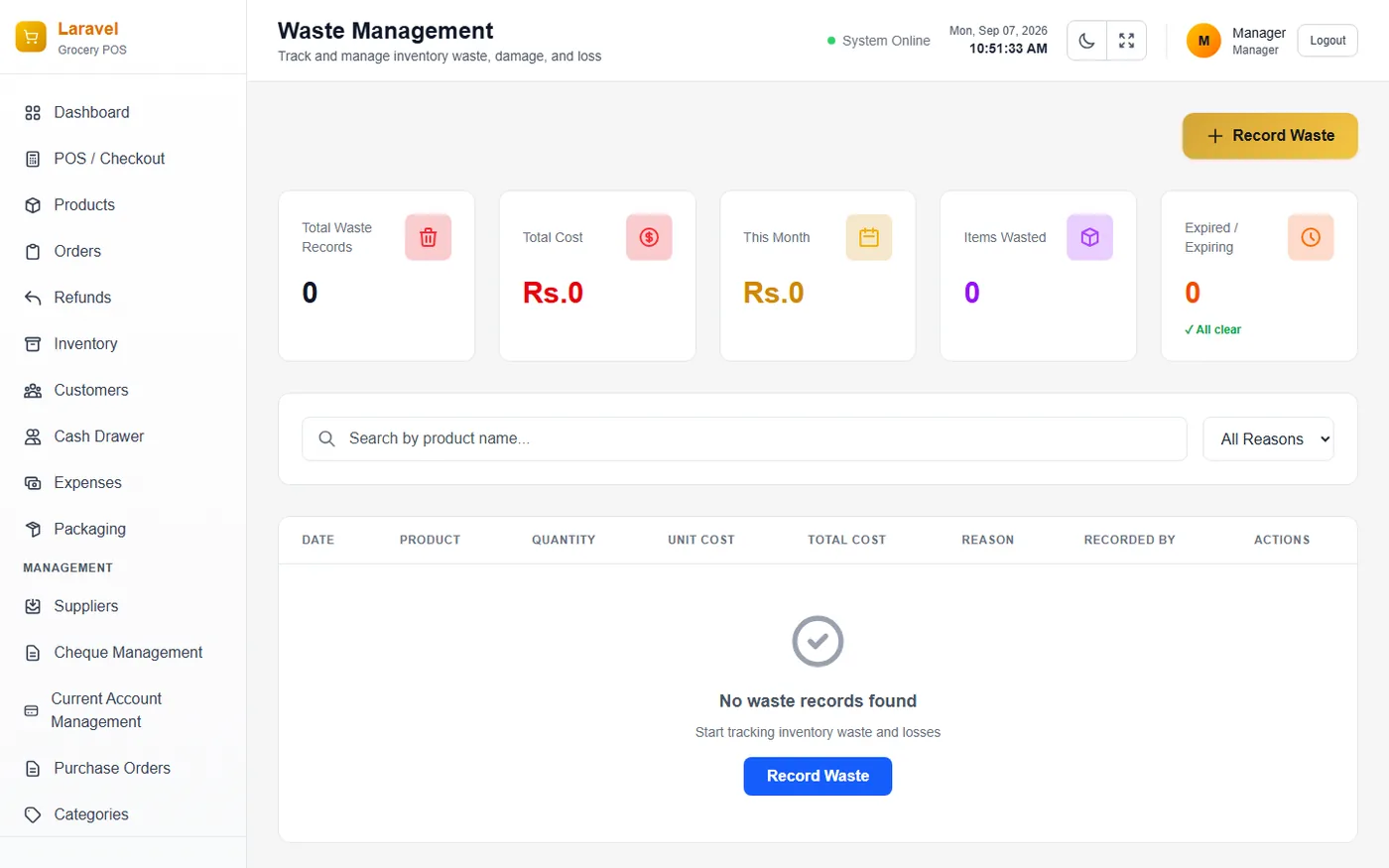
Bulk Packaging & Waste Intelligence
Repackages bulk grocery inventory into smaller retail packets and tracks shrinkage, spoilage, and inventory losses over time.
- ⚡ Packaging Actions: Add Bulk Product, Dispatch Bulk, Dispatch Packets, and Create Package.
- ⚡ Waste Intelligence Dashboard: Dedicated loss-prevention module tracking shrinkage and inventory loss.
- ⚡ Waste Metrics: Lifetime Loss (global), Active Month loss & budget utilization, Volume Loss, and Risk Index.
Inter-Branch Stock Transfers & Incoming Inbox
Manages formal stock requests between branches, proactive outbound sends, and a unified incoming inbox for everything arriving at the store.
- ⚡ Branch Requests: Request Stock From Another Branch form with Source/Destination selectors, and packing notes.
- ⚡ Branch Sends: Proactively push stock out to another location, queued as pending until approved by receiving branch.
- ⚡ Incoming Stock Inbox: Single location consolidating PO deliveries, direct branch transfers, and bulk shipments.
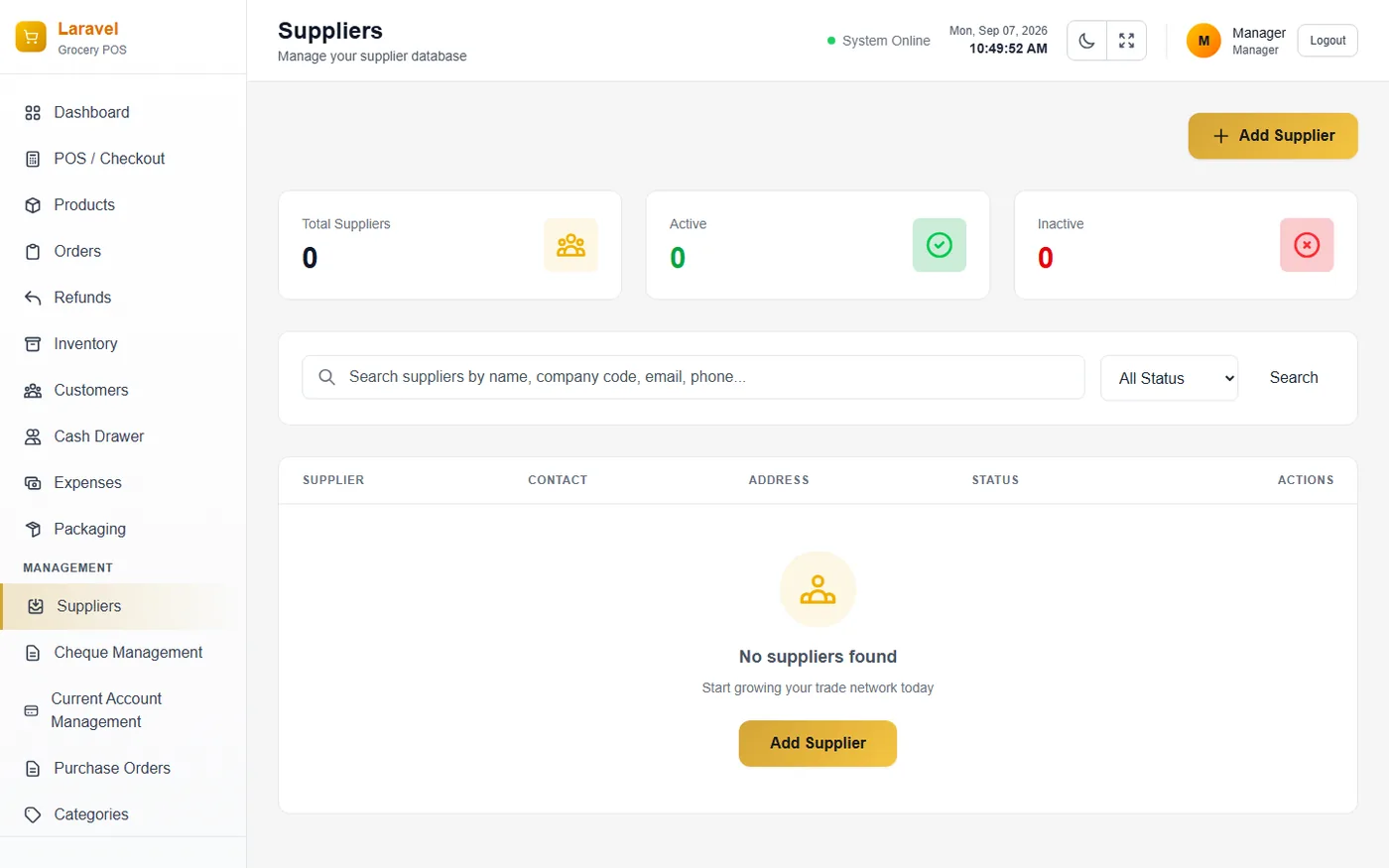
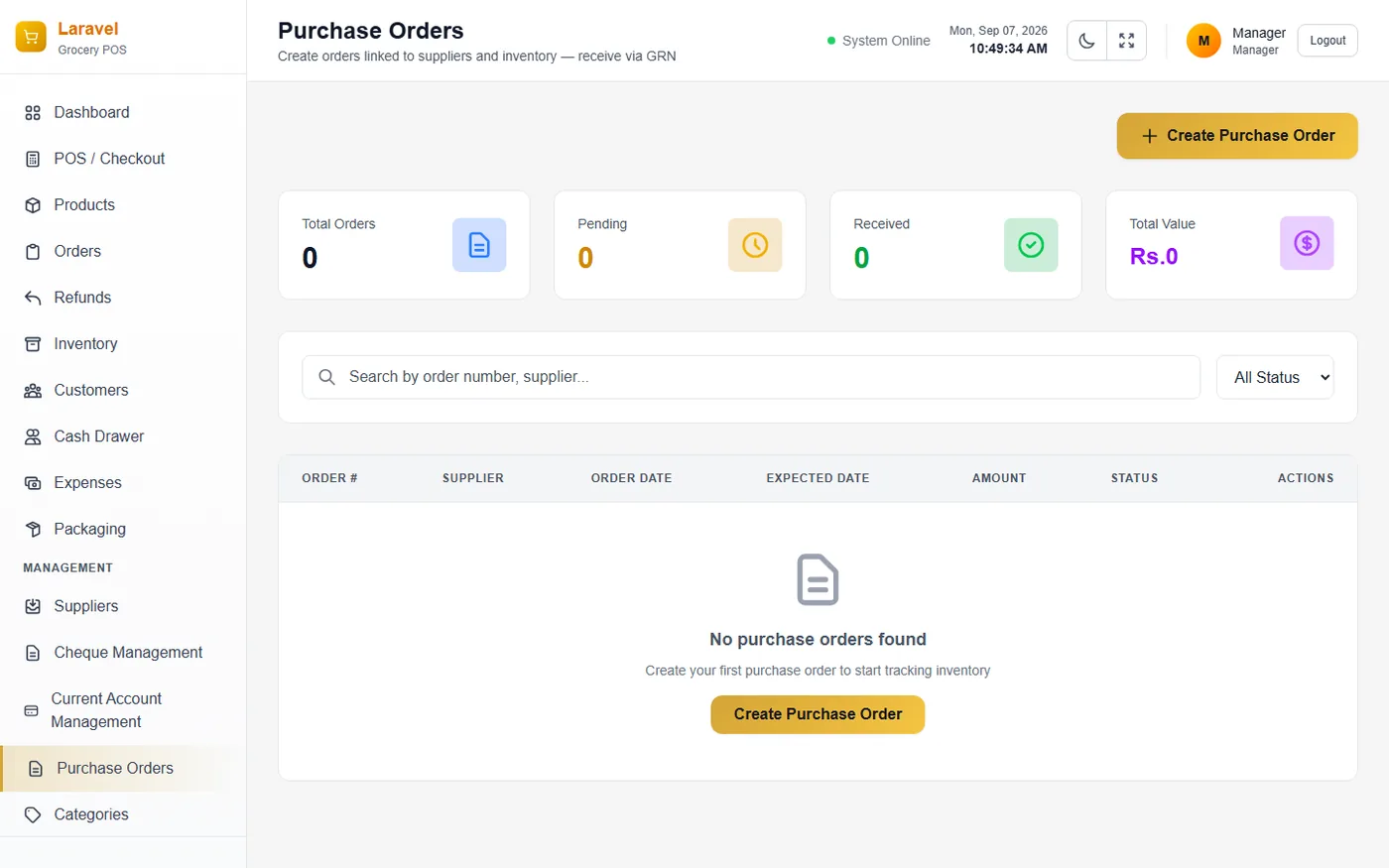
Supplier Network, PO Workflow & GRN
A vendor directory covering every supplier the business purchases from, paired with PO tracking and physical GRN stock receipt logs.
- ⚡ Supplier Cards: Contact details, payment Terms (NET 30), Credit Cap across vendors, and Financials summary.
- ⚡ Purchase Orders (PO): Tracks order creation through partial or full stock receipt, displaying PO #, Supplier, and Financials.
- ⚡ Goods Received Notes (GRN): Dedicated log of stock physically arrived against a PO, distinct from the order itself.
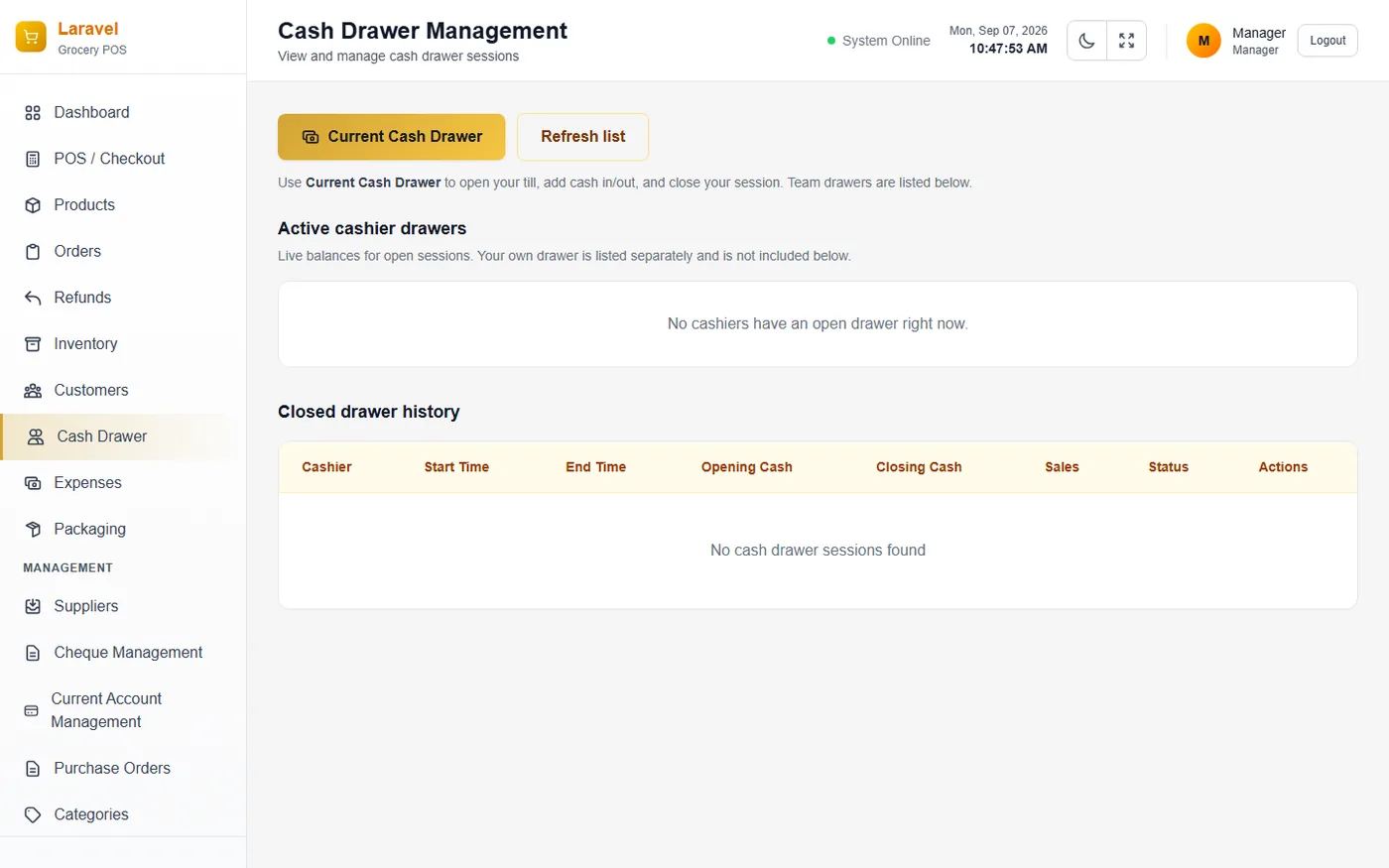
Cash Drawer Management & Shift Reconciliation
Manages cashier shift sessions, ensuring every cash drawer is opened, reconciled, and closed with a complete audit trail.
- ⚡ Sessions Table: Columns for Cashier, Branch, Opening Cash, Expected Cash, Discrepancy, Sales, Status, and View/Close.
- ⚡ Cash In / Cash Out: Records manual cash float movements in or out of the drawer during shifts.
- ⚡ Running Balance Formula: Opening Float + Sales + Settlements - Refunds - Expenses + Cash In - Cash Out.
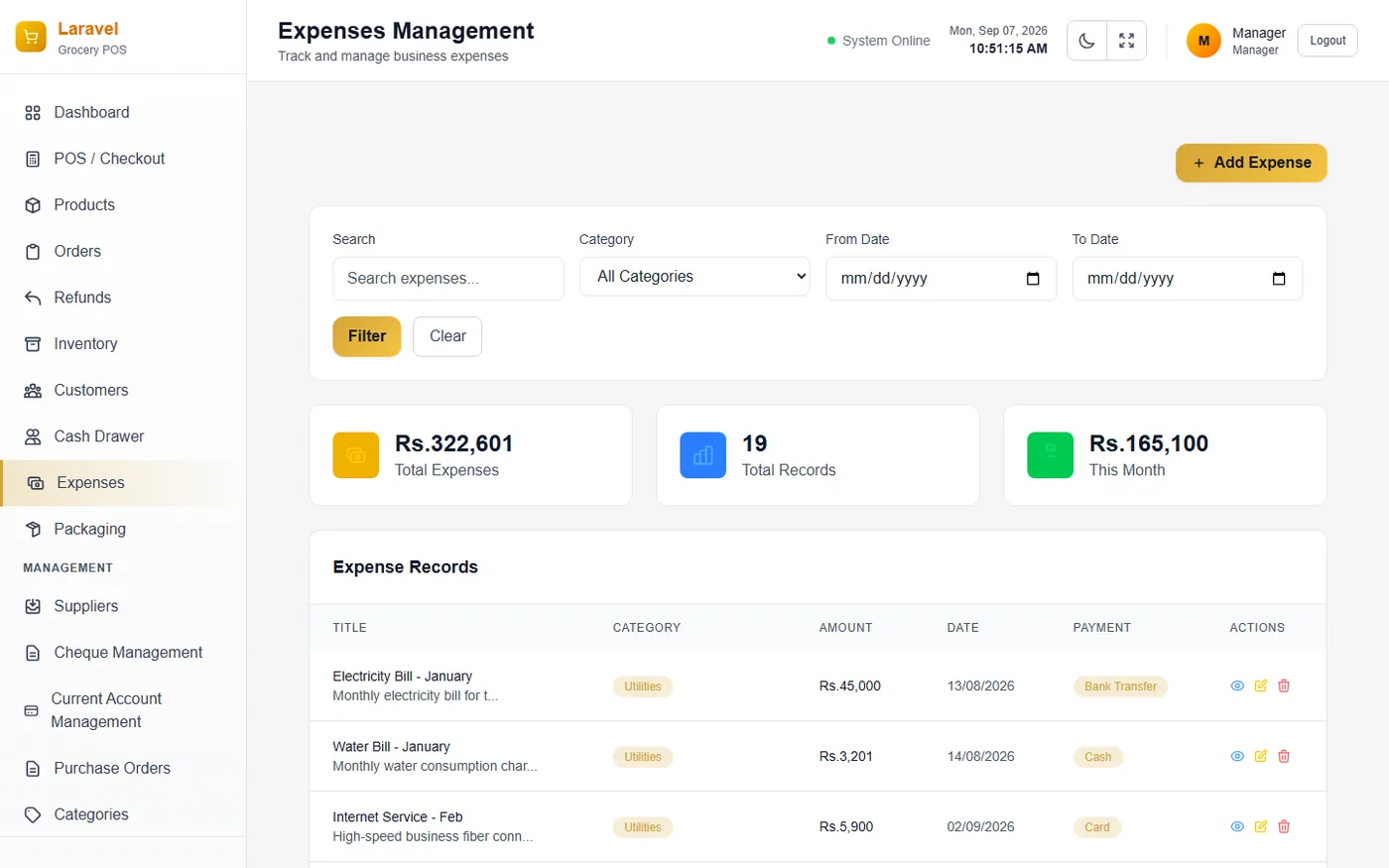
Expenses Logging & Analytical Reports Hub
Tracks day-to-day operational expenses and manual non-sale income, connected directly to a central hub linking to every analytical business report.
- ⚡ Expenses Controls: Add Manual Income and Add Expense buttons feeding directly into profit calculations.
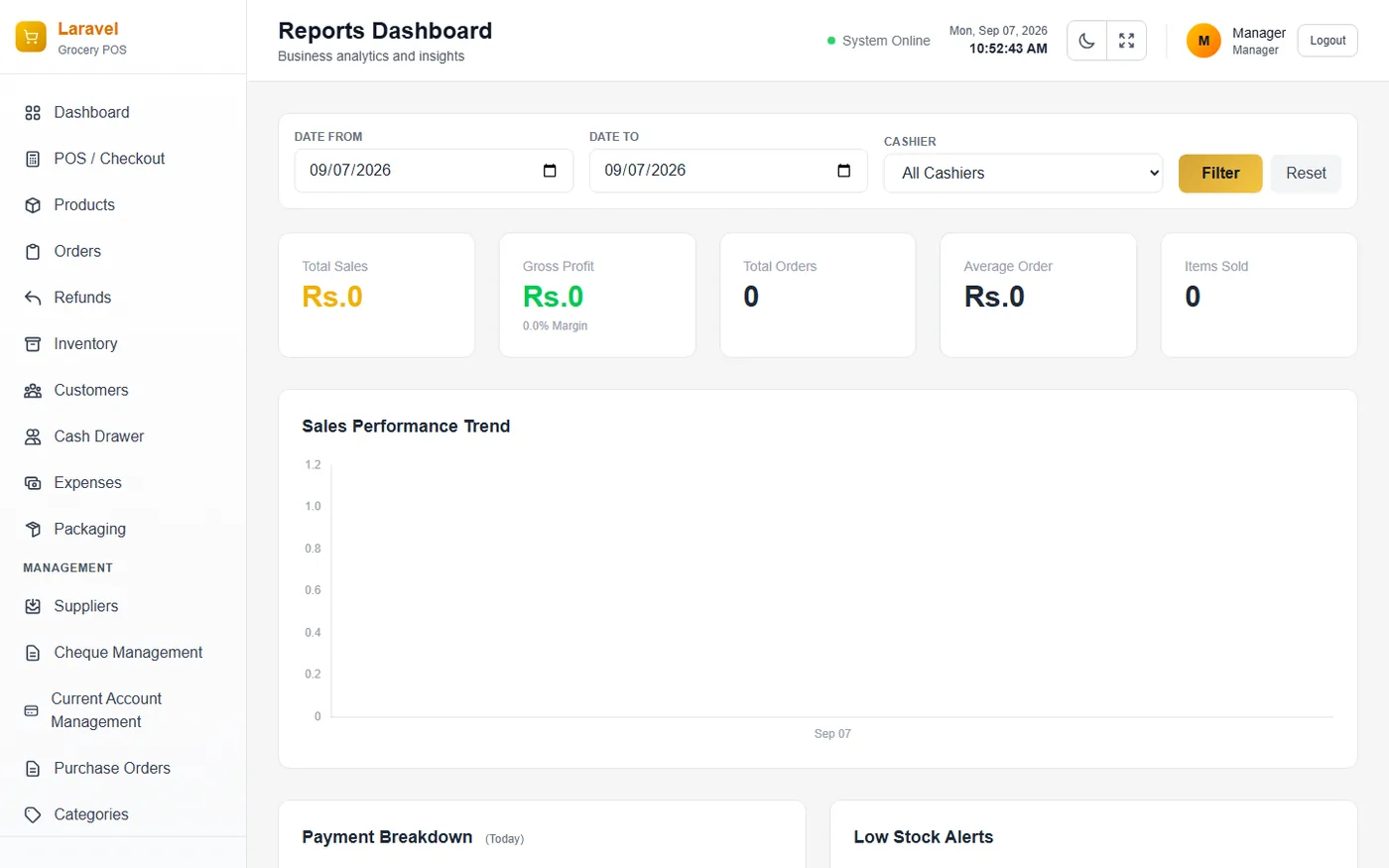
- ⚡ Primary Report Tiles: Sales Report, Product Report, Inventory Report, Employee Report, Comparison Report, Tax Report.
- ⚡ Additional Report Tiles: Orders Report, Income & Expenses, Low Stock Report, Negative Stock Items, Bank Reconciliation.
Sales Breakdown & Profit Analysis
A granular view of revenue and profitability over chosen date ranges, distinguishing profit earned from purchased stock versus free supplier bonus items.
- ⚡ Profit Summary Metrics: Total Revenue, Total Cost, Tax Collected, Total Profit, Profit Margin %, and Orders/Qty.
- ⚡ Stock Source Breakdown: Free Stock Profit, Purchased Stock Profit, and Current Available Stock.
- ⚡ Profitability Ranking: Ranks Top 5 Most Profitable and Top 5 Least Profitable products to guide purchasing.
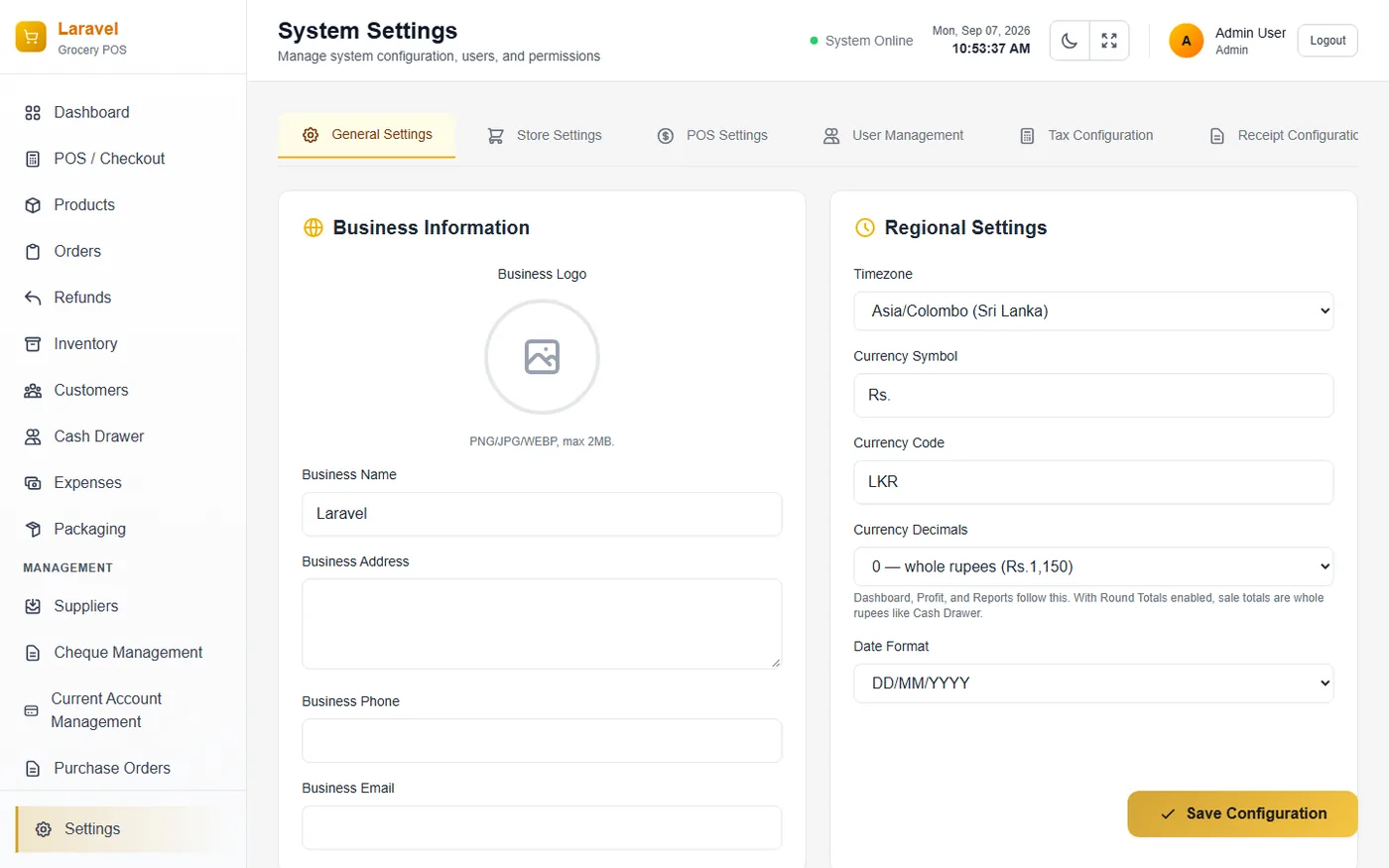
System Settings & Platform Summary
A central configuration area for core business details and regional/localization preferences, summarizing the full power of Osusala POS.
- ⚡ Business Information Panel: Business Logo upload, Business Name, Business Address, and Business Phone.
- ⚡ Regional Settings Panel: Timezone, Currency Symbol & Code, and Date Format configurations.
- ⚡ Granular RBAC Permissions: Role-Based Access Control matrix for Administrator, Store Manager, and Cashier roles.
Complete Business Management Suite
Osusala POS includes every financial, operational, and auditing tool required to run a multi-faceted retail operation.
Dashboard Overview
Instant snapshot of daily performance across all branches, including pending transfers and low-stock alerts.
Product Catalog
Master catalog with multi-panel onboarding, specific Kalan pricing modes, and immediate barcode printing.
Category Hierarchy
Organizes the product catalog into nested hierarchies (parent and child categories) for precise grouping and filtering.
Refunds & Returns
Distinctly handles customer POS checkout refunds versus formal supplier stock returns (PO Returns) to keep books clean.
System Settings & RBAC
Central configuration for business branding, currency, tax rules, and granular Role-Based Access Control permissions.
Desktop Silent Printing
Seamlessly configure thermal ESC/POS printers for sale receipts and Windows printers for barcode labels and invoices.
Ready to Elevate Your Grocery Business?
Transform your retail checkout, inventory packing, CRM, and supplier orders with Osusala POS Desktop Sri Lanka.