Complete Retail & Inventory Management for Jewellery Stores
Classic Imitation POS consolidates retail transactions, bidirectional Shopify integration, robust cash drawer management, and financial analytics into a single, unified digital platform.
Why Choose possystem.lk Jewellery ERP?
Explore all the essential modules engineered to optimize retail transactions, manage inventory, track cash flows, and unify your complete jewellery business operations.
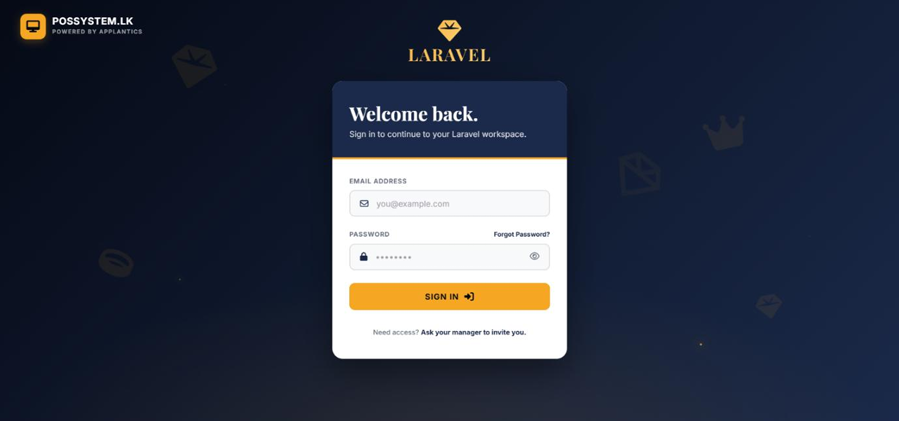
Secure Login & Authentication
The authentication module allows authorized staff members to securely access the system using their credentials. It enforces Role-Based Access Control (RBAC).
- ⚡ Secure Access: Secure user login and password resets.
- ⚡ Role-Based Routing: Role-based access routing for Admins, Managers, and Cashiers.
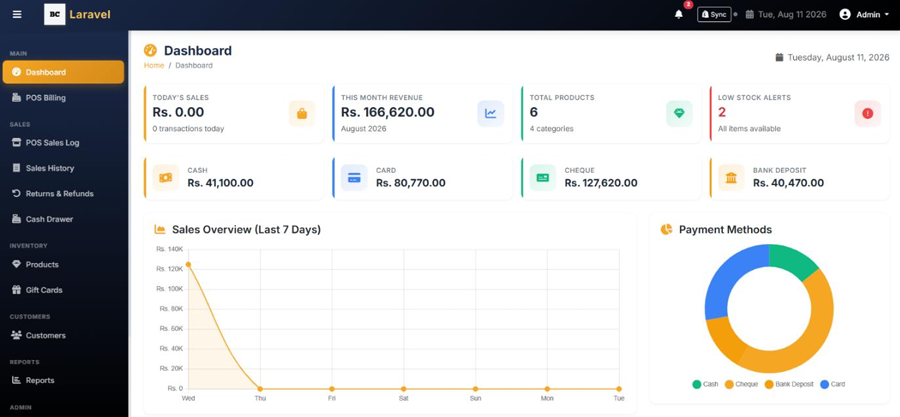
Main Dashboard
The central command center providing a real-time, high-level overview of business performance and inventory health.
- ⚡ Real-time KPIs: View daily and monthly net revenue and transaction counts.
- ⚡ Inventory Alerts: Monitor low stock and out-of-stock items via alerts and tables.
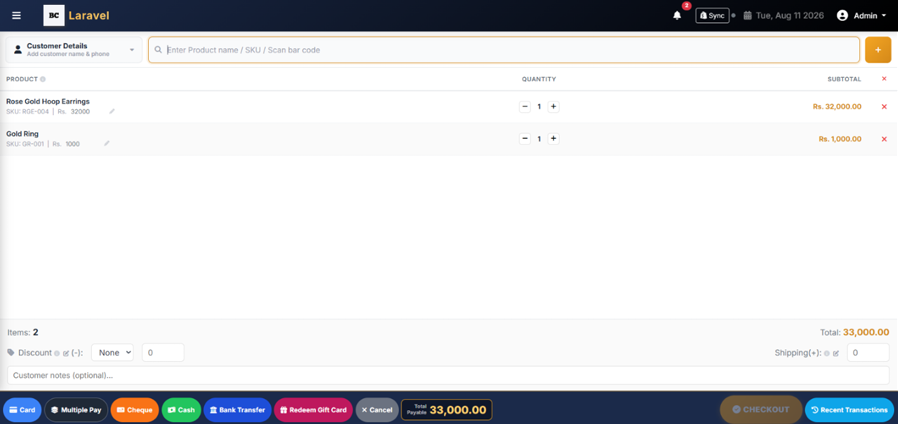
POS Billing Terminal
A dedicated, full-screen point-of-sale interface for cashiers to ring up customers quickly.
- ⚡ Fast Checkout: Search for products via SKU, Name, or barcode scanner.
- ⚡ Flexible Payments: Support multiple payment methods (Cash, Card, Cheque, Bank, Multi-pay) and sell/redeem Gift Cards.
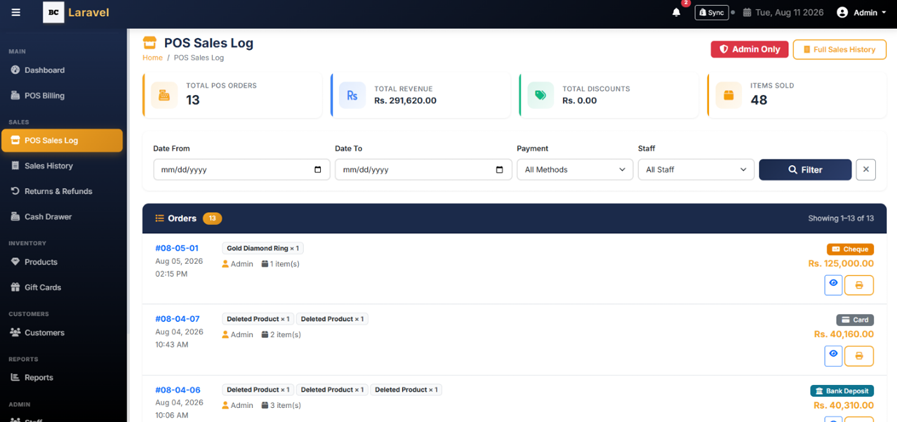
POS Sales Log
A quick, dedicated view of the most recent POS transactions to easily track daily cashier activity.
- ⚡ Today's Sales: View a fast, dedicated list of today's generated sales.
- ⚡ Quick Reference: Get quick reference to invoice numbers and transaction totals.
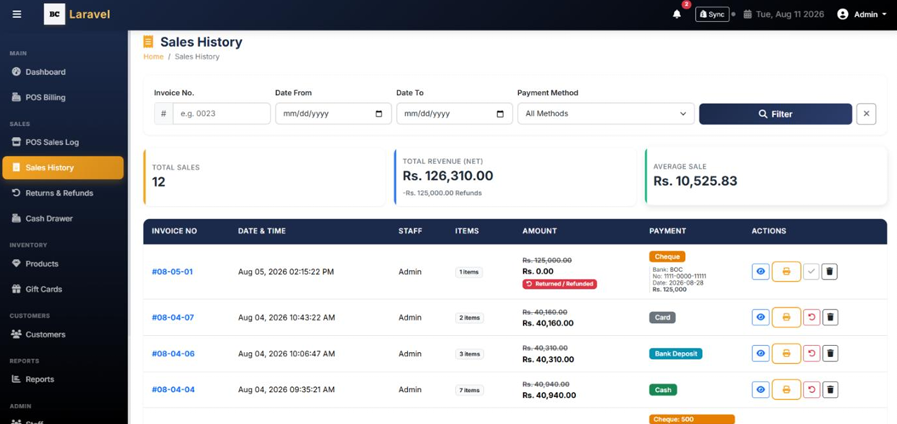
Sales History
A comprehensive log of all past transactions allowing for detailed review and invoice reprinting.
- ⚡ Search & Filter: Search and filter past sales by date, invoice number, or customer.
- ⚡ Export & Print: View detailed transaction breakdowns and print or export historical invoices.
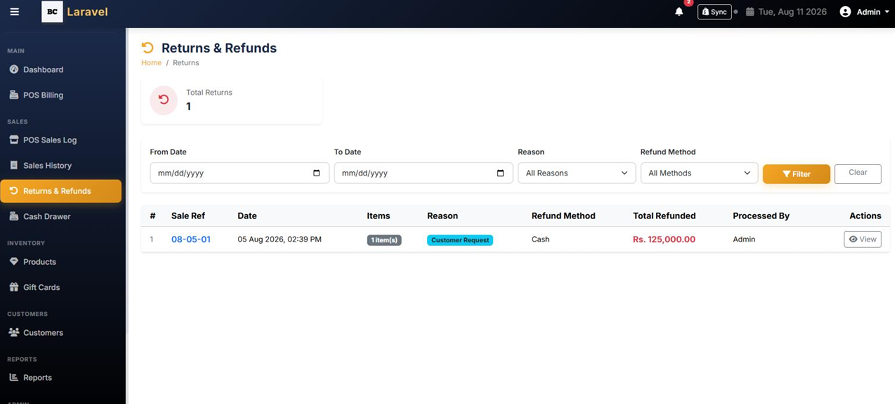
Returns & Refunds
Handles customer returns, item restocking, and financial refund tracking.
- ⚡ Process Returns: Initiate a return from a specific past sale and select specific items.
- ⚡ Refund & Restock: Choose a refund method (Cash, Card, Store Credit) and optionally restock the item.
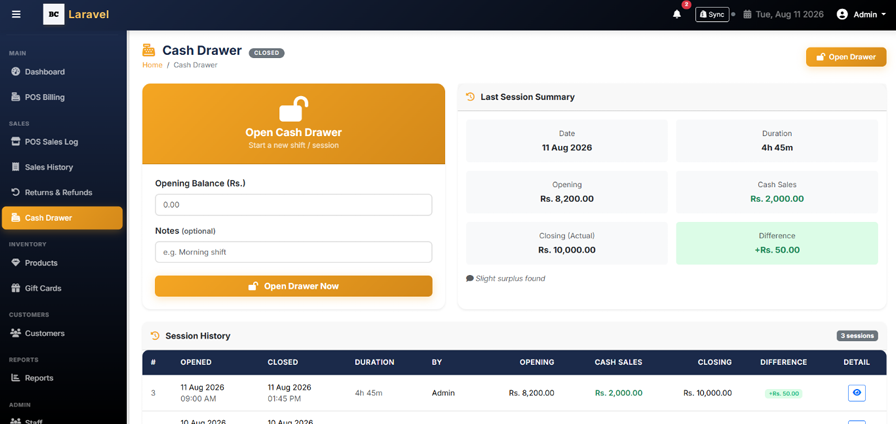
Cash Drawer Management
Tracks the physical cash register's balance throughout a shift or day to ensure accountability.
- ⚡ Session Tracking: Open a new drawer session with a starting cash balance and record manual Cash In or Cash Out.
- ⚡ Automatic Aggregation: Automatically aggregate all POS Cash Sales and Cash Refunds into the session.
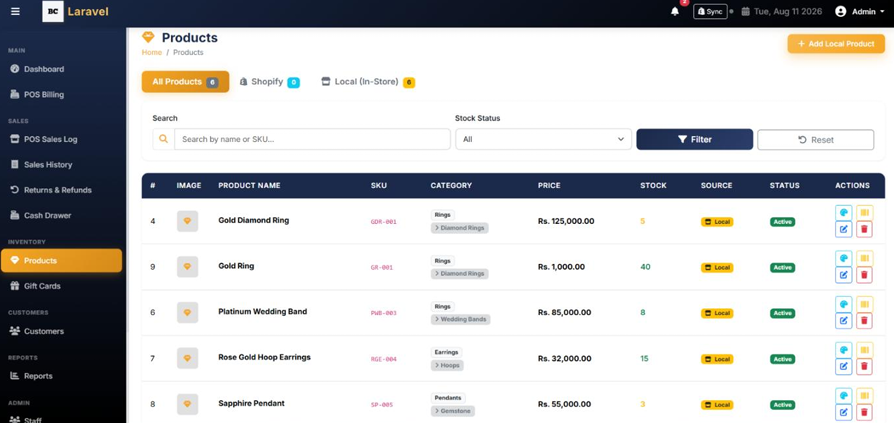
Products Inventory
The central hub for viewing and managing all store inventory.
- ⚡ Inventory Management: View all products with their variants (colors, sizes, etc.) and filter by stock status.
- ⚡ Stock Control: Add, edit, or delete local products, and update stock quantities for specific variants.
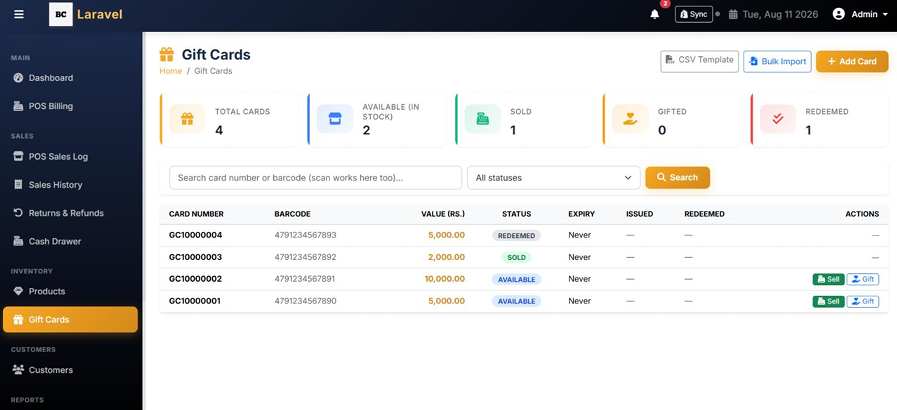
Gift Cards System
Interface to issue, sell, and redeem digital or physical store gift cards.
- ⚡ Card Generation: Generate new gift cards (singly or in bulk) with specific values.
- ⚡ Status Tracking: Track gift card statuses (Available, Sold, Redeemed).
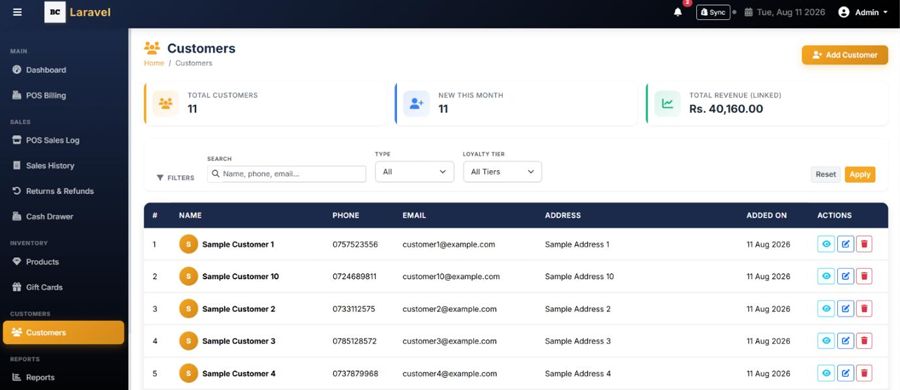
Customers Database
A customer database used to link sales and track individual purchase histories.
- ⚡ Customer Profiles: Add and edit customer profiles (Name, Phone, Email, Address).
- ⚡ Purchase Tracking: View lifetime purchase totals for specific customers.
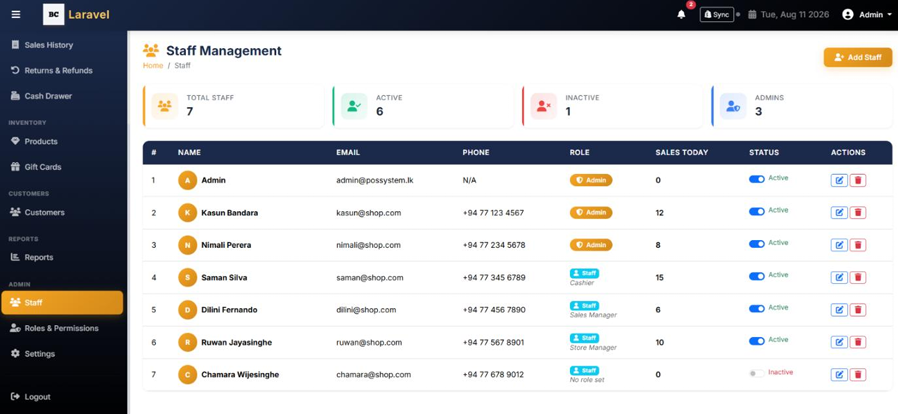
Staff Management
Management interface for creating and controlling employee login accounts.
- ⚡ Account Creation: Add new staff members & Edit staff details and passwords.
- ⚡ Account Controls: Assign specific roles to staff members or deactivate staff accounts.
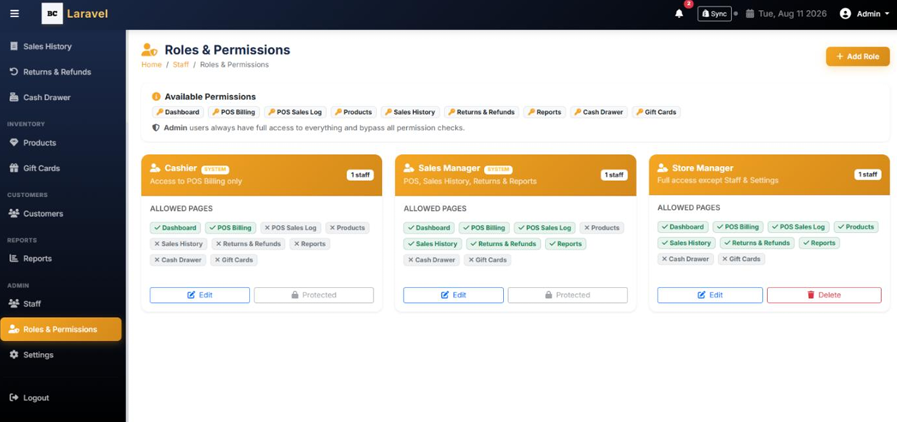
Roles & Permissions
Security control center for defining what actions specific staff members can perform.
- ⚡ Custom Roles: Create custom roles (e.g., Sales Manager, Cashier).
- ⚡ Granular Access: Assign granular system permissions (e.g., pos, returns, reports) to specific roles.
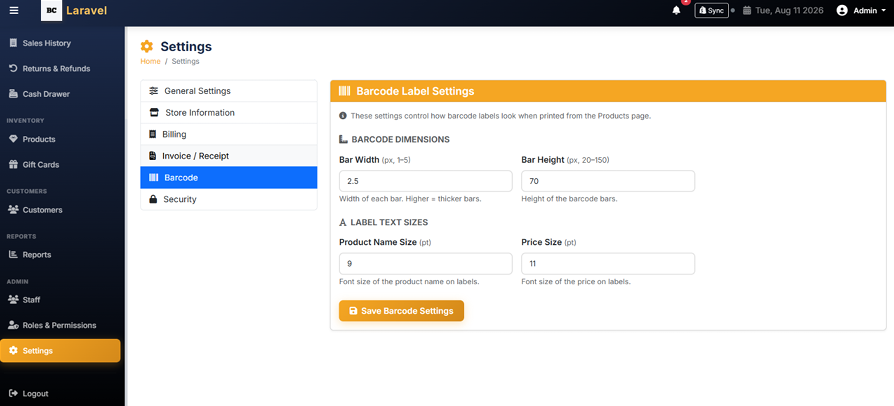
System Settings
System configuration hub for adjusting store details and receipt templates.
- ⚡ Store Configuration: Update Store Name, Email, Phone, and Address details.
- ⚡ Invoice & Features: Configure invoice settings (Prefix, Tagline, Logos) and toggle system-wide features.
Complete Business Management Suite
Classic Imitation POS includes every retail, financial, and security tool required for professional jewellery store management.
Multi-Payment POS Billing
Fast checkout via SKU, name, or barcode. Accepts Cash, Card, Cheque, Bank Transfer, Multi-pay, and Gift Card redemptions at the counter.
Product & Variant Inventory
Full product catalog with color, size, and variant support. Filter by stock status, add/edit items, and update quantities for specific variants.
Returns & Refunds
Initiate returns from past invoices, select specific items, choose refund method (Cash, Card, Store Credit), and optionally restock returned goods.
Cash Drawer & Till Control
Session-based float tracking with manual Cash In/Out logs. Automatically aggregates all POS cash sales and refunds for shift reconciliation.
Gift Cards System
Issue, sell, and redeem digital or physical gift cards. Generate singly or in bulk and track statuses (Available, Sold, Redeemed) in real time.
Roles & Permission Security
Create custom staff roles (Admin, Manager, Cashier) and assign granular permissions per module including POS, returns, and reports access.
Transform Your Retail Counter & Inventory Management Today
Transform your retail counter, inventory, cash flow, and financial management with Classic Imitation POS.
Frequently Asked Questions
What is the Jewellery Shop POS System?
The Jewellery Shop POS System is software from Applantics (Pvt) Ltd (possystem.lk) for jewellery and fashion-jewellery stores in Sri Lanka. It covers POS billing, Shopify integration, inventory management, gift cards, cash drawer sessions and returns.
Who is the Jewellery Shop POS System designed for?
It is designed for jewellery and fashion-jewellery stores that want one system to manage sales, stock and day-to-day operations instead of spreadsheets and manual records.
How much does the Jewellery Shop POS System cost in Sri Lanka?
Pricing depends on the number of branches, users and modules you need, so we quote per business. Message us on WhatsApp (+94 77 271 8001) or email admin@possystem.lk for a free quotation.
Is local support and onboarding available for the Jewellery Shop POS System?
Yes. Applantics has a local support team in Sri Lanka that helps with setup, training and ongoing support, and the system supports multi-branch operations.