Complete POS & Management System for Laundry Businesses
Laundry POS is a web-based Point of Sale and management system designed specifically for laundry businesses. It supports the daily workflow of receiving cloth items, selecting services, taking full or partial payments, and tracking orders until delivery, while also managing customers, stock, cash, and reports.
Secure Login & Session Authentication
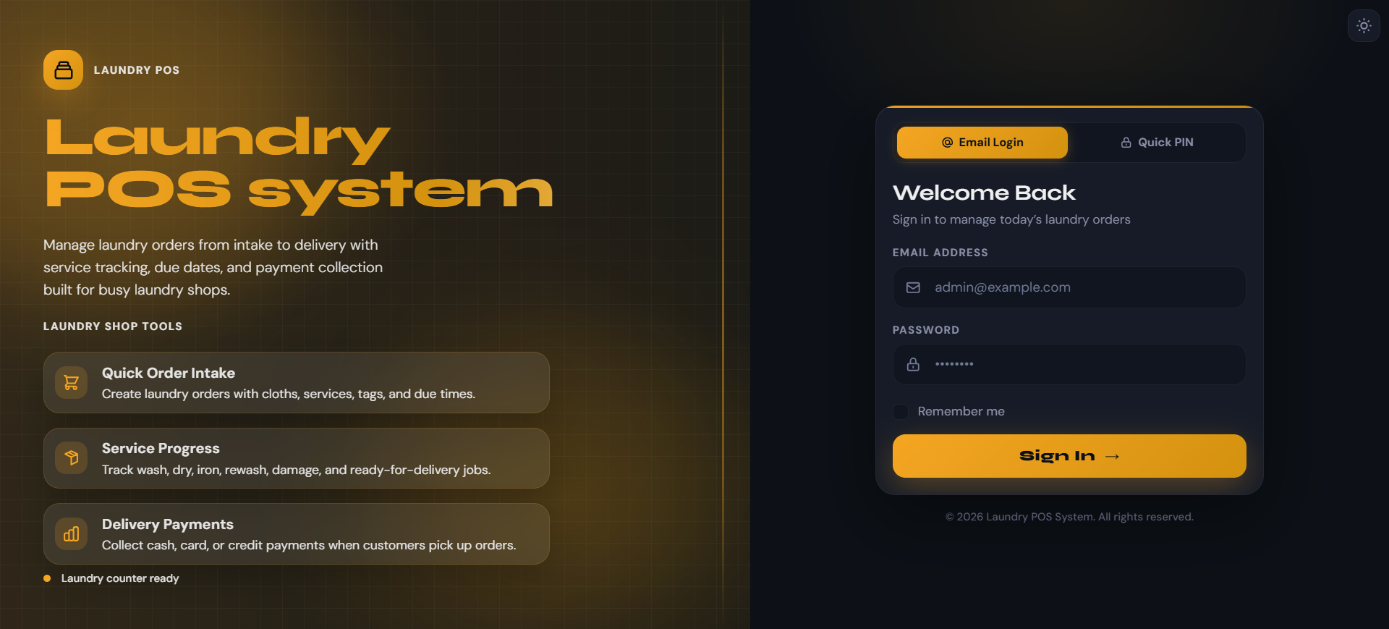
The login page provides secure access to the system. Staff can sign in using their registered email address and password or use a 4-digit Quick PIN for faster access at the counter. Before access is granted, the system checks that the account is active.
- ⚡ Email Login: Sign in using registered email address and password
- ⚡ Quick PIN: Faster login method using a 4-digit PIN for counter staff
- ⚡ Role-Based Access: Users can only open pages allowed by their assigned role and permissions
- ⚡ Theme Toggle: Switch between light and dark interface modes
Main Application Frame & Operations Dashboard
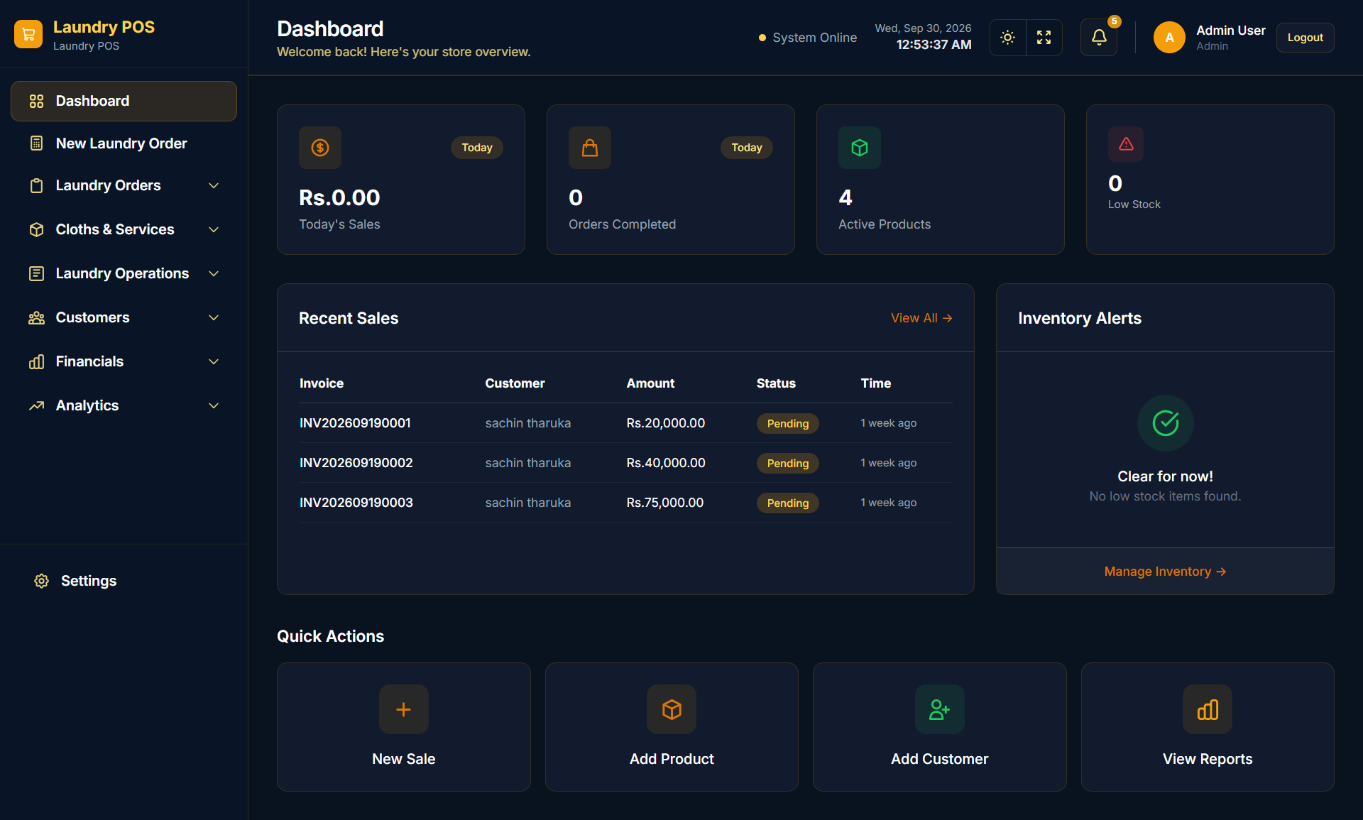
The system uses a common application layout with a sidebar for navigation and a top toolbar for quick controls and status information. The Dashboard gives staff a quick overview of the current business activity before they move into a specific module.
- ⚡ KPI Cards: Today's Sales, Orders Completed, Active Products, and Low Stock at a glance
- ⚡ Sidebar Navigation: Dashboard, New Order, Laundry Orders, Cloths & Services, Operations, Customers, Financials, Analytics, and Settings
- ⚡ Recent Sales & Inventory Alerts: Latest transactions with invoice, customer, amount, status, and low-stock warnings
- ⚡ Sales Chart & Quick Actions: Seven-day sales trend with shortcuts to New Sale, Add Product, Add Customer, and View Reports
New Laundry Order / POS Terminal
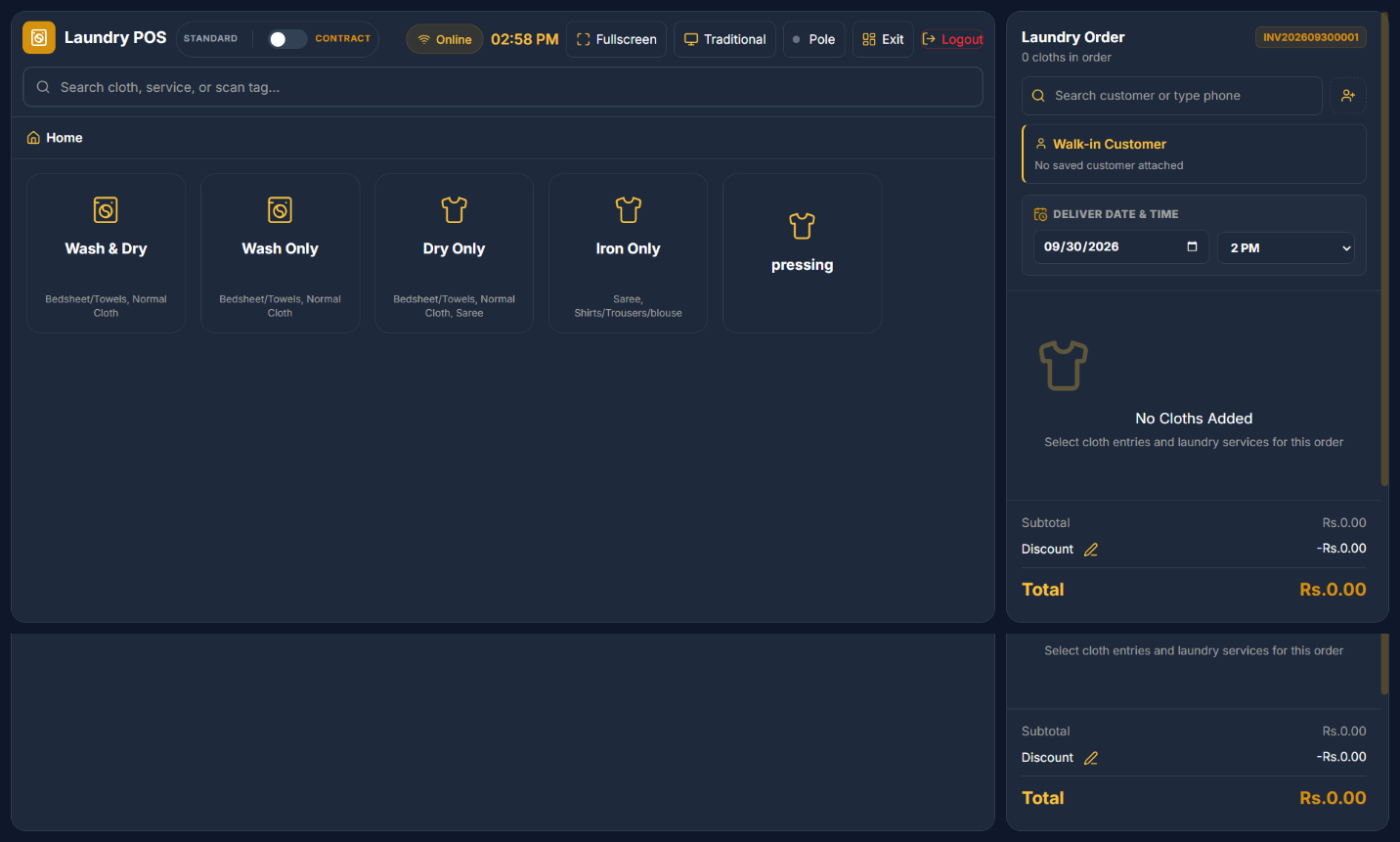
The POS terminal is where a new laundry order is created. The Modern POS is the main screen where staff move through categories, choose a cloth item with its service option, add it to the cart, attach a customer, and take payment. The Traditional POS offers a denser, classic layout for the same task.
- ⚡ Search & Barcode: Find items by name, SKU, barcode, service size, work type, or category
- ⚡ Service Options & Batch: Pick size, work type, unit and stock batch for an item
- ⚡ Customer Selection: Search saved customers, attach by phone number, or use walk-in
- ⚡ Payment Methods: Cash, card, and credit with splitting across methods and advance payments
- ⚡ Hold / Resume: Orders in progress can be held and resumed later
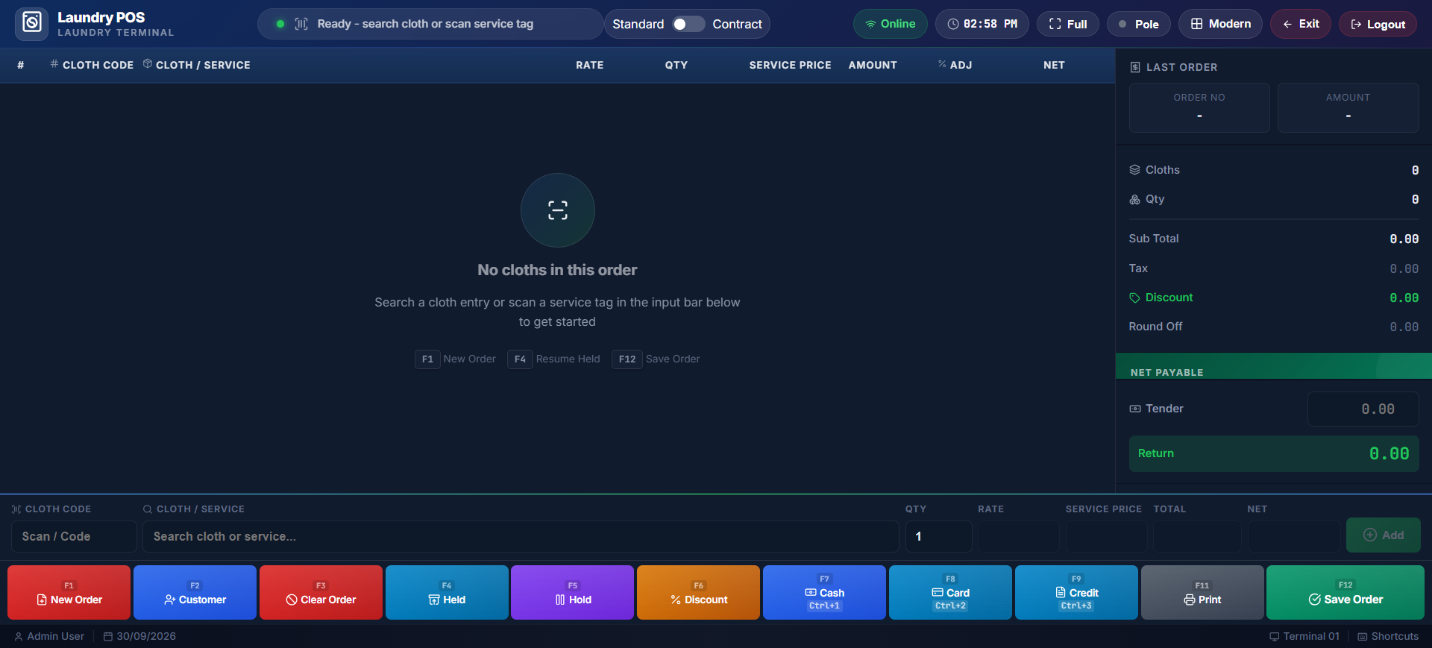
Traditional POS Terminal Layout
Dual POS Layouts
Both layouts use the same checkout engine, so prices, stock deduction, payments, and receipts behave in the exact same way. Staff can use either the Modern POS or the Traditional POS layout based on their preference. A completed checkout returns the receipt and invoice for the order.
Laundry Orders & Sales History
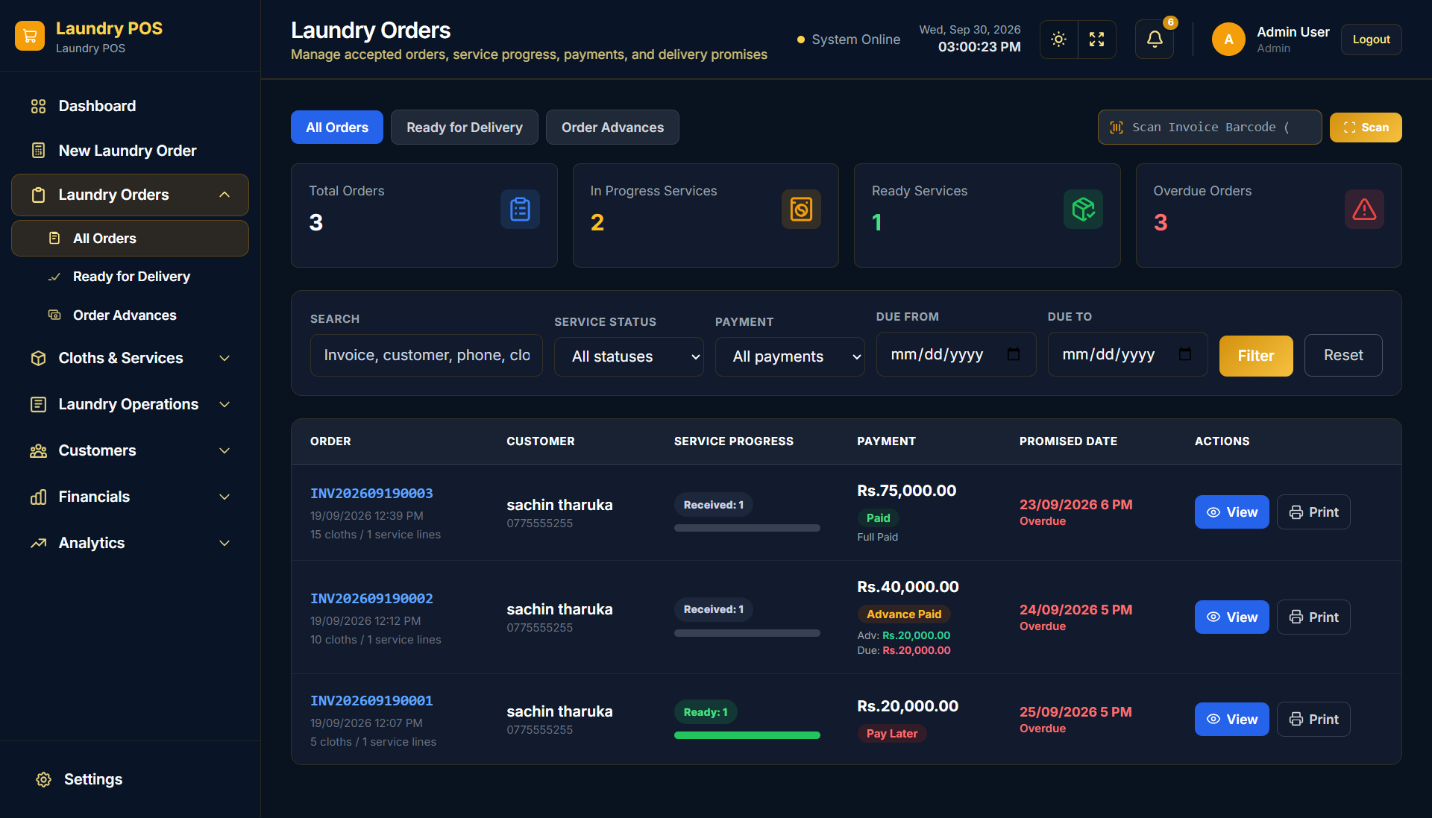
The Laundry Orders pages list every order created at the POS. The menu has three views: All Orders, Ready for Delivery, and Order Advances. Staff use them to find an order, check its payment, follow its service progress, and print the receipt.
- ⚡ Search & Filters: Find orders by invoice, customer, or item and filter by date and status
- ⚡ Payment Status: Track whether orders are unpaid, partly paid, or fully paid
- ⚡ Service & Delivery Status: Item service status updated as work progresses with Ready for Delivery list
- ⚡ Receipts & Invoices: Sale receipt, payment receipt, and invoice PDF available for every order
Order Advances & Customer Credit
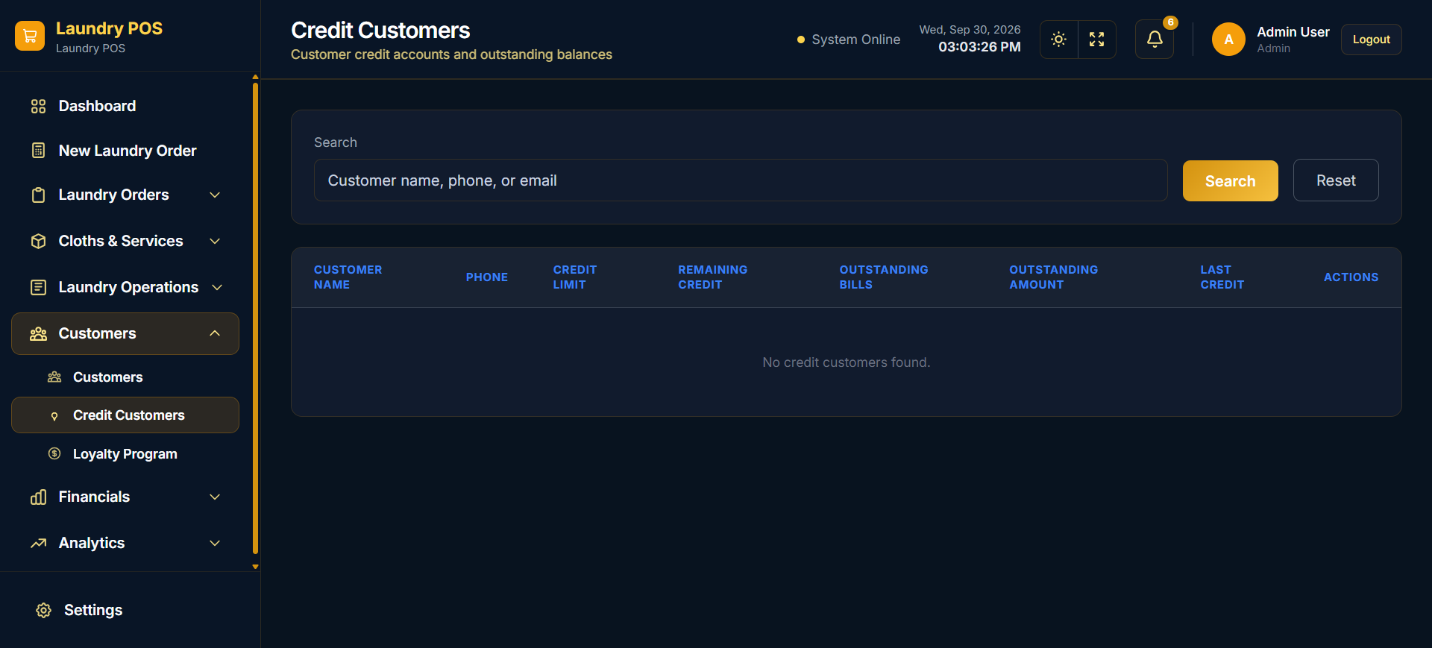
Customers do not always pay in full at the counter. An order can be saved with an advance or part payment and the rest collected on delivery. A saved customer can also buy on credit, which creates a credit bill with a due date.
- ⚡ Advance Amount: Part payment taken when the order is created
- ⚡ Outstanding Balance: Track the amount still to be paid on an order and total customer credit
- ⚡ Partial & Full Settlement: Customer can pay part or all of the credit balance
- ⚡ Payment History & Receipt: Credit bills, payments and settlements with printable receipts
Cloth-wise Entry & Service Types
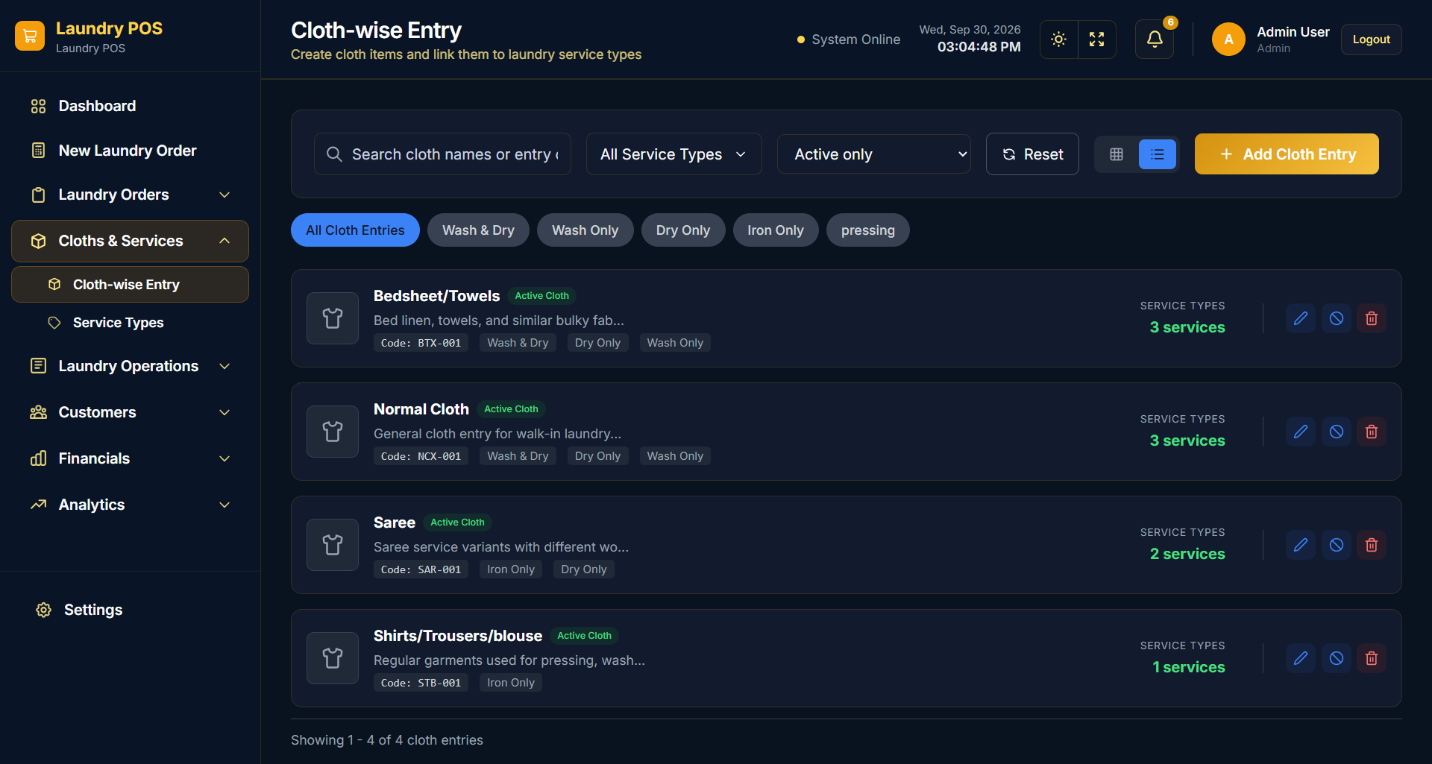
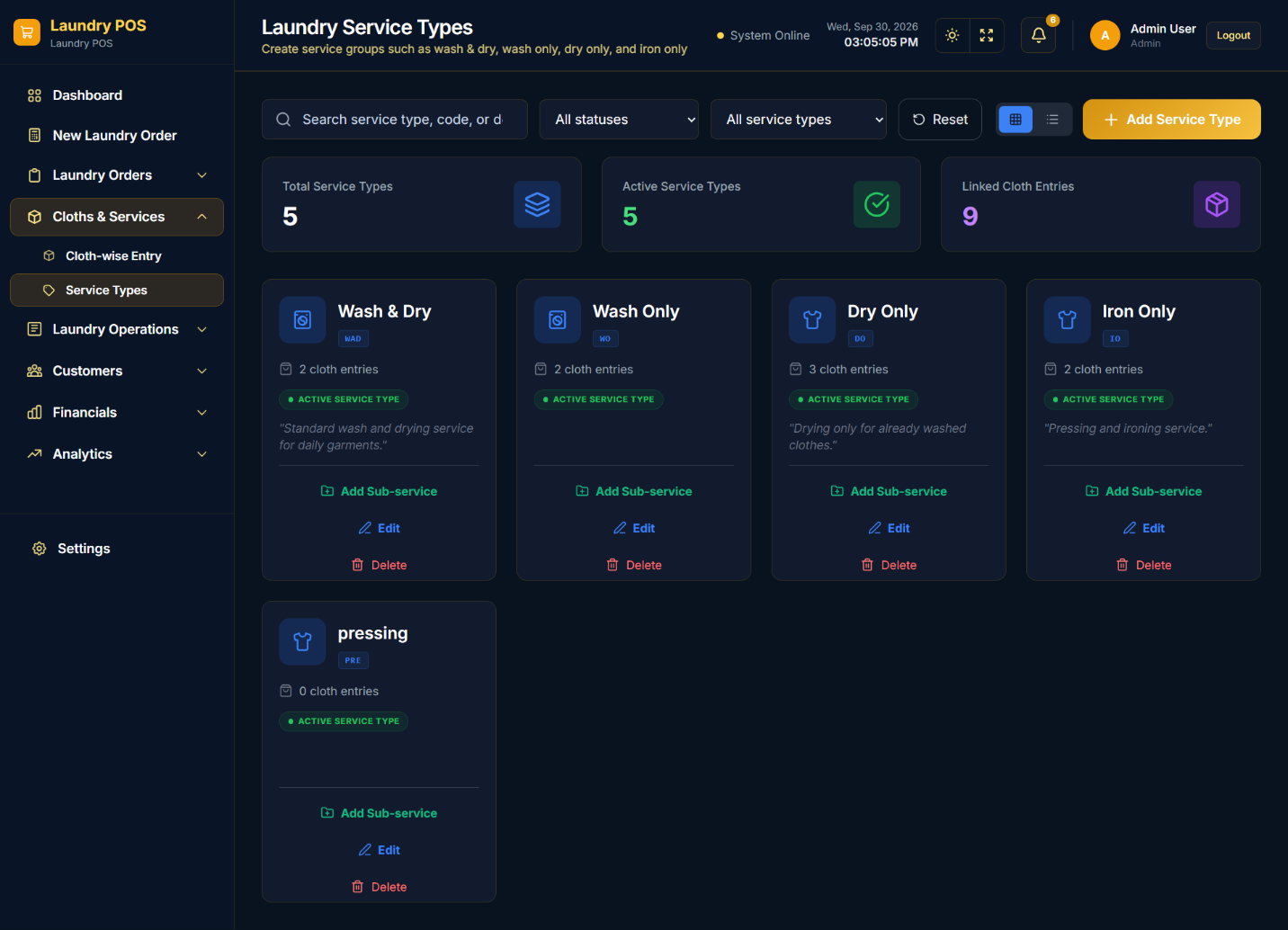
Cloth-wise Entry is the catalogue of items the shop handles. Each item has its identity, category, prices, and stock settings, and can carry several service prices. Service Types organise items into groups such as washing or ironing, and drive category browsing on the POS.
- ⚡ Cloth Name & Codes: Item name, SKU, and barcode with auto-generation during import
- ⚡ Service Price Rows: Each row sets a service type, size variant, work type, unit, and price
- ⚡ Cost, Retail & Wholesale Prices: Buying cost and retail/wholesale selling prices
- ⚡ Import, Export & Labels: CSV import, CSV and PDF export, and printable barcode labels
Detailed Cloth Entry
A service price links an item to a service type and can add a size variant, a work type, a unit, and a price. When the item is chosen at the POS, staff pick the matching service option. Parent and child service types with ordering, active status, and product counts are supported.
Cloth-wise Entry Detail View
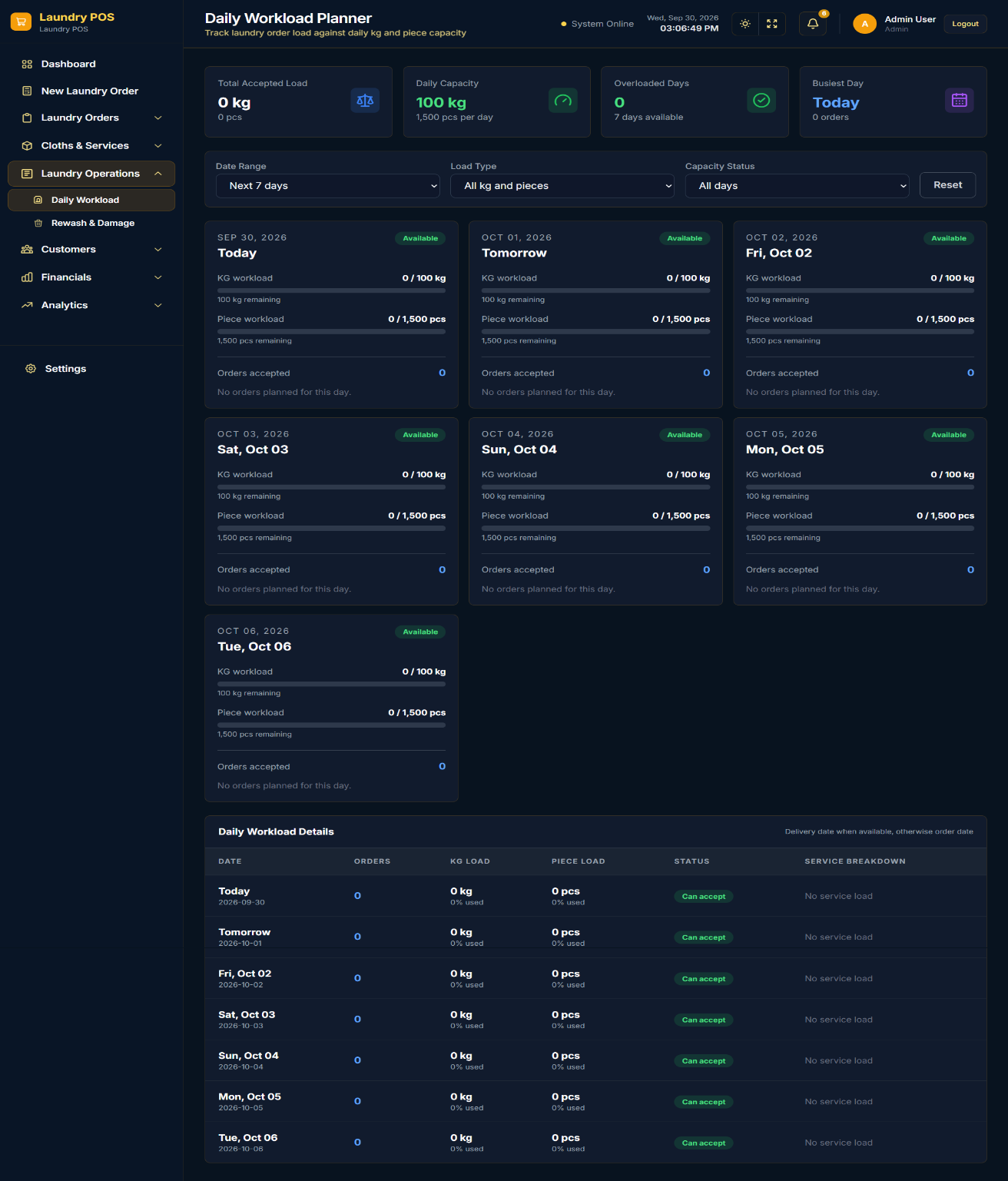
Daily Workload, Inventory & Stock Control
The inventory pages show what stock is on hand and what work is planned for a day. Stock is held in stock batches, and each batch records its remaining quantity, cost, and prices. This keeps the cost of every sale accurate using FIFO methodology.
- ⚡ Daily Workload: A view by date of the day's operational work
- ⚡ Stock Batches: Each batch keeps remaining quantity, cost, retail and wholesale price, and received date
- ⚡ FIFO Usage: Sales use the selected batch or the oldest batch first
- ⚡ Adjustment & Movement History: Correct stock with quantity and reason, with full movement log
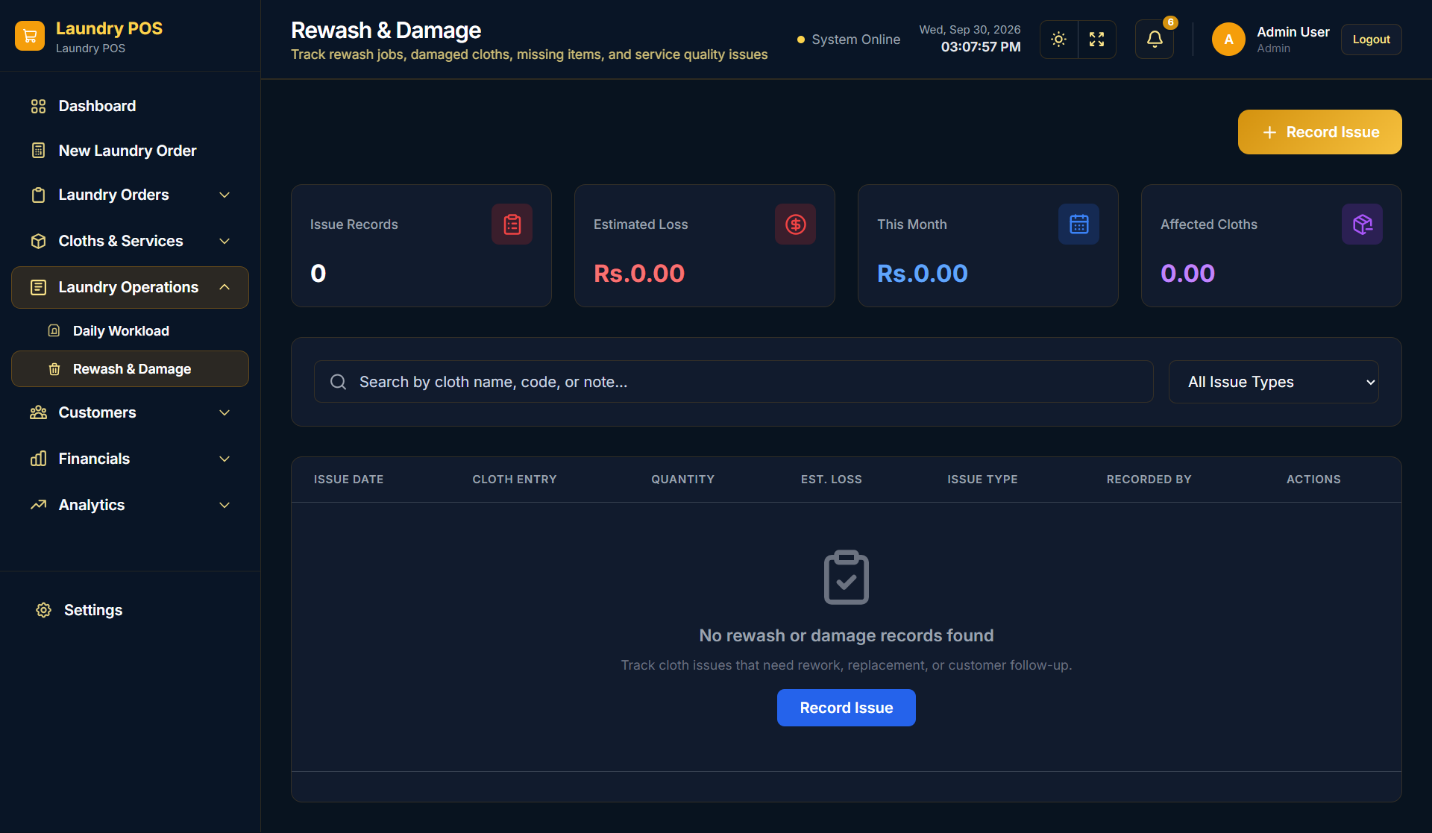
Rewash & Damage Management
The Rewash & Damage module records items that must be redone or that have been lost or damaged. Each record reduces stock through the stock movement history, so losses are visible in inventory and profit figures.
- ⚡ Cloth / Product Selection: Choose the item and service option affected
- ⚡ Quantity & Pending: Quantity recorded is limited by available or in-process quantities
- ⚡ Stock Batch Handling: Record works with the stock batches of the item
- ⚡ Record History: Filtered list of earlier rewash and damage records with stock effect tracking
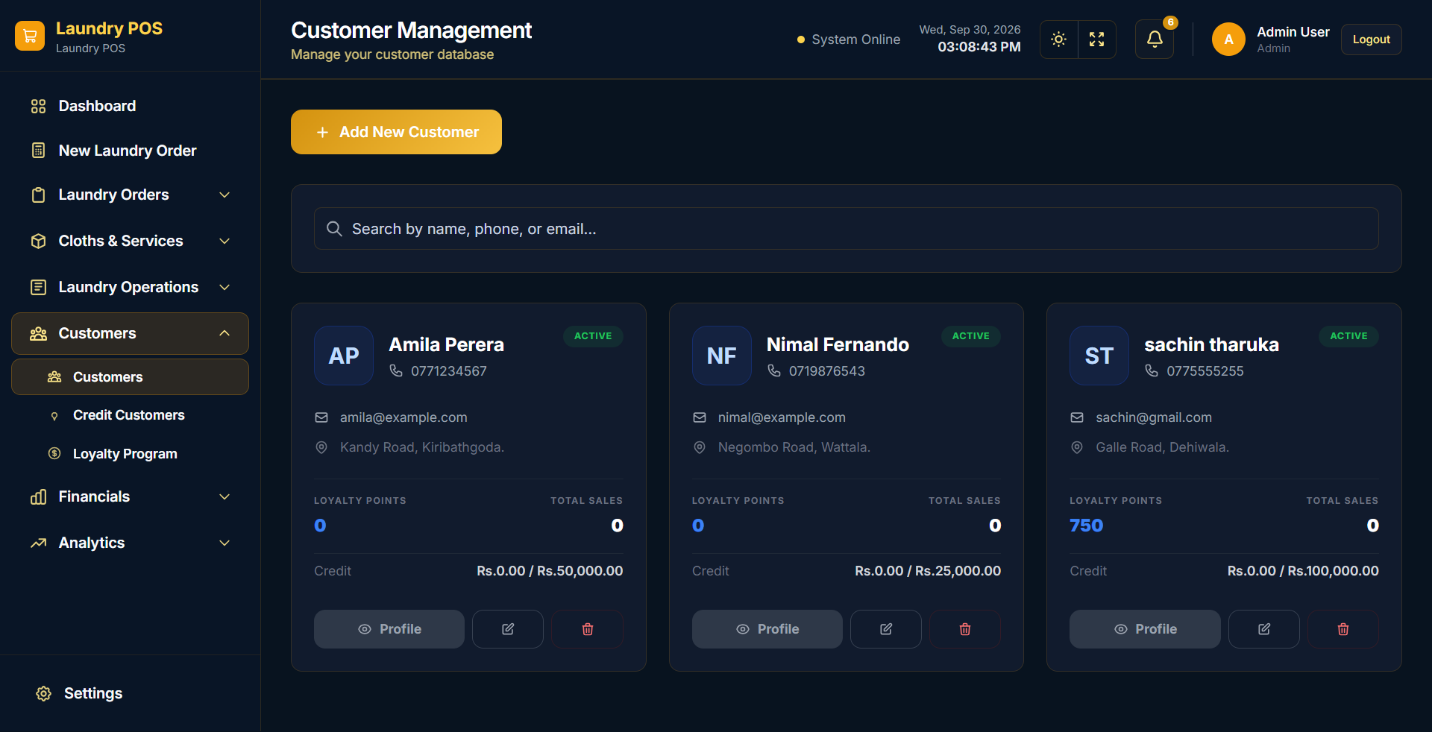
Customer Management
The Customers module keeps the profile of each saved customer. At the POS, staff can search for a customer, attach one by phone number, add a new customer, or continue with a walk-in customer. A customer profile holds contact details, purchase history, credit information, and loyalty data.
- ⚡ Customer Directory: Searchable list with add, edit, and detail pages
- ⚡ Contact Details: Phone number, notes, and date of birth
- ⚡ Order History: Complete purchase history for each customer
- ⚡ Credit Information: Credit limit, balance, and available credit at a glance
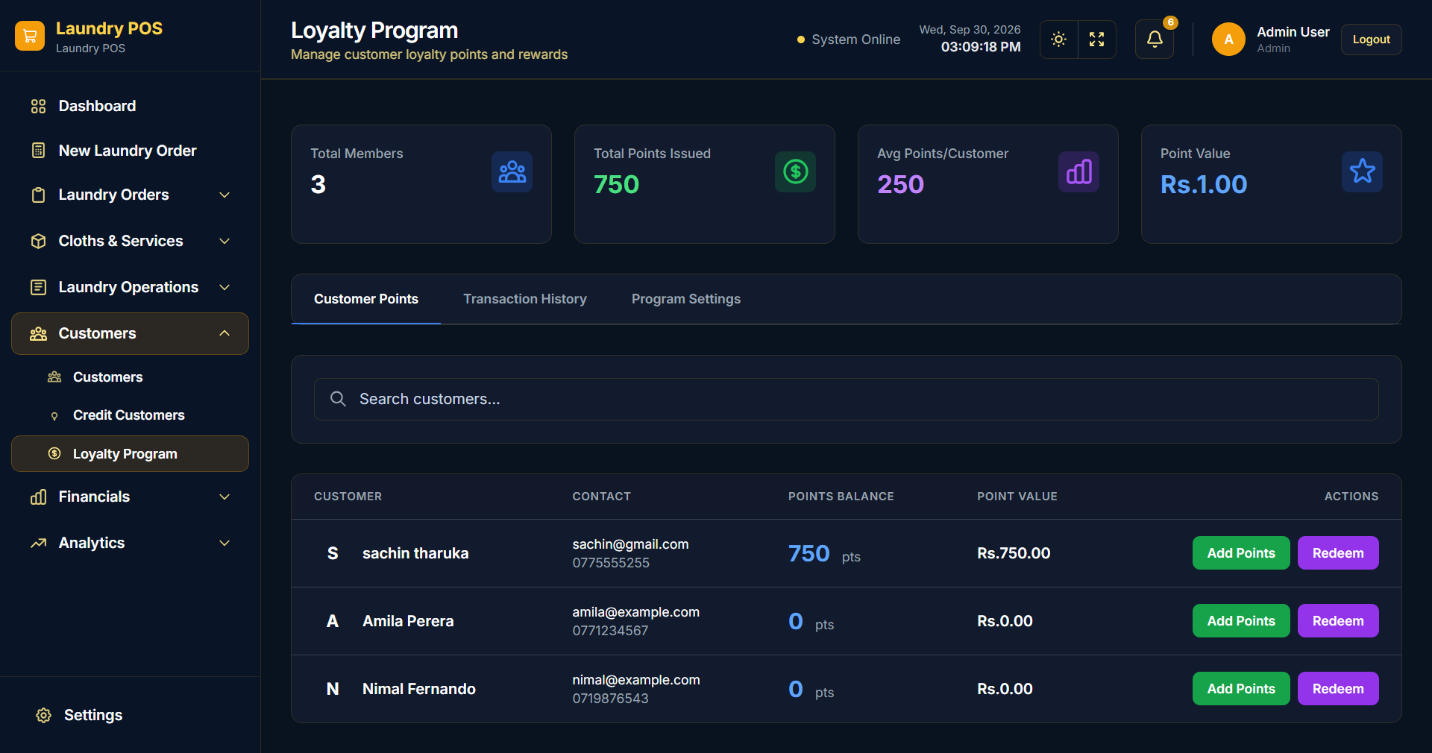
Loyalty Program
The Loyalty Program rewards repeat customers with points. Points are earned on paid orders and can be redeemed at the POS, where a quote shows the balance, points to earn, and the discount available. Every earn, redeem, and adjustment is stored in an immutable ledger.
- ⚡ Loyalty Account & Balance: Each customer has an account with a points balance
- ⚡ Earn & Redeem Rules: Configurable rules including minimum redeem and maximum redemption share
- ⚡ Loyalty Ledger: Permanent record of points earned, redeemed, and adjusted
- ⚡ POS Quote: Shows points to earn and redeemable discount before payment
Cash Drawer & Shift Management
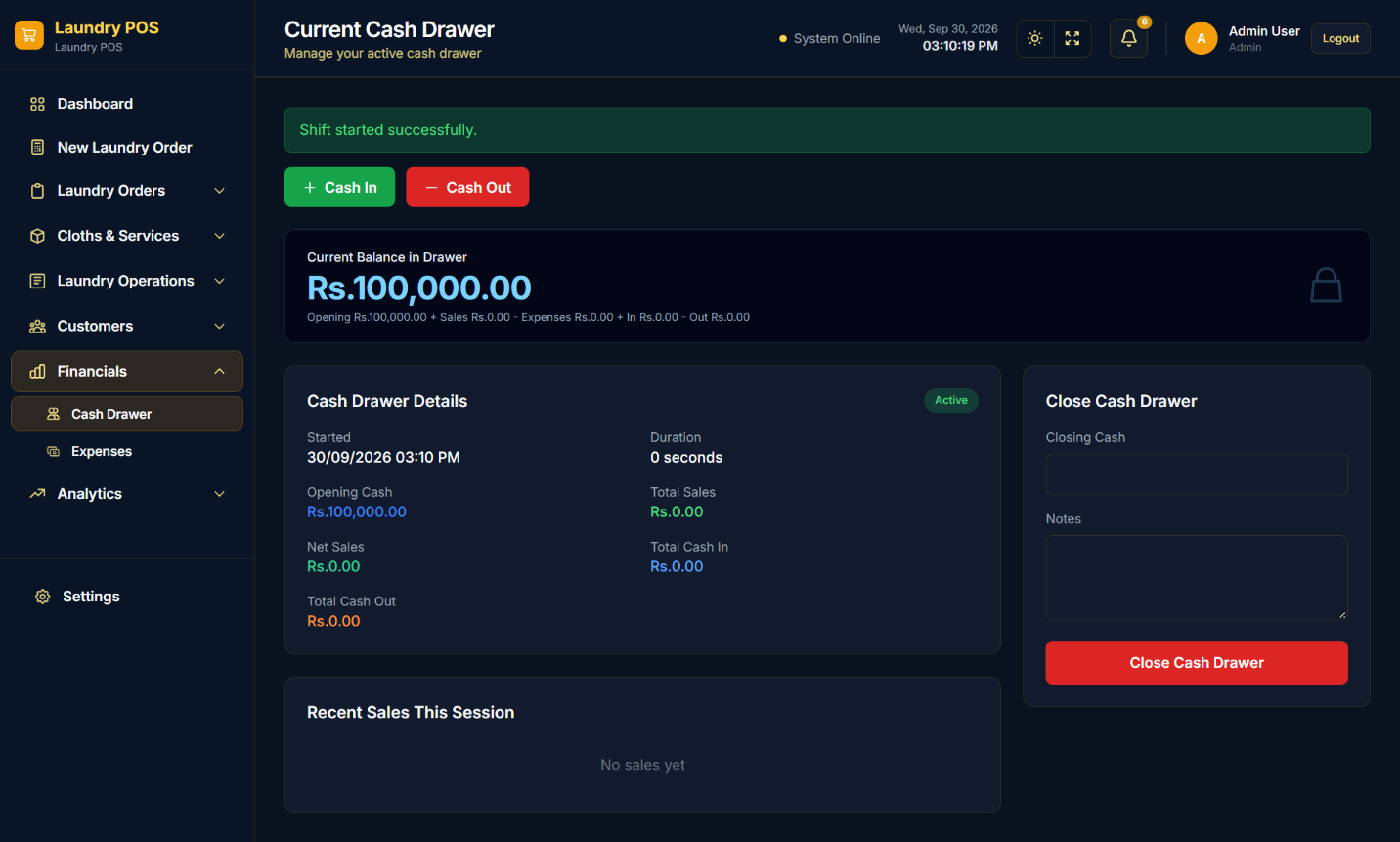
The Cash Drawer module controls each cashier's shift. A shift starts with opening cash. Orders taken during the shift are linked to it, and cash can be added or removed with a reason. When the shift ends, the cashier enters the closing cash and the system shows the expected vs actual difference.
- ⚡ Start Shift & Opening Cash: Opens the shift with the cash in the drawer
- ⚡ Cash In / Cash Out: Records cash added or removed with a reason
- ⚡ Expected vs Actual Cash: Shows expected cash, actual closing cash, and the discrepancy
- ⚡ Approval: Closed shifts are approved by another authorised user
Expense Management
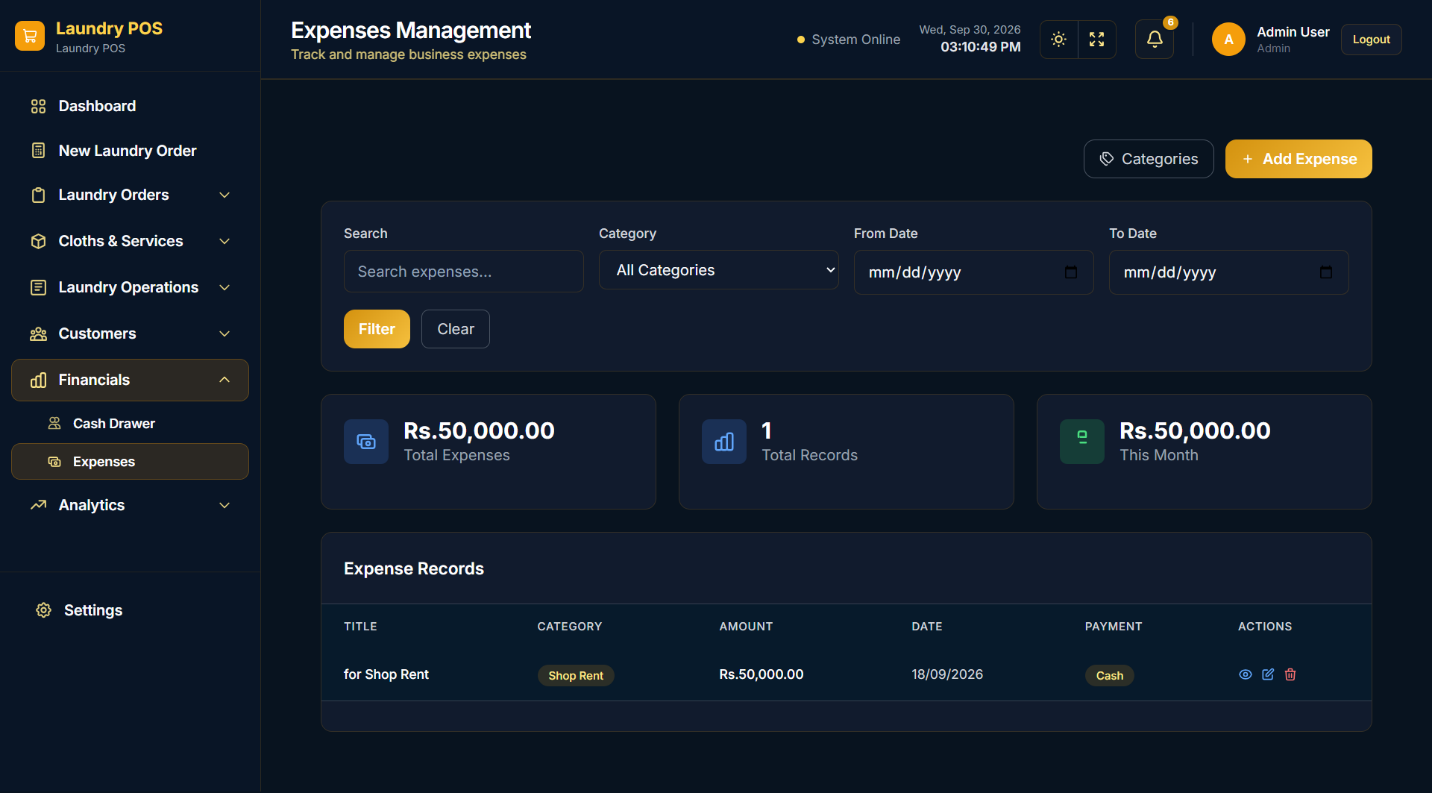
The Expenses module records the running costs of the business. Each expense has a category, amount, date, payment method and description. Cash expenses are used in shift and report calculations for complete financial tracking.
- ⚡ Expense History & Filters: List filtered by date, category and payment method with statistics
- ⚡ Expense Entry: Amount, date, payment method, category and notes
- ⚡ Expense Categories: Ordered categories with sub-categories support
- ⚡ Receipt Download: Downloadable receipts for each expense with restore capability
Notifications & Operational Alerts
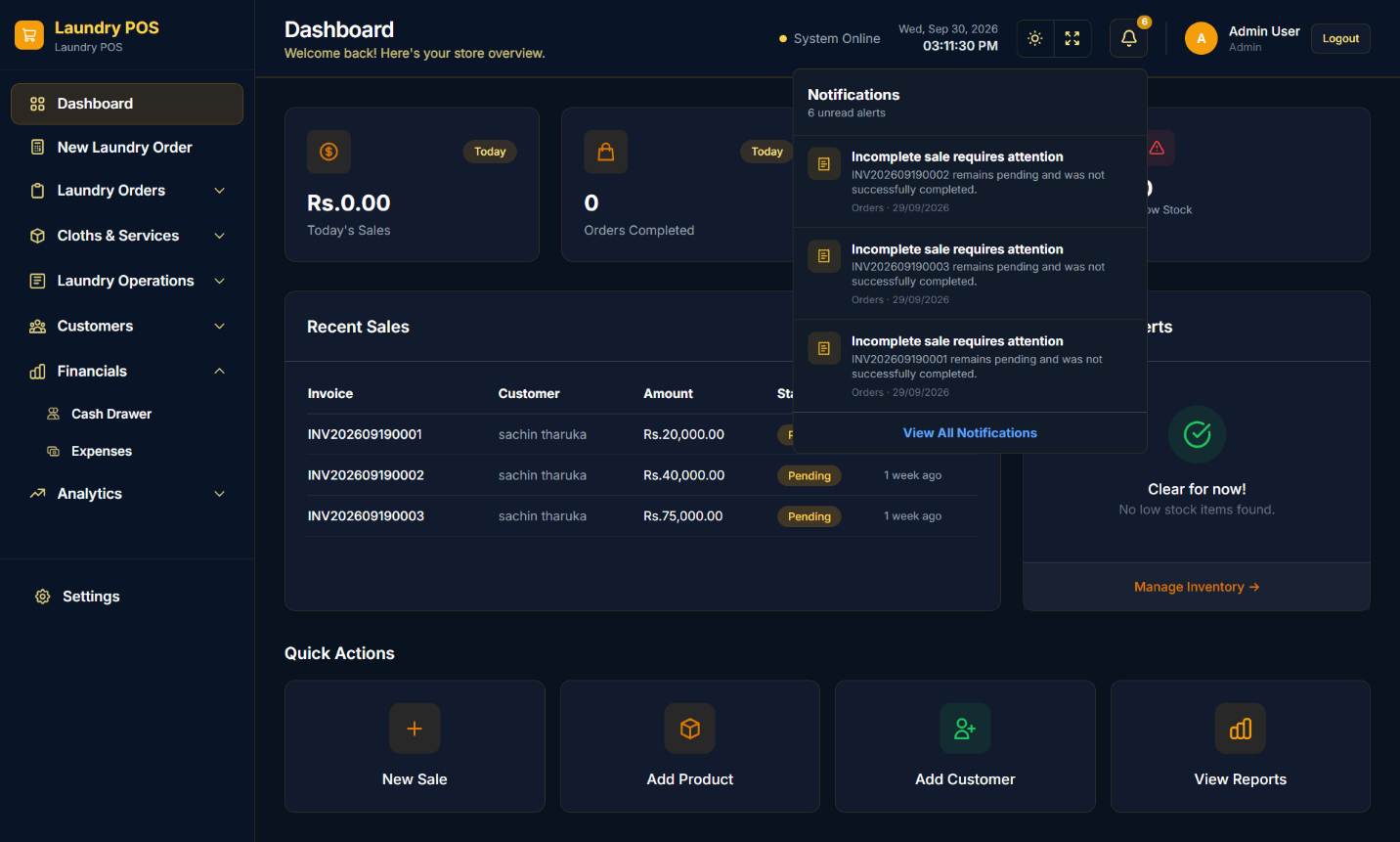
The notification bell tells staff about situations that need attention without opening each module. Alerts are worked out from live data such as stock levels, credit due dates, and order activity. The full Notifications page lists them with filters.
- ⚡ Notification Bell: Unread count, critical/warning indicators and preview of recent alerts
- ⚡ Stock Alerts: Out-of-stock, low-stock, and near-low-stock items
- ⚡ Credit & Order Alerts: Customer credit due soon or overdue, pending and completed orders
- ⚡ Category Filters: All, Unread, Stock, Orders, Finance, and Admin filters
Reports & Profit Analytics
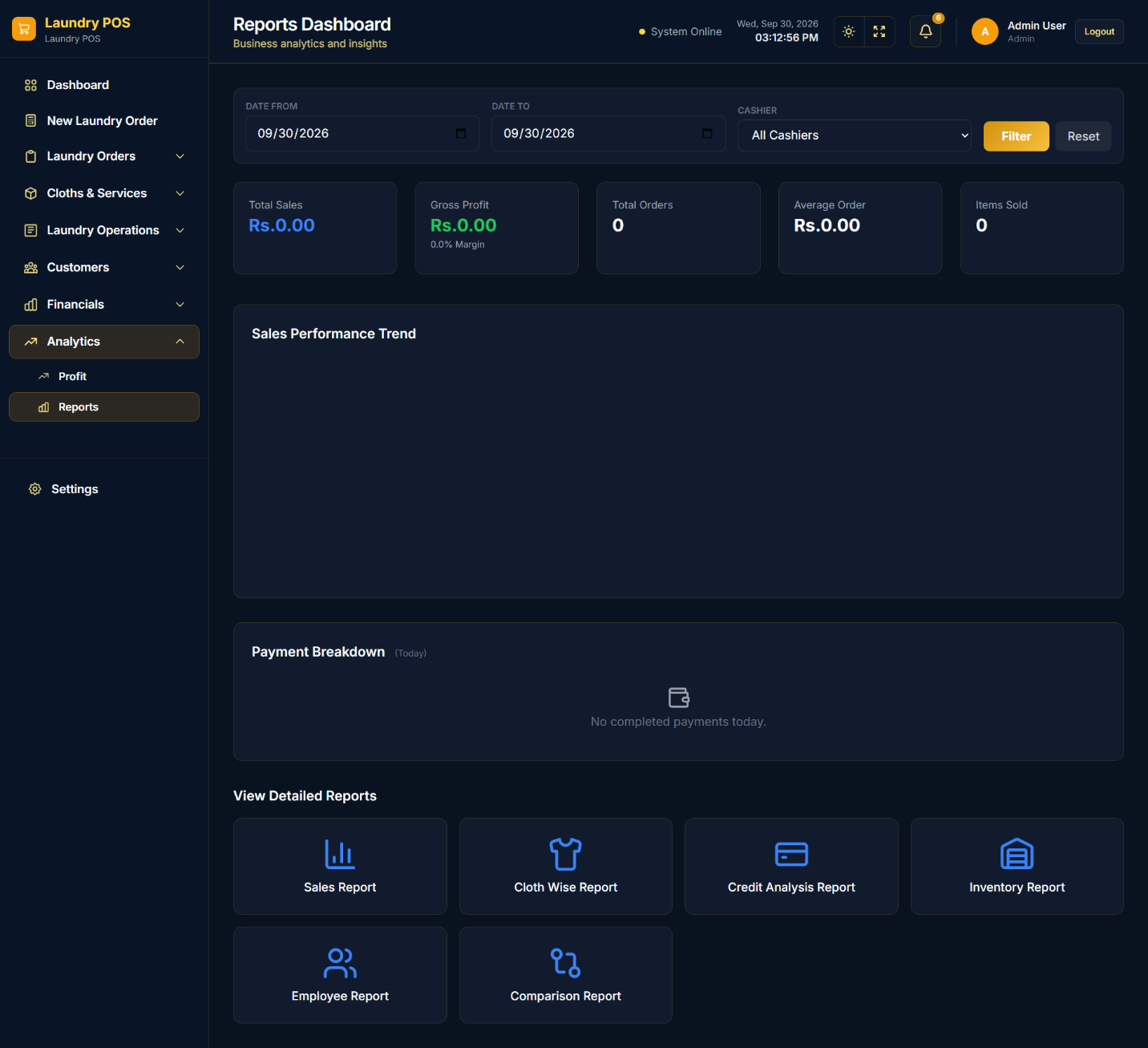
The Reports module turns orders, stock, and credit records into business figures. The Reports page shows the main sales indicators for a chosen period, and separate report pages give more detail. Profit has its own page because laundry profit depends on services, weight or pieces processed, and rewash and damage.
- ⚡ Sales Summary: Total sales, number of sales, average sale, and item quantity
- ⚡ Gross Profit & Margin: Profit and margin for the selected period
- ⚡ Detailed Reports: Sales, Products, Product Movement, Low Stock, Inventory, Credit Analysis, and Employees
- ⚡ Export: CSV output on selected reports including Product Movement and Profit
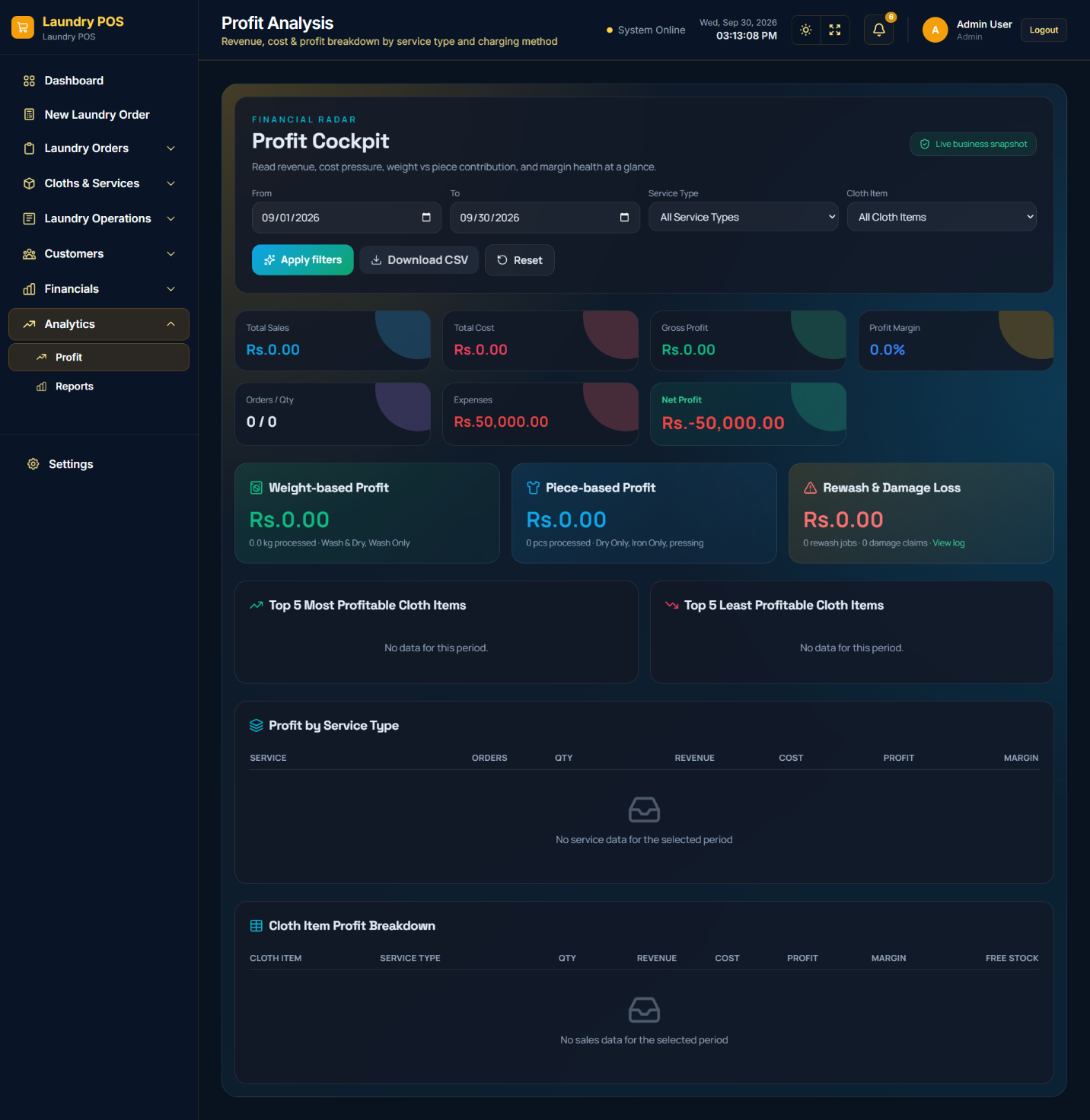
Profit Analysis Dashboard
Dedicated Profit Analysis
Profit Analysis includes product and service profit, processing by weight or piece, rewash and damage context, free and purchased stock profit, and a detailed service breakdown. Reports and Profit are separate page permissions, so access can be limited to authorised staff.
Settings, Users & Role Permissions
The Settings module is the administration area of the system. Its tabs cover business and store details, POS behaviour, receipt configuration, and user management. Access is controlled by roles where each role holds a list of allowed pages.
- ⚡ General & Store Settings: Business name, contact details, logo, and regional settings
- ⚡ POS Settings: Options for requiring a shift, rounding, and negative stock
- ⚡ User Management: Create, edit, deactivate, and reactivate users with email, password, phone, role
- ⚡ Page Permissions: Each role chooses which pages its users can open
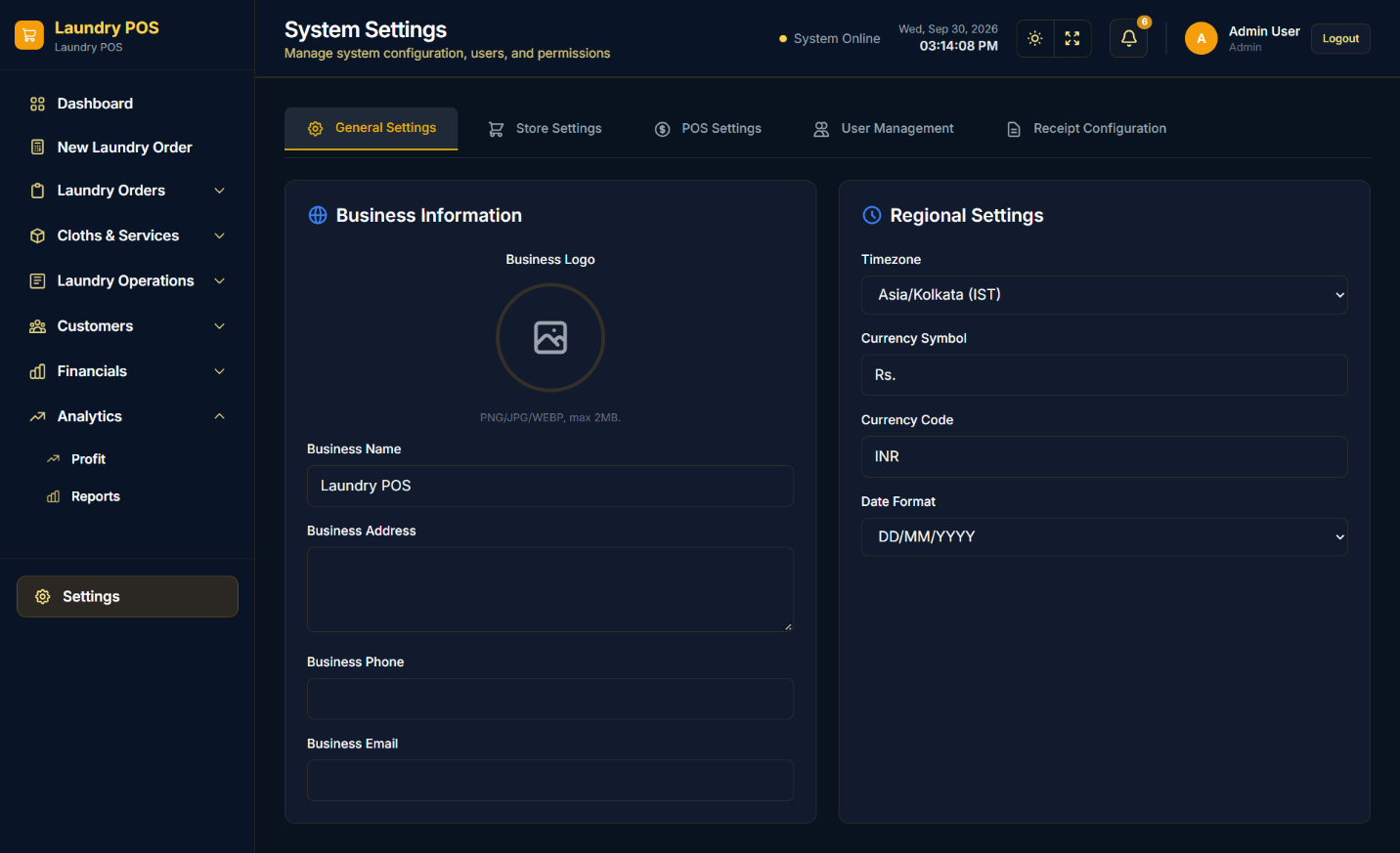
Role-Based Access Control
Admin has full access, and other roles such as Manager and counter staff have limited pages. Custom roles can be created. A user cannot deactivate or delete their own account, and the last user with settings access cannot be removed, ensuring administrative safeguards.
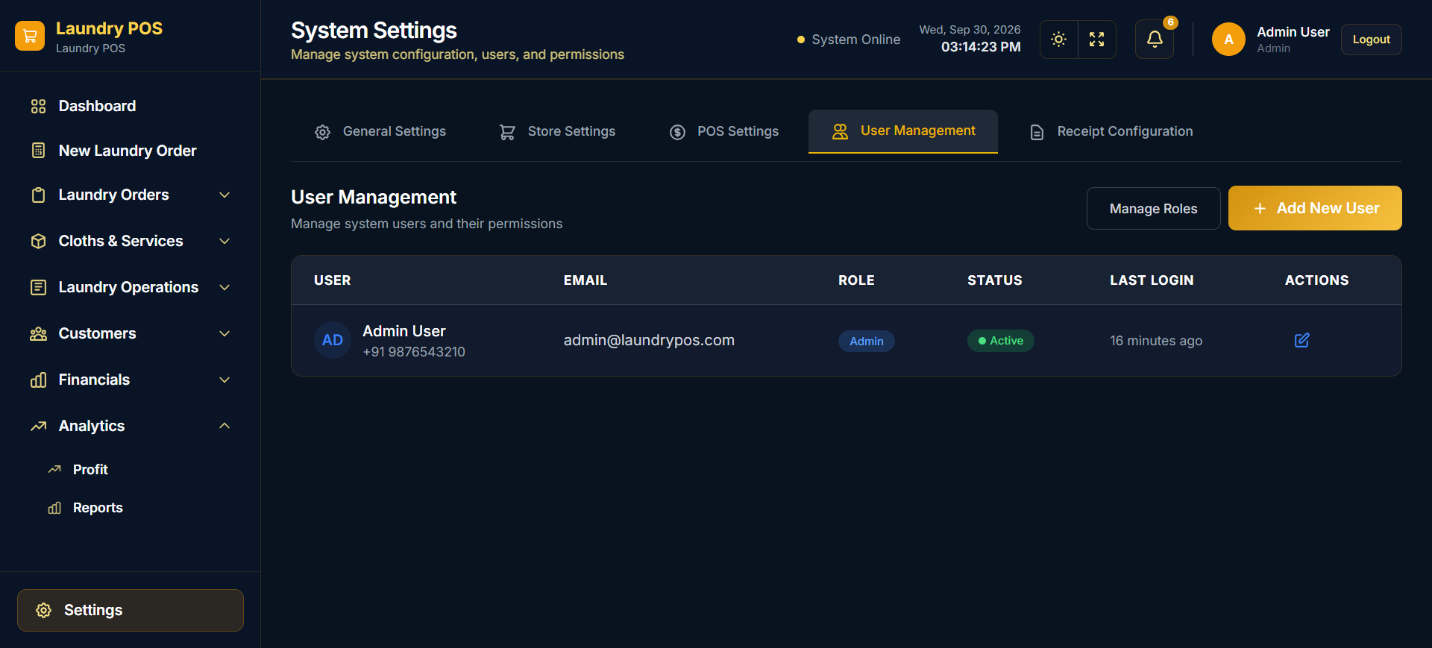
User & Role Permissions Management
Complete Laundry Business Management Suite
The system consolidates main business activities into one application, including laundry orders, cloth and service management, stock batches, customer credit, loyalty points, cash-drawer shifts, expenses, rewash and damage records, notifications, reports, profit analysis, users, roles, and settings.
Cloth & Service Catalogue
Manage cloth items with multiple service prices, size variants, work types, and units. CSV import/export and barcode label printing supported.
Advance & Credit Payments
Accept advance or part payments on orders, manage customer credit with due dates, and settle outstanding balances with automatic oldest-first application.
FIFO Stock Batches
Stock held in separate batches with individual cost and selling prices. Sales use the oldest batch first for accurate cost tracking.
Customer Loyalty Points
Reward repeat customers with configurable earn and redeem rules. Immutable ledger tracks every points transaction.
Cash Drawer & Shift Control
Session float tracking, cash in/out logs, shift closing variance reconciliation, and shift approval by authorised users.
Role-Based Security
Granular access control with Admin, Manager, and Counter Staff roles. Custom roles with page-level permissions and audit trail.
Elevate Your Laundry Operations Today
Transform your laundry workflow with a streamlined platform that unites point-of-sale transactions, garment processing, FIFO stock tracking, and detailed profit reporting. Secure role-based access provides management with complete visibility and reliable control over daily business performance.