Nail Arts — Complete Salon & Spa Management
The Nail Arts Salon and POS Management System brings salon appointments, service billing, retail sales, customer records and stock management into one workspace. Staff can book treatments, assign service providers, prepare bills and review daily activity without maintaining separate records for each task.
Why Choose Nail Arts POS?
Standard retail software cannot handle complex salon appointments, staff schedules, and customer loyalty. Nail Arts solves these operational hurdles with specialized capabilities built specifically for salons, spas, and wellness centers.
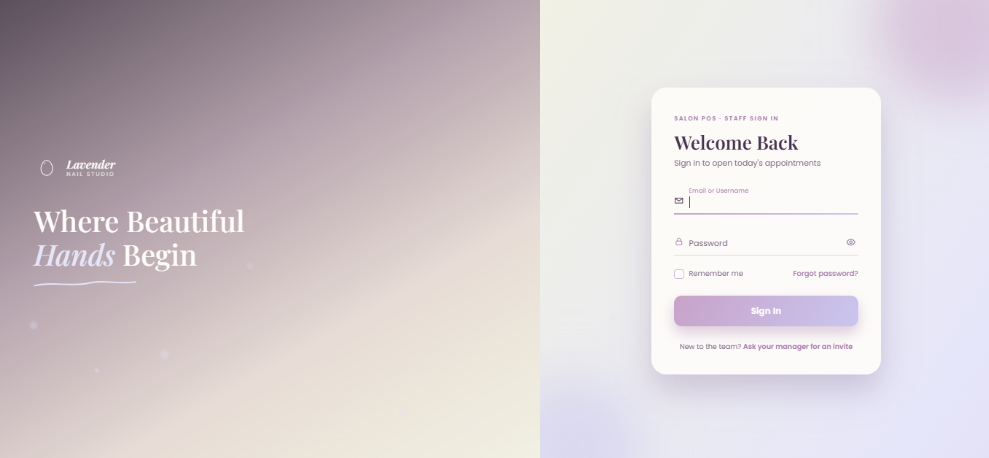
Secure Staff Login
Provide secure access points for staff members with individual accounts.
- ⚡ Ensure accountability with personalized staff credentials.
- ⚡ Track system usage and actions back to specific users.
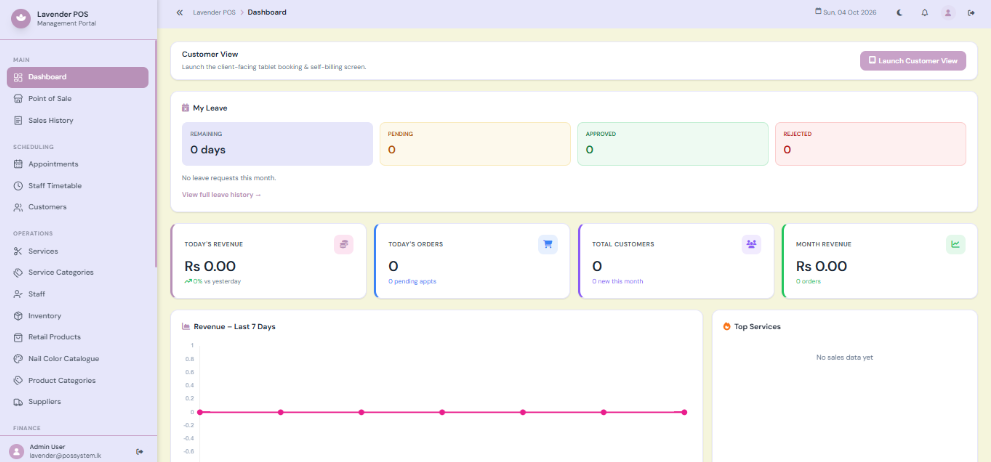
Navigation and Dashboard
The sidebar provides access to operational modules. The dashboard summarises activity so staff can identify the next tasks.
- ⚡ Navigation includes POS, appointments, customers, services and administrative modules.
- ⚡ Revenue and order summaries help managers review sales.
- ⚡ Recent transactions, upcoming appointments and inventory alerts support daily checks.
- ⚡ Some dashboard content depends on the user role, including staff leave information.
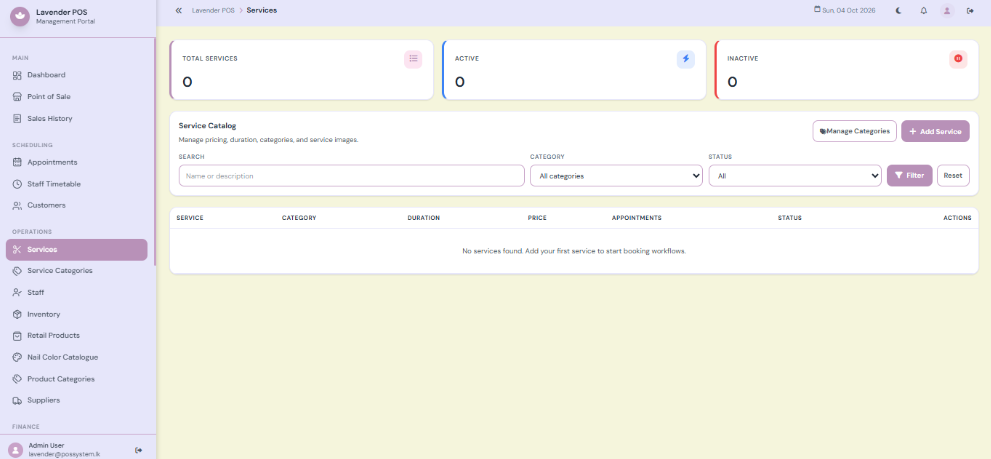
Services & Categories
Services are the treatments sold by the salon, such as manicures, pedicures and nail extensions.
- ⚡ Service categories organise the catalogue cleanly.
- ⚡ The service form includes name, category, price, duration type, duration and description.
- ⚡ Images, active status and customisable options support presentation and sale configuration.
- ⚡ Set duration carefully because appointment scheduling uses exact service timing.
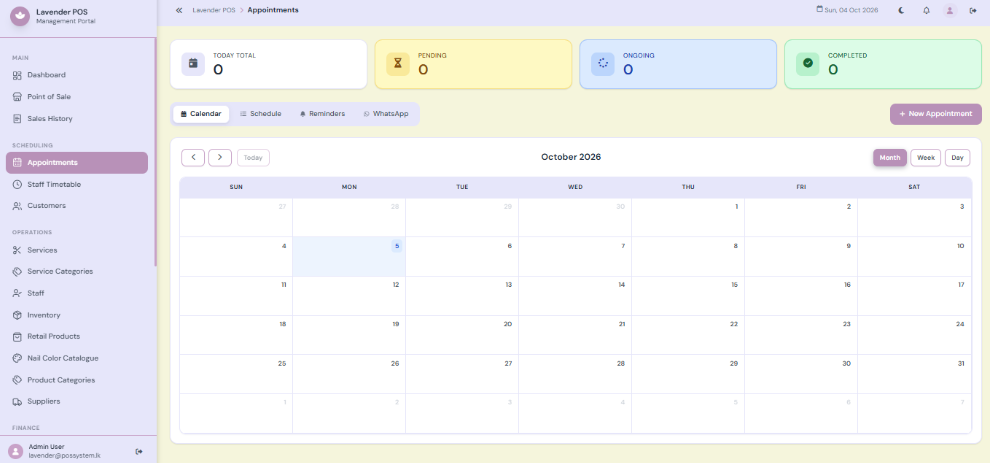
Appointments & Scheduling
Appointments organise a customer’s selected services, quantities, service providers and planned times. The page includes Calendar, Schedule, Reminders and WhatsApp areas.
- ⚡ Create bookings for existing customers or enter the required customer information.
- ⚡ Add multiple services and quantities and assign providers for the work.
- ⚡ Review date and time options with intelligent scheduling conflict feedback.
- ⚡ Use calendar or schedule views to review bookings by period and status.
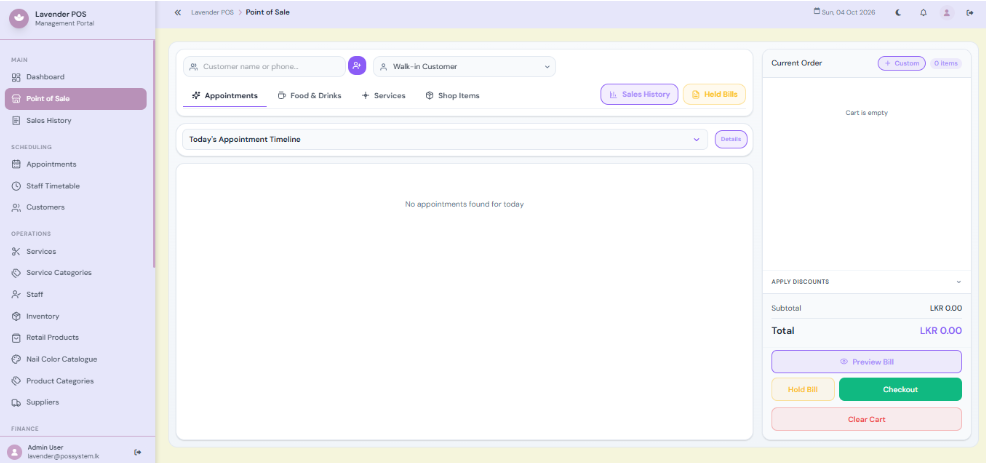
POS and Checkout
The POS combines catalogue selection with a current cart. It supports retail products, services, custom items and appointment-linked bills.
- ⚡ Search and catalogue filters help find sale items instantly.
- ⚡ Cart controls change quantities, remove items and assign service providers.
- ⚡ Customer and appointment selection connect a bill to the correct visit.
- ⚡ Payment choices include cash, card, transfer and flexible split payment.
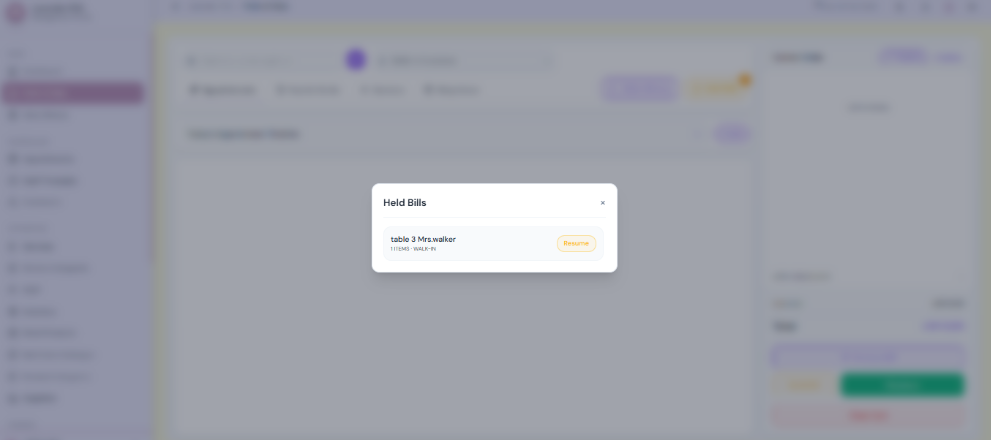
Held Bills and Sales History
Use Hold Bill when the sale is not ready. For completed transactions, open the sales history or invoice list to review details and reprint receipts.
- ⚡ Hold and resume actions allow an unfinished bill to be continued later.
- ⚡ Check sales history to see whether an order was already created before retrying.
- ⚡ Find the required sale, review its details and open the receipt for reprinting.
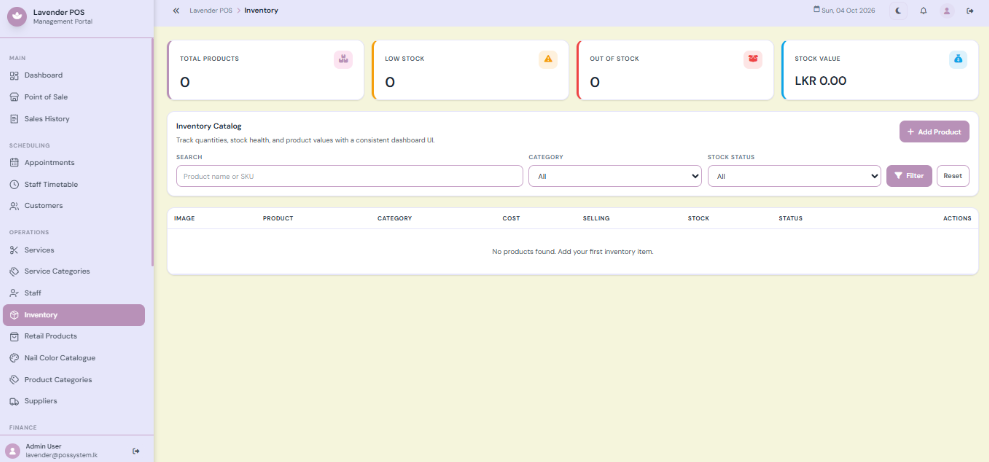
Inventory & Products
Inventory stores retail products and supplies, their prices and their stock records for your salon.
- ⚡ Product details include name, SKU or barcode, category, unit, cost and selling price.
- ⚡ Stock quantity and low stock threshold support intelligent replenishment checks.
- ⚡ POS visibility determines whether an item is available in the selling catalogue.
- ⚡ Stock adjustments create movement records for later audit and review.
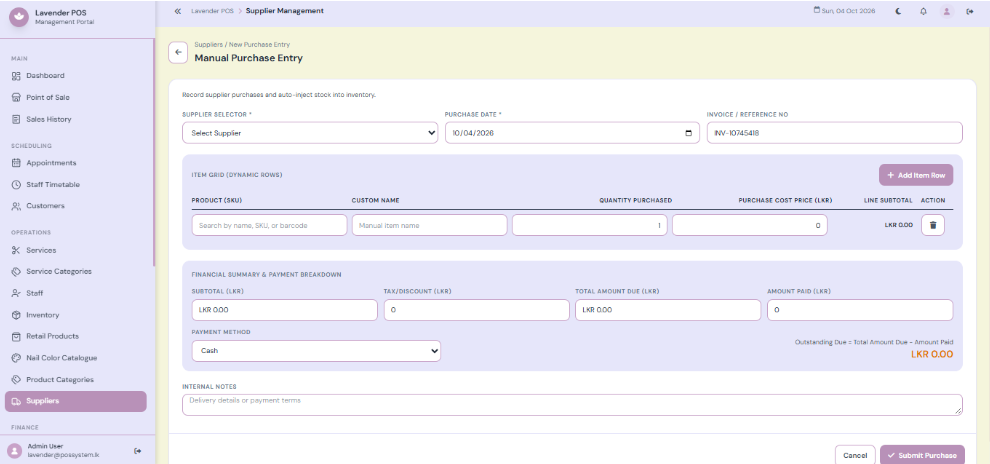
Suppliers and Purchases
Supplier and purchase records connect incoming products with purchasing costs and payment details.
- ⚡ Supplier profiles retain contact and business information.
- ⚡ Purchase entries contain invoice references, dates and exact product lines.
- ⚡ Purchase records retain financial information, including paid and outstanding amounts.
Basic Staff Management
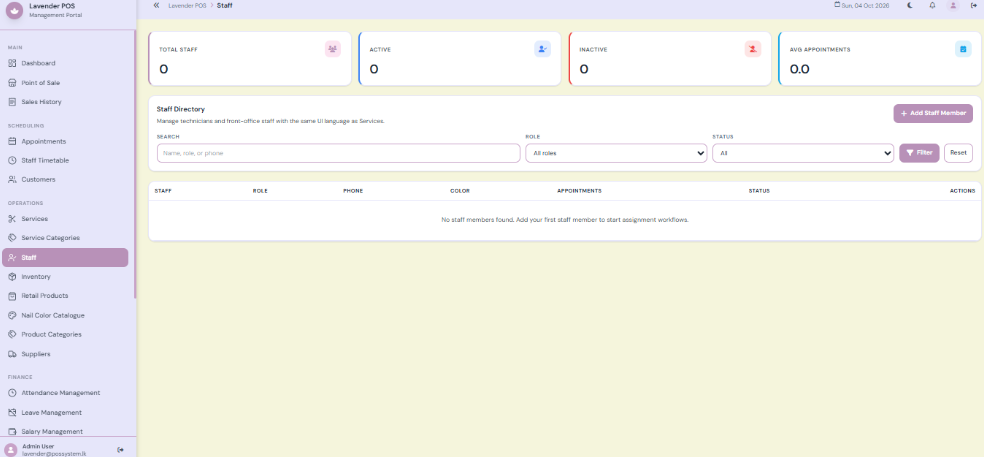
Staff profiles represent salon employees and service providers. A staff profile is separate from a login account.
- ⚡ Profiles contain names, roles, contact information and employment details.
- ⚡ Staff colours help distinguish providers in scheduling and calendar views.
- ⚡ Salary and leave fields support the optional HR workflows directly.
- ⚡ User accounts control sign in, while roles describe the access assigned.
Reports and System Settings
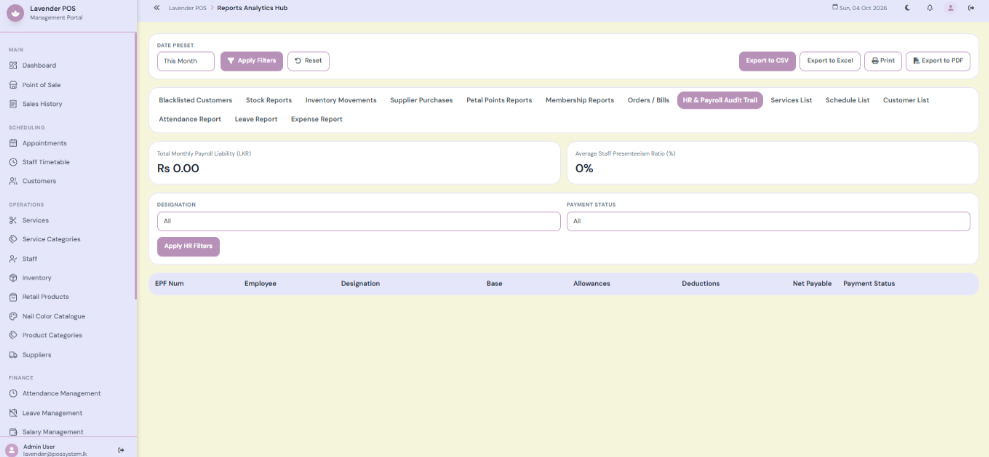
Reports bring together sales, stock, customer and financial information for review. Settings control the salon identity and the behaviour of operational features.
- ⚡ Report areas cover orders, stock, inventory movements, suppliers, customers, loyalty and membership.
- ⚡ Available export controls let authorised users take report data out for review.
- ⚡ General settings include business identity, branding and contact information.
- ⚡ Receipt settings control business information, item details, totals, footer and paper layout.
Customer Self Service Kiosk
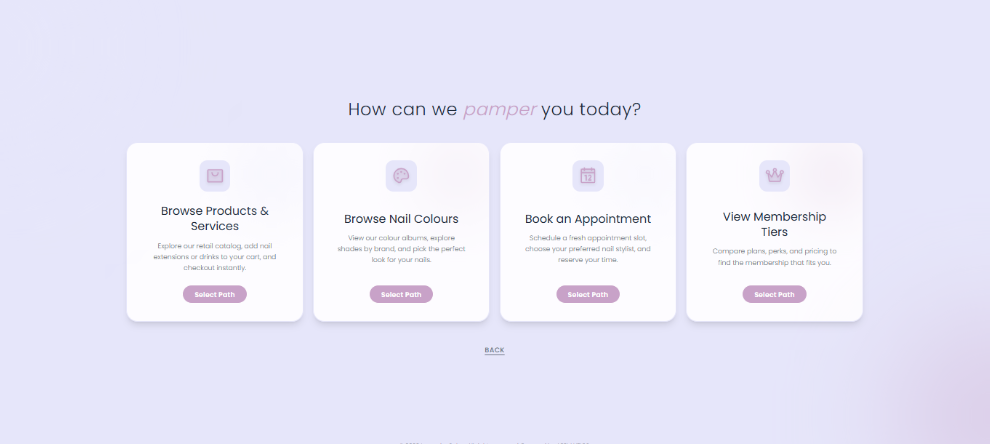
The customer kiosk provides a simplified interface for browsing, orders and appointment requests.
- ⚡ Customers can browse the product and service catalogue directly from their device.
- ⚡ Booking screens collect services, provider preferences, scheduling choices and customer details.
- ⚡ Customers can view membership tiers and check loyalty information independently.
- ⚡ Submitted orders enter a staff workflow for review and payment.
Loyalty and Memberships
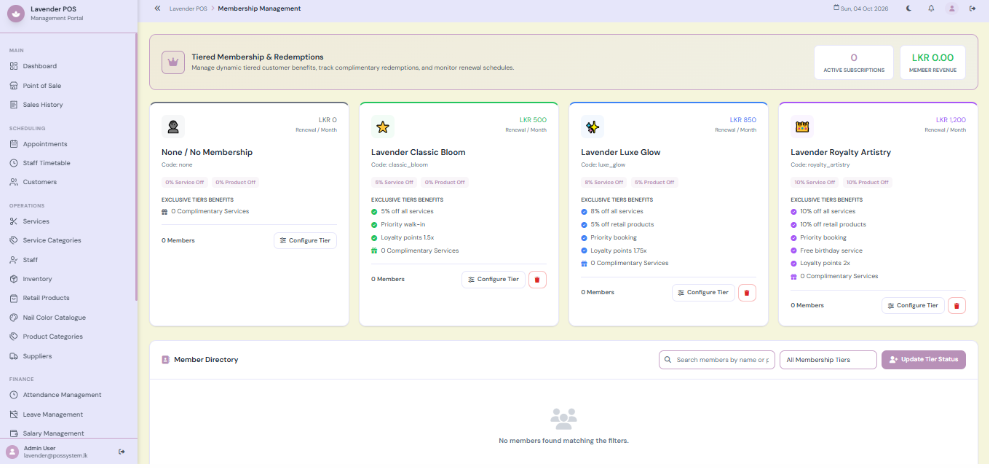
Petal Points records customer rewards and provides redemption options during billing. Membership manages customer subscription tiers, renewal details and complimentary benefits.
- ⚡ Customer points balances and transaction activity support review.
- ⚡ Manual adjustments and POS redemption support authorised corrections and rewards.
- ⚡ Tier assignment and renewal controls manage a customer’s membership status.
- ⚡ Redeem action records the use of eligible complimentary benefits.
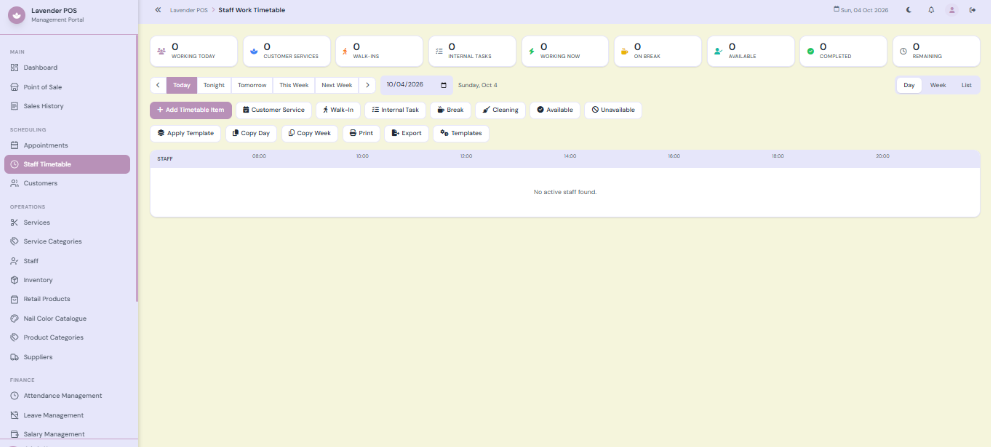
Timetables and Attendance
The timetable organises staff tasks, times, service areas and internal instructions. Attendance records arrival, departure and daily status for staff administration.
- ⚡ Timetable captures staff member, date, type, start and end time, status and notes.
- ⚡ Templates, Copy Day and Copy Week support recurring planning.
- ⚡ Check In and Check Out record daily attendance for all employees.
- ⚡ Correction controls allow authorised users to repair an incorrect record.
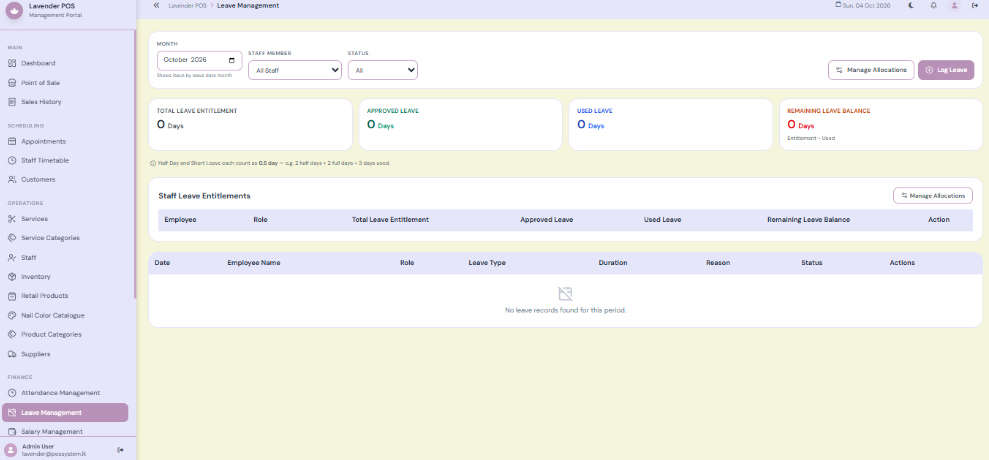
Leave and Payroll
The leave page records staff requests, approval status, leave duration and balances. Salary tools combine staff salary information with configured components and leave-related data.
- ⚡ Full-day and half-day leave requests are fully supported.
- ⚡ Review the remaining balance and resolve incorrect allocations before payroll is finalised.
- ⚡ Review each employee’s base salary and available salary components.
- ⚡ Check allowances, deductions, attendance and leave information inside the salary tool.
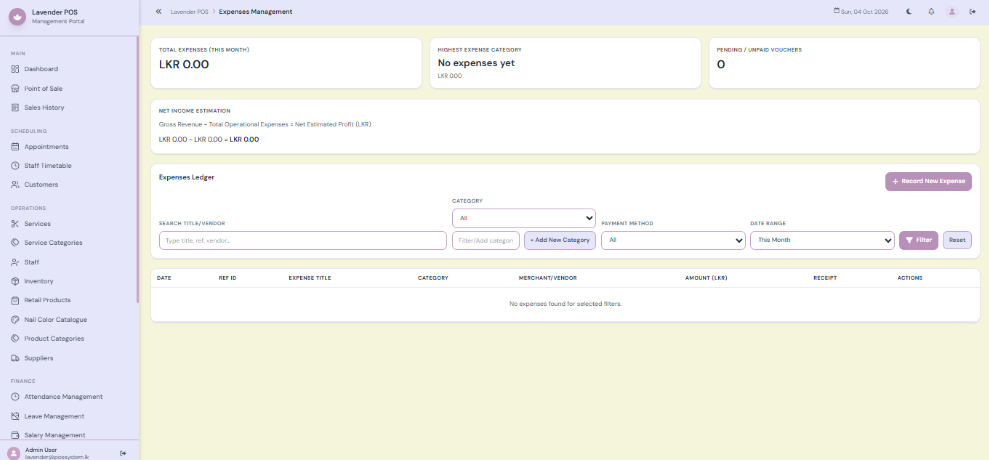
Expense Management
Expenses records salon costs and supports review of spending by period and category.
- ⚡ Expense entries include title, reference, amount, date, category and payment information.
- ⚡ Vendor, notes and receipt attachments provide supporting details.
- ⚡ Recurring expense options support automatically repeating costs.
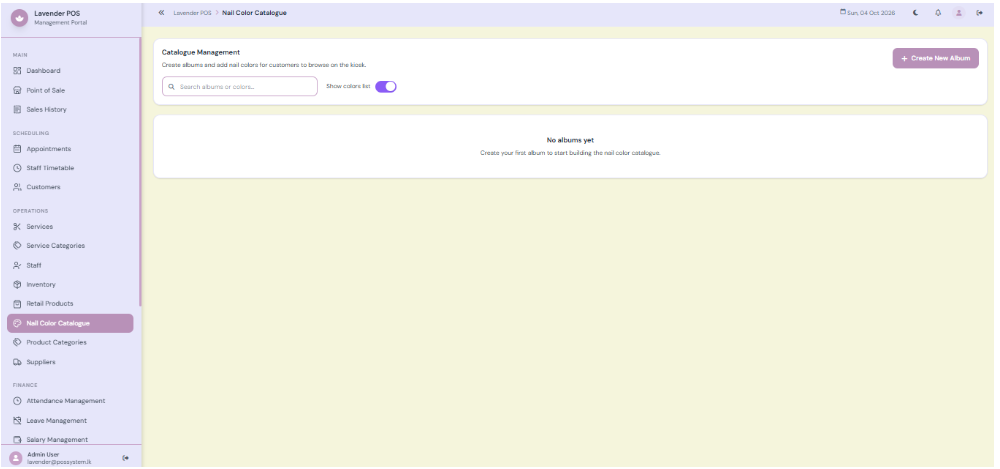
Nail Color Catalog
Maintain a digital catalog of nail polish colors, brands, and variations for quick reference.
- ⚡ Quickly browse through available nail colors and brands.
- ⚡ Help customers visualize and select their preferred shades.
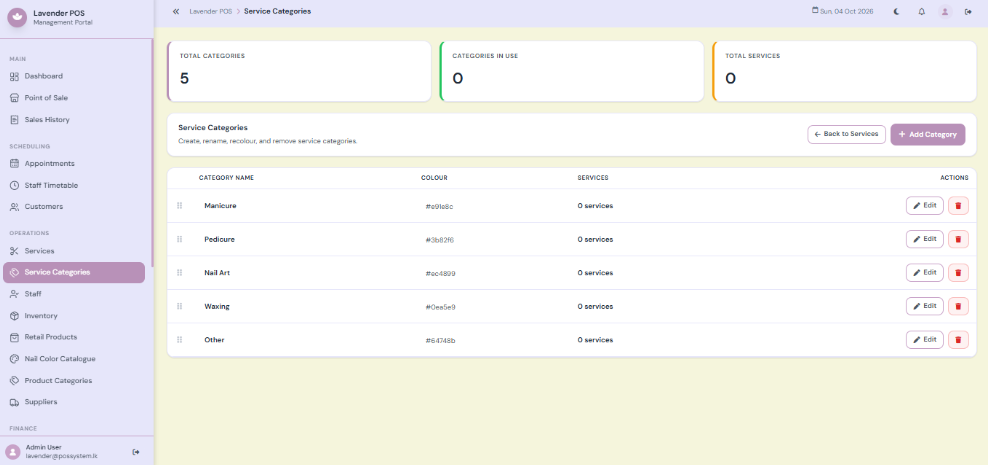
Service Categories
Group your treatments into categories for easy navigation and reporting.
- ⚡ Categorize services (e.g., manicures, pedicures, extensions).
- ⚡ Streamline the POS experience by organizing the service menu.
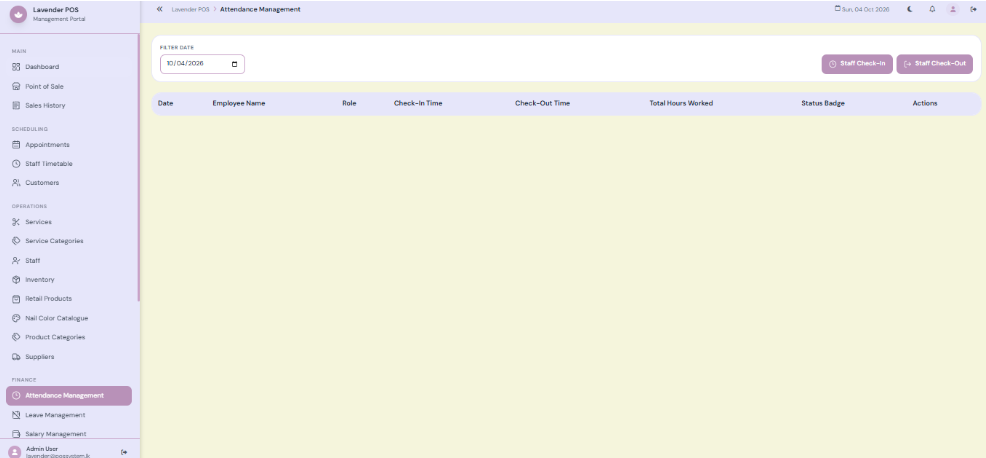
Attendance Management
Track employee check-ins and check-outs for accurate attendance and payroll processing.
- ⚡ Log daily arrival and departure times for staff members.
- ⚡ Seamlessly integrate attendance data with the payroll module.
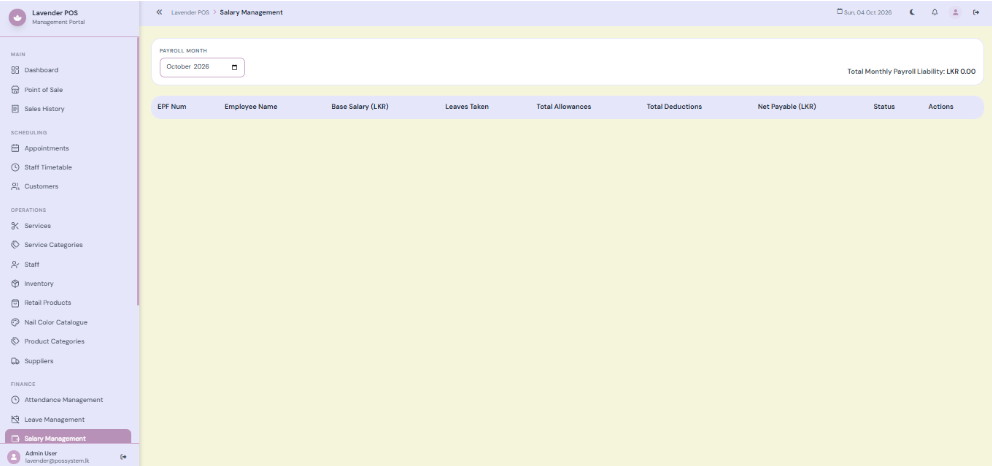
Salary Management
Calculate employee pay based on base salaries, commissions, allowances, and deductions.
- ⚡ Automate payroll calculations using predefined salary components.
- ⚡ Generate accurate payslips and maintain salary histories.
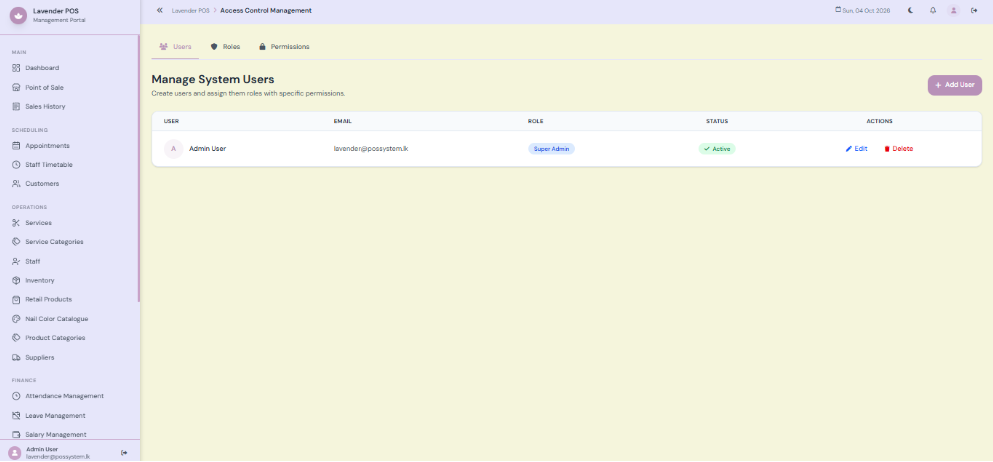
Manage System Roles
Control staff access by assigning custom roles and granular system permissions.
- ⚡ Create custom roles like Manager, Cashier, or Technician.
- ⚡ Restrict sensitive modules to authorized personnel only.
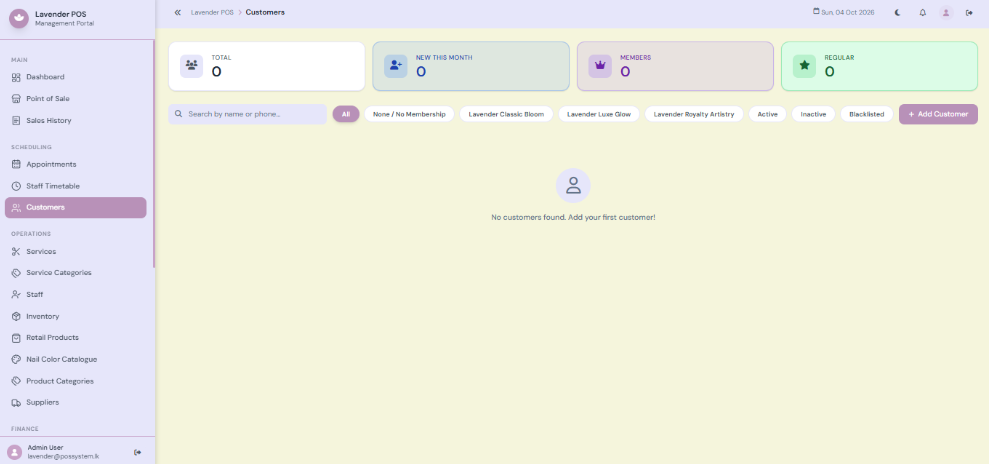
Customer Management
Customer records connect contact details with appointment history, notes, membership and loyalty activity.
- ⚡ Search and filters help locate customers and review active or blacklisted records.
- ⚡ Customer profiles provide contact details, appointment history and internal notes.
- ⚡ Add, edit and blacklist controls support customer administration.
- ⚡ Record information needed for salon service, like preferred polish colour or sensitivity.
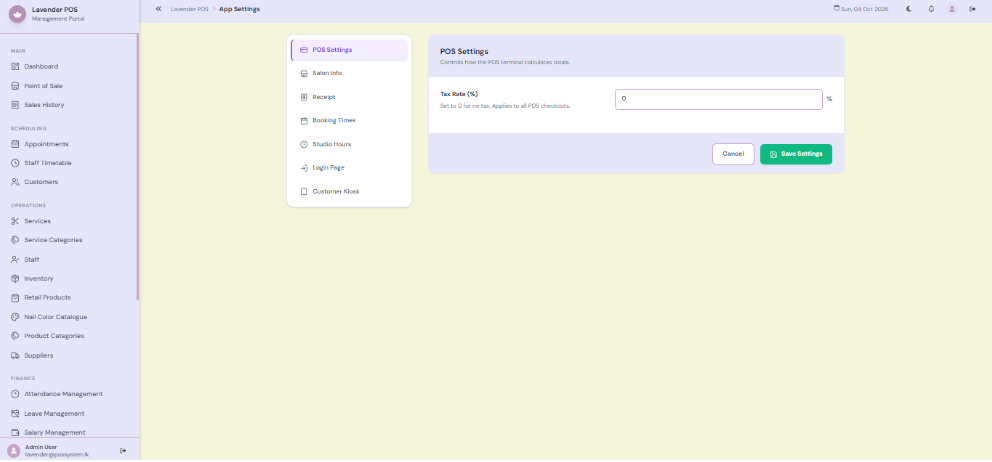
System Settings
Configure salon identity, notification rules, hardware preferences, and receipt formats.
- ⚡ Centralized control for all system-wide behaviors.
- ⚡ Update business info, logos, and receipt templates easily.
Key Business Benefits
Nail Arts POS transforms disconnected manual processes into one connected, seamless salon operation.
Higher Booking Accuracy
Exact appointment scheduling, staff conflict checks, and service timing limits prevent double-booking errors.
Stock & Retail Control
Inventory management for retail products and supplies ensures you never run out of critical salon materials.
Faster Service Workflow
Combine services, retail items, and packages efficiently at the POS, speeding up counter checkout and operations.
Customer Loyalty & Retention
Built-in Petal Points and subscription memberships keep customers returning while making redemption simple.
Stronger Financial Control
POS revenue, cash, invoices, expenses, and staff salaries are handled as separate concepts for accurate reporting.
More Informed Management
Dashboards, charts and reports turn operational activity into measurable utilization, revenue, expense and HR information.
Transform Your Salon & Spa Operations Today
Nail Arts POS connects appointments, inventory, customer loyalty, financial settlement, and staff management in a single web-based platform.
Frequently Asked Questions
What is the Nail Arts Salon POS System?
The Nail Arts Salon POS System is software from Applantics (Pvt) Ltd (possystem.lk) for nail art studios and small salons in Sri Lanka. It covers appointments, service billing, retail sales, customer records and stock management.
Who is the Nail Arts Salon POS System designed for?
It is designed for nail art studios and small salons that want one system to manage sales, stock and day-to-day operations instead of spreadsheets and manual records.
How much does the Nail Arts Salon POS System cost in Sri Lanka?
Pricing depends on the number of branches, users and modules you need, so we quote per business. Message us on WhatsApp (+94 77 271 8001) or email admin@possystem.lk for a free quotation.
Is local support and onboarding available for the Nail Arts Salon POS System?
Yes. Applantics has a local support team in Sri Lanka that helps with setup, training and ongoing support, and the system supports multi-branch operations.