Introduction
Running a retail shop in Sri Lanka means managing hundreds or thousands of products, serving customers quickly, tracking stock accurately, and staying ahead of competition. Manual billing and paper-based inventory management simply cannot keep up with the demands of modern retail.
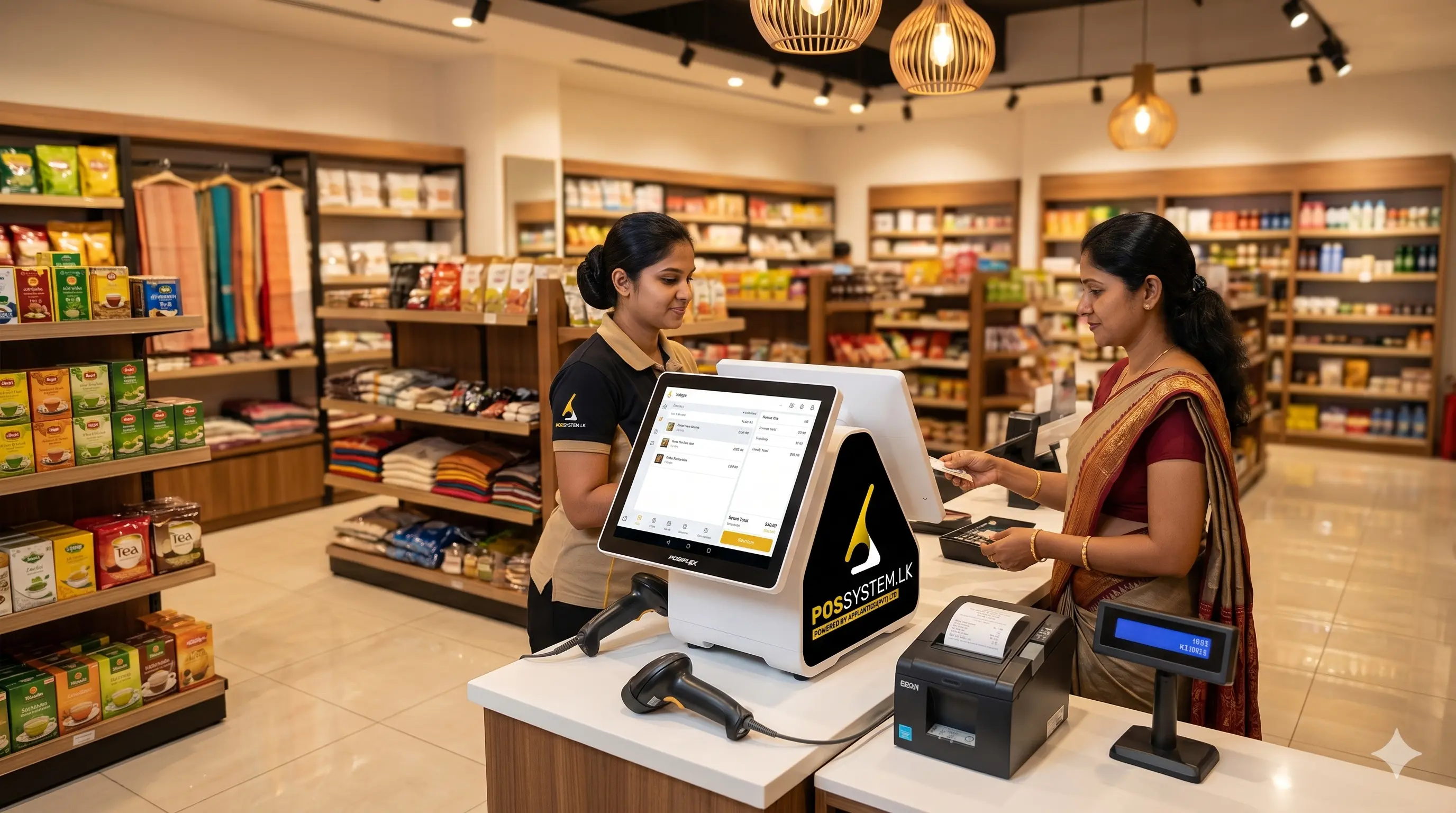
A retail retail system is the technology solution that handles all of this — automatically, the way our system does for hundreds of Sri Lankan shops. From the moment a customer approaches the checkout counter to the moment you review your profits at day's end, a billing system manages every step with precision and speed.
This guide covers everything retail store owners need to know about sales systems in 2026 — features, benefits, types, and how to choose the right one for your shop.
Why Retail Businesses Need a Dedicated POS System
Retail is high-volume, high-pressure, and deeply inventory-dependent. The specific challenges retail stores face — and which a point of sale solution directly solves — include:
- Stock discrepancies: Without automated tracking, inventory counts drift from reality, leading to stockouts (missed sales) and overstock (wasted capital).
- Slow checkout: Manual billing creates queues that frustrate customers and limit sales capacity.
- No visibility: Without reports, owners cannot identify top-selling products, slow movers, or peak sales hours.
- Pricing errors: Manual price entry leads to undercharging or overcharging — both costly.
- Staff accountability: Cash handling without digital records creates opportunities for theft and errors.
Must-Have Features in a Retail POS System
1. Fast Barcode Scanning and Checkout
Every product in your retail store should have a barcode. When scanned, the POS instantly loads the product name, price, and tax — no manual entry. A skilled cashier can process a 10-item basket in under 60 seconds. This speed multiplies revenue capacity, especially during peak hours.
2. Real-Time Inventory Tracking
Every scan at checkout automatically deducts that item from your stock count. You see live inventory levels across all products at any time — from your shop or from your phone. Low-stock alerts notify you before you run out, not after.
3. Multi-Variant Support
For clothing, shoes, or any product that comes in multiple sizes, colours, or weights, a retail POS must manage variants. Each SKU (size-colour combination) is tracked independently. Selling a blue shirt in size L deducts only the L-blue variant — not all blue shirts.
4. Discount, Promotion, and Voucher Management
Apply percentage discounts, fixed amount reductions, buy-one-get-one promotions, or voucher codes directly in the POS. Time-limited promotions can be scheduled in advance — they activate and expire automatically without staff needing to remember.
5. Supplier and Purchase Order Management
When stock runs low, raise a purchase order to your supplier directly from the POS. When goods arrive, receive them against the order — every unit is accounted for from the moment it enters your store.
6. Customer Loyalty Points System
Reward repeat customers automatically. The POS tracks points per customer, applies redemptions at checkout, and maintains purchase history — turning one-time buyers into loyal regulars.
7. Multi-Checkout Support
For supermarkets and large retail shops, multiple checkout counters must all update the same central inventory database simultaneously. A cloud-based retail POS handles this natively.
How Retail POS Reduces Stock Loss (Shrinkage)
Retail shrinkage — the gap between what you should have in stock and what you actually have — costs the industry billions annually. The main causes are theft (customer and employee), administrative errors, and supplier fraud.
A retail POS system attacks shrinkage on every front:
- Every transaction is recorded with cashier ID and timestamp — impossible to void without manager authorization
- Stock takes run within the POS compare physical counts to system records — discrepancies are flagged immediately
- Purchase order matching ensures you receive exactly what you paid for
- Restricted access levels prevent unauthorized discounts or price overrides
Businesses using dedicated retail POS systems report 25–40% reduction in shrinkage within the first three months.
Retail POS Reports That Drive Business Decisions
Data is only valuable if you use it. A retail POS automatically generates the reports that matter most:
- Best-Selling Products Report: Know exactly which products drive your revenue and stock them accordingly.
- Slow-Moving Stock Alert: Identify products that haven't sold in 30+ days — run promotions to clear them before they expire.
- Daily Sales Summary: Total revenue, transactions, average basket value, and payment method breakdown — every day, automatically.
- Cashier Performance Report: Compare individual cashier sales, voids, and discounts to spot training needs or misconduct.
- Profit Margin Report: See the actual profit on every product after cost of goods — not just revenue.
- Peak Hours Analysis: Know your busiest hours and schedule staff accordingly to maximize service capacity.
Retail POS for Small Shops vs. Large Supermarkets
| Business Size | Recommended Setup | Key Features |
|---|---|---|
| Small shop (under 500 SKUs) | Android POS | Fast billing, basic inventory, daily reports |
| Medium retail (500–5,000 SKUs) | Desktop POS | Full inventory, multi-variant, loyalty, reports |
| Supermarket / multi-checkout | Cloud POS | Multi-terminal sync, weighing scale, supplier orders |
| Multi-branch chain | Cloud POS | Centralized inventory, branch analytics, stock transfers |
How to Choose a Retail POS System in Sri Lanka
- Count your SKUs: The number of products determines the hardware and software tier you need.
- Identify your hardware needs: Barcode scanner, label printer, thermal receipt printer, cash drawer — list what you need.
- Decide cloud vs. local: If you have multiple branches or want remote access, choose cloud. For a single reliable location, desktop works well.
- Check for variant support: If you sell clothing, footwear, or any product with size/colour options, ensure the POS handles multi-variants.
- Verify local support: After-sales support from a local team is critical — your billing system cannot go down without quick help.
POS Hardware for Retail Stores
The right hardware makes your retail POS faster and more reliable. Key items include:
- Barcode scanner — handheld or desktop mount for fast product scanning
- Thermal receipt printer — fast, silent, low-cost-per-receipt printing
- Barcode label printer — print your own shelf labels and price tags
- Cash drawer — auto-opens on cash transactions, secure and durable
- POS terminal — all-in-one touchscreen or desktop PC setup
Conclusion
A retail POS system is not a luxury — it is the foundation of a well-run retail business. It replaces guesswork with data, manual processes with automation, and stock losses with tight inventory control. For Sri Lankan retailers competing in a fast-moving market, the right POS system is the difference between surviving and thriving.
Explore our retail POS hardware bundles, check our POS pricing, or book a free demo to see the system in action for your shop type.