Introduction
Every business that sells a product or service needs a reliable way to process payments and track transactions. That technology is called a retail system — and in 2026, it has evolved into one of the most powerful business management tools available.
Whether you run a small corner shop in Colombo, a restaurant in Kandy, or a pharmacy chain with multiple branches, understanding what a point of sale solution is — and how to use one effectively — can transform your operations, reduce losses, and increase profitability.
This complete guide covers the billing meaning, how it works, its core components, types, industries, and why your business in Sri Lanka needs one today.
POS System Meaning: What Does POS Stand For?
sales stands for Point of Sale. It refers to the exact moment and location where a customer completes a purchase. In traditional retail, this was a cash register at a checkout counter. In 2026, a checkout system is a sophisticated combination of hardware and software that manages the entire transaction lifecycle — and much more.
A modern retail platform is not just a billing machine. It is a complete business management platform that handles sales processing, inventory tracking, employee management, customer loyalty, and real-time analytics — all from a single interface.
How Does a POS System Work?
Understanding how a solution works helps you appreciate why businesses of all sizes rely on them. The process follows these steps:
- Product Scan or Selection: The cashier scans a product's barcode or selects it from the touchscreen menu. The price and details load instantly from the system database.
- Cart Calculation: The system automatically calculates the total including applicable discounts, promotions, and taxes (including VAT where applicable).
- Payment Processing: The customer pays via cash, debit card, credit card, or digital wallet. The system records the payment method and amount.
- Receipt Generation: A digital or printed receipt is issued through the connected thermal receipt printer.
- Automatic Inventory Update: Every sold item is immediately deducted from stock counts — no manual stock entry needed.
- Data Storage & Reporting: The transaction logs into the system database and becomes available in daily sales reports and analytics dashboards.
This seamless process ensures accuracy, speed, and complete visibility into your business — available on your phone, tablet, or desktop at any time.
Core Components of a POS System
A complete POS system consists of two main parts: hardware and software. Understanding both helps you select the right configuration for your business type and budget.
POS Hardware Components
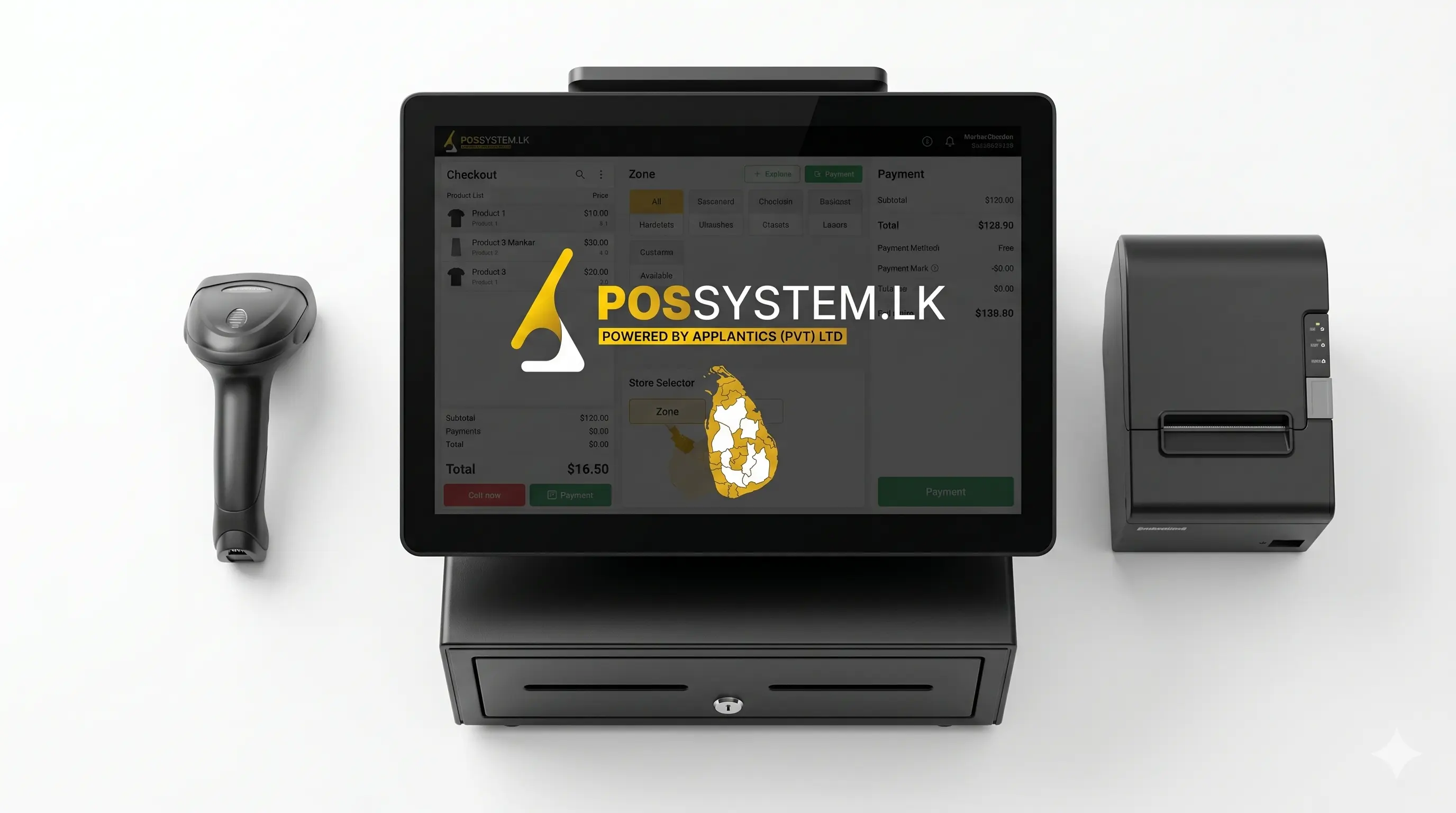
- POS Terminal / Touchscreen Monitor: The main device cashiers use to operate the system. Available as desktop terminals, Android tablets, or all-in-one touch units.
- Barcode Scanner: Reads product barcodes for fast, error-free checkout. Available as handheld, desktop, or built into the terminal.
- Thermal Receipt Printer: Prints transaction receipts instantly. Fast, quiet, and low-maintenance compared to traditional printers.
- Cash Drawer: Securely stores cash. Opens automatically when a cash transaction is processed by the system.
- Customer Display: Shows the transaction details to the customer during checkout — builds trust and reduces disputes.
- Card / Payment Terminal: Processes debit, credit, and contactless payments securely.
- Barcode Label Printer: Prints product labels with barcodes, prices, and product details for shelf placement and inventory management.
POS Software Components
- Sales & Billing Module: The core function — fast transaction processing with automatic price calculation and tax application.
- Inventory Management: Real-time stock tracking, low-stock alerts, and purchase order management.
- Employee Management: Cashier login, shift tracking, individual sales performance reports, and access level control.
- Customer Management (CRM): Customer profiles, purchase history, loyalty points, and targeted promotions.
- Reports & Analytics Dashboard: Daily sales summaries, best-selling products, profit margins, and trend analysis.
- Cloud Sync: Real-time data backup and remote access from any device, from anywhere.
Types of POS Systems
Different business types and sizes require different POS configurations. Here are the main types available in Sri Lanka:
| Type | Best For | Key Advantage |
|---|---|---|
| Desktop POS | Supermarkets, retail shops | High speed, always-on reliability |
| Cloud POS | Multi-branch businesses | Remote access, real-time sync |
| Mobile POS | Delivery, pop-up stores | Portable, flexible checkout |
| Android POS | Small retail, cafes | Affordable, touch-friendly |
| Restaurant POS | Restaurants, bars, cafes | Table management, KOT printing |
| Pharmacy POS | Pharmacies, clinics | Expiry tracking, prescription management |
Industries That Use POS Systems
POS systems are not limited to retail. Today, virtually every business that processes transactions benefits from a modern POS platform:
- Retail Shops & Supermarkets: Fast checkout, inventory management, and supplier ordering.
- Restaurants & Cafes: Table orders, KOT printing, split billing, and daily sales summaries.
- Pharmacies: Drug inventory, batch and expiry tracking, and prescription records.
- Bakeries: Recipe costing, daily production tracking, and quick counter billing.
- Bars & Hotels: Tab management, happy hour pricing, and room charge integration.
- Clothing & Fashion Stores: Variant management (size, colour), customer loyalty, and seasonal promotions.
Key Benefits of a POS System for Your Business
- Faster Checkout: Barcode scanning processes a sale in under 45 seconds — customers wait less and you serve more.
- Real-Time Inventory: Every sale updates your stock count automatically — no more manual counting or unexpected stockouts.
- Accurate Business Reports: Daily, weekly, and monthly sales reports generated automatically — no manual spreadsheets.
- Reduced Billing Errors: Automated price calculation eliminates manual addition mistakes and incorrect discounts.
- Employee Accountability: Each cashier logs in individually — every transaction is tracked to a person and time.
- Remote Monitoring: Cloud POS lets you check sales, inventory, and staff performance from your phone — even when you're not on-site.
- Customer Loyalty: Built-in loyalty programs reward repeat customers and increase retention.
POS System Price in Sri Lanka (2026)
One of the most common questions from business owners is: how much does a POS system cost? The answer depends on your business size, the hardware required, and the software features needed.
| Setup Type | What's Included | Approx. Price (LKR) |
|---|---|---|
| Software Only | POS software license | From Rs. 39,000 |
| Basic Bundle | Terminal + printer + scanner | Rs. 60,000 – 100,000 |
| Full Retail Setup | Hardware + software + installation | Rs. 100,000 – 200,000 |
| Restaurant POS | With KOT printer + table management | Rs. 100,000+ |
| Multi-Branch Cloud | Cloud license + multiple terminals | Custom pricing |
Visit our POS system price page for a detailed breakdown, or use our POS price calculator to get an instant estimate for your specific needs.
How to Choose the Right POS System in Sri Lanka
With many options available, selecting the right POS system comes down to five key factors:
- Business Type: Restaurant, retail, pharmacy, or bakery — each needs different features.
- Number of Branches: Single location works with desktop POS; multiple branches need cloud POS.
- Hardware Needs: Identify which hardware you need — scanner, printer, cash drawer, card reader.
- Budget: Balance upfront cost with long-term value; factor in support and training.
- After-Sales Support: Choose a vendor with a local support team and proven track record in Sri Lanka.
Read our detailed guide on how to choose the best POS system using a 10-step checklist.
Why possystem.lk Is Sri Lanka's #1 POS Provider
possystem.lk, powered by Applantics (Pvt) Ltd, has been helping Sri Lankan businesses transform their operations with reliable, affordable, and fully customizable POS systems. With lifetime warranty, 24/7 support, and local implementation expertise, we are trusted by hundreds of businesses across all 25 districts of Sri Lanka.
Explore our full feature list, browse hardware products, or contact us today for a free consultation and live demo.
Conclusion
A POS system is the backbone of any modern business. It goes far beyond simple billing — it gives you real-time control over inventory, employees, customers, and business performance. In 2026, running a business without a POS system means leaving money, efficiency, and growth on the table.
Whether you are starting a new shop, upgrading from a basic cash register, or expanding to multiple branches, a well-chosen POS system will pay for itself quickly and continue delivering value for years to come. Start with a free demo from possystem.lk today.