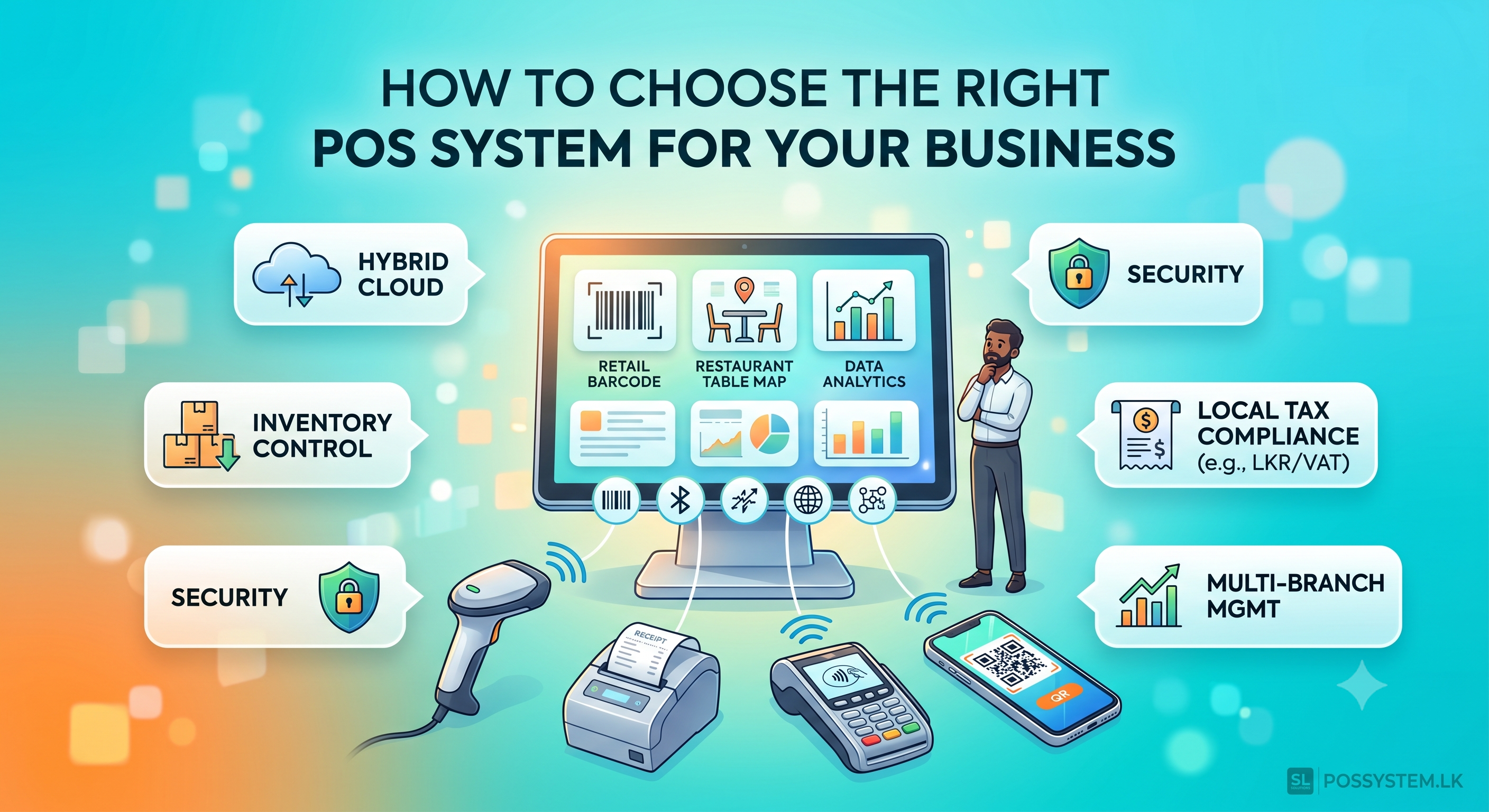
Running a business in today's economic climate requires a sharp eye on margins, complete control over stock, and a fast, frictionless customer checkout experience. The days when a point-of-sale system was just a fancy digital cash box are long gone. Today, a modern POS platform functions as the central nervous system of your entire business operation — connecting your sales floor, inventory warehouse, employee schedules, customer loyalty data, and backend financial reporting into a single, cohesive framework.
Whether you operate a fast-paced retail supermarket, a bustling multi-table restaurant, a boutique clothing store, or a service-oriented business, selecting the right software and hardware matrix is one of the most critical decisions you will make. Investing in the wrong architecture leads to slow checkouts, internal stock leakages, reporting errors, and severe compliance headaches.
This comprehensive guide breaks down the step-by-step evaluation process to ensure you select the absolute best POS system tailored perfectly to your business scale and industry.
1. Understand Your Industry Matrix: One Size Does Not Fit All
A generic, out-of-the-box billing system rarely satisfies the intricate requirements of specialized business workflows. Before looking at software designs or hardware specs, you must map out the specific functional needs dictated by your industry.
Retail Operations & Supermarkets
High-volume retail requires speed, barcode accuracy, and airtight stock control. Your POS system must handle massive product databases without lagging. Key requirements include:
- Rapid Barcode Processing: Cashiers should scan hundreds of items continuously with zero system lag. See our barcode scanner range for compatible hardware options.
- Matrix Inventory Management: Track a single product by variations such as size, color, material, batch number, or brand under one master SKU.
- Automated Low-Stock Thresholds: The software should actively monitor stock levels and automatically generate purchase orders or trigger reorder alerts before shelves run empty.
- Weight Scale Integration: Essential for grocery setups where loose items like vegetables, grains, or meats need to be weighed at the counter and priced automatically.
Explore how our retail-specific POS features are engineered for high-volume, fast-paced supermarket and grocery environments.
Food & Beverage (Restaurants, Cafes, Cloud Kitchens)
The hospitality workflow revolves around order routing, time management, and floor coordination rather than just product scanning. A dedicated restaurant POS system must include:
- Dynamic Table Mapping: A visual layout of your dining floor on the POS screen showing which tables are open, occupied, or waiting for bills.
- Kitchen Display System (KDS) & KOT Routing: When a waiter inputs an order, it must instantly print a Kitchen Order Ticket (KOT) or display it on a kitchen screen, categorized by section (hot kitchen, pastry, bar).
- Bill Splitting & Modifiers: Seamless handling of group bills split evenly or by seat, along with an intuitive menu modifier system for add-ons, cooking preferences, or allergy flags.
For bars and nightlife venues, our bar & restaurant POS system adds tab management and drink-specific modifiers. For cafe-bakery hybrids, see the bakery POS system.
Service-Based Enterprises (Salons, Spas, Gyms, Repair Centers)
Service businesses track time, appointments, and personnel rather than traditional physical stock items. Critical capabilities include:
- Integrated Appointment Scheduling: A central calendar where staff can book, reschedule, or cancel client slots directly through the POS interface.
- Staff Commission Tracking: Automated calculations that link specific sales or service items directly to the individual employee's profile for monthly payroll. Pair this with our employee management system for complete payroll integration.
- Job Sheet & Progress Logs: Crucial for repair shops or tailoring services to track item status ("Received," "In Progress," "Ready for Pickup") and update customers via automated SMS.
2. Evaluate System Architecture: Cloud, Desktop, or Hybrid?
How your POS handles data storage and processing determines its operational resilience during network outages or infrastructure emergencies. There are three core structural designs available.
| Pure Cloud | Traditional Desktop | Hybrid Cloud |
|---|---|---|
| Runs entirely via browser/app. Logs sales instantly to remote servers. | Hosts all data locally on a physical on-site server. No internet dependency. | Combines local core processing offline with automatic cloud sync. |
| Risk: Checkout freezes completely if internet drops. | Risk: Data lost if hardware is damaged or stolen. | Best of both: Offline resilience + cloud accessibility. |
Pure Cloud Architecture
Pure cloud POS systems process every transaction directly to remote web-based servers in real time. You can access live sales numbers and edit prices from anywhere in the world via smartphone or laptop, and software updates happen automatically.
The Risk: If your local fiber line drops, mobile data disconnects, or the provider's servers experience an outage, your checkout counters completely freeze. You cannot process bills or look up items until internet access is restored — a dangerous single point of failure for any brick-and-mortar business.
Traditional Desktop Architecture
This model installs software locally on a physical computer or on-site server. Our desktop POS system is entirely immune to internet outages — your checkout lane functions at full speed regardless of connectivity.
The Risk: Data is siloed on a single physical machine. A hard drive crash, electrical surge, or theft wipes your entire business history unless you maintain rigorous manual backup routines. Remote monitoring is also virtually impossible.
Hybrid Cloud Architecture — The Modern Standard
The hybrid cloud POS model merges the data security of local desktop computing with the accessibility of modern cloud systems. It represents the gold standard for high-reliability retail environments.
- Offline Resilience: If the internet goes down, cashiers continue scanning barcodes, issuing printed receipts, and collecting payments seamlessly. The customer notices zero downtime.
- Automated Syncing: The exact moment the system detects a live network connection, it quietly uploads all cached offline logs to the central cloud dashboard — keeping your multi-branch metrics perfectly updated.
- Remote Access: View live sales reports, edit product prices, and monitor staff activity from your phone anywhere in Sri Lanka — from Colombo to Kurunegala.
For a detailed side-by-side breakdown, read our guide on Desktop vs Cloud Cashier POS in Sri Lanka.
3. Real-Time Inventory & Multi-Branch Intelligence
A low-quality billing system simply records what you sold. A world-class POS system actively protects your working capital by keeping your inventory optimized. Ensure your chosen system includes these advanced modules.
Real-Time Deductions Across Multi-Channels
If you operate an offline retail outlet alongside an e-commerce website, your inventory matrix must sync instantaneously. Selling an item online should immediately deduct that stock unit from the physical shop floor display — preventing double-sales and out-of-stock complaints.
Batch, Serial Number, and Expiry Tracking
For pharmacies, cosmetics boutiques, electronics retail, and grocery stores, tracking simple quantities is insufficient:
- Expiry Prevention: The system should follow First-In, First-Out (FIFO) or First-Expired, First-Out (FEFO) models, warning operators when a specific batch is approaching its expiry date — critical for bakeries and food retailers to eliminate costly wastage.
- Serial Auditing: For electronics vendors, tracking specific serial numbers or IMEI tags ensures returning customers present the exact unit bought from your establishment, eliminating fraudulent returns.
Inter-Store Stock Optimization
If you operate multiple branches — an outlet in Colombo and another in Kurunegala — you will inevitably find that certain products move faster in one region. Your POS should allow you to view stock levels across your entire network from any location and facilitate authorized inter-store transfers, moving capital where it converts back to cash most efficiently.
Explore our multi-branch inventory management features to see how this works in practice.
4. Airtight Security and Internal Leakage Prevention
Internal fraud, unauthorized checkout discounts, and minor cash register errors represent some of the most consistent drains on modern retail profitability. Your chosen platform must give you complete visibility and control over who handles your money.
Role-Based Access Control (RBAC)
Never use a single master password for your checkout terminal. Every employee must log in using a unique security PIN, swipe card, or biometric fingerprint scanner via our integrated fingerprint attendance system. Restrict high-risk permissions strictly to managers:
- Opening the cash drawer without a live transaction.
- Modifying an established product price or applying a manual percentage discount.
- Issuing a full cash refund or deleting an item from an active cart.
- Clearing transaction logs or printing mid-day financial reports.
Blind Shift Reconciliation
When a cashier's shift ends, they should not see a screen telling them exactly how much cash should be in the physical drawer — this invites temptation to pocket any surplus. Instead, enforce a blind drop: the cashier counts the cash, inputs the total, and closes their shift. The system then generates a variance report for management, highlighting any exact discrepancies between expected sales and physical cash down to the cent.
Combined with our employee management system, you get a complete picture of staff performance, shift records, and access logs in one dashboard.
5. Seamless Integrated Payment Methods
Long checkout queues are a primary reason customers abandon purchases at the final moment. To speed up throughput, your POS terminal must comfortably interface with modern electronic payment structures, eliminating manual typing and human error.
| Payment Method | How It Works in an Integrated POS | Key Benefit |
|---|---|---|
| Contactless Card Tap | Exact bill total pushed directly to the card terminal — no manual re-entry. | Eliminates Rs. 1,500 vs Rs. 15,000 typing errors. |
| Dynamic LankaQR | Unique QR code generated per transaction on customer-facing screen or receipt. | Customer scans via banking app — instant confirmation. |
| Split Payment | Single invoice handles cash + card combination on one receipt. | Reduces customer friction at checkout. |
| Mobile Wallets | Accepts direct bank-to-bank scan apps growing across Sri Lanka. | Future-proofs payment acceptance. |
Integrated Card Terminal Bridges
In an unintegrated environment, a cashier calculates Rs. 5,450 on the computer screen, then manually types the amount into a standalone bank terminal. If the cashier misses a zero or adds one, your books are thrown into chaos. An integrated system automatically pushes the precise bill total from the POS directly to the payment terminal, activating tap-and-pay with zero manual entry.
Dynamic QR Code Generation
A forward-thinking POS system instantly calculates a bill and displays a unique, dynamic QR code on a customer-facing screen or printed receipt. When the customer scans via their banking app, it autofills the exact transaction value and merchant ID — instant payment confirmation with zero room for error. View our full payment integration features for supported banks and wallets.
6. Navigating Regulatory and Local Tax Compliance
A major pitfall is purchasing low-cost international software templates that are completely blind to local state regulations, tax structures, or legal auditing frameworks. In Sri Lanka, tax compliance has become a critical operational concern in 2026.
Dynamic Multi-Tier Tax Segregation
Your checkout engine must natively understand how to isolate separate tax levels at the point of processing. The software should allow you to configure precise item-level parameters so that basic consumer necessities, luxury goods, or imported items automatically calculate their respective Value Added Tax (VAT), SSCL, or national levies clearly on a single itemized receipt.
With Sri Lanka's VAT registration threshold recently cut from Rs. 60 million to Rs. 36 million annually, thousands more retailers now require automated tax segregation at the counter. Read our full guide on Sri Lanka's VAT threshold changes and POS compliance requirements for 2026.
Government Database and API Integration (RAMIS 3.5)
Governments globally are moving away from retrospective tax reporting toward live, real-time transaction monitoring. In Sri Lanka, the Inland Revenue Department's RAMIS 3.5 system mandates that businesses link their POS systems directly to state data repositories via secure Web APIs.
- The Requirement: Your POS must support immutable data logging — transactions cannot be wiped or edited; errors must be corrected through system-generated, auditable credit or debit notes keeping records aligned with state financial systems.
- Authorized Provider: Your POS must be backed by a provider capable of updating software parameters as national laws evolve. POSSystem.lk's compliance framework is continuously updated alongside IRD legislative changes.
Explore our compliance and reporting features or speak to our compliance team for a free assessment of your current setup.
7. Choosing Your Hardware Matrix: Durability vs. Budget
Investing in top-tier POS software is useless if deployed on consumer-grade hardware that breaks under the physical stress of daily commercial use. Avoid the temptation to use cheap home office gadgets for high-traffic counters.
| Component | Key Selection Criteria | Where to Buy |
|---|---|---|
| Terminal Display | Industrial touchscreen with IP54 water & dust resistance. All-in-one form factor preferred for counter space. | View POS terminals |
| Thermal Printer | 80mm heavy-duty auto-cutter mechanism. No ink needed — heat-sensitive paper only. 1.5M+ cut lifespan. | Thermal receipt printers |
| Barcode Scanner | 2D omnidirectional laser for fast passes at any angle. Reads both 1D barcodes and 2D QR data blocks. | Barcode scanners |
| Cash Drawer | Heavy-gauge steel shell with solid metal rollers. RJ11 interface for POS-controlled electronic opening only. | Cash drawers |
| Barcode Label Printer | Direct thermal label printing for product pricing and shelf labels. Essential for supermarkets and pharmacies. | Label printers |
The Display Terminal
While tablets are great for small boutique shops or mobile service agents, high-volume retail environments demand industrial all-in-one touchscreen PC terminals. Look for IP54-rated front glass panel resistance to withstand accidental liquid spills or heavy dust. Our i5 touch POS terminals and i3 touch terminals are engineered specifically for commercial counter deployments.
The Thermal Receipt Printer
Never use standard inkjet printers for billing lanes. Industrial thermal printers use heat-sensitive paper, meaning you never run out of ink during peak operations. Invest in printers built for 80mm paper with integrated automatic metal cutters rated for at least 1.5 million clean cuts.
The Barcode Scanner
Handheld single-line laser scanners are fine for low-volume stores, but for fast checkout lines or supermarkets, invest in an omnidirectional 2D presentation scanner. This allows cashiers to pass products at any angle, instantly capturing both traditional 1D barcodes and modern 2D QR data blocks. Browse our barcode scanner range for compatible models.
The Cash Drawer
A cheap cash box with plastic rollers will jam within months of commercial use. Ensure your cash drawer features a solid steel outer shell, metal bill clips, and a secure RJ11 interface link that opens the drawer electronically only when an authorized print command is sent by the POS software — not manually.
8. The Crucial Final Step: Evaluating Support, Service & On-Site Demos
The true value of a POS provider is not proven during the sales pitch. It is proven at 9:30 PM on a Saturday night when your checkout lanes encounter a sudden database error and your store is packed with paying customers.
Before signing a service contract or paying activation fees, put your potential provider through a rigorous checklist:
- 24/7 Dedicated Local Support: Ensure you can reach a human operator instantly via phone or emergency chat — not wait days for a ticket update from an overseas corporate office. POSSystem.lk provides around-the-clock local support backed by a lifetime warranty on all deployed solutions.
- Hardware Deployment Pipeline: If a terminal screen cracks or a motherboard fails, does the provider have immediate backup replacement inventory they can deploy to your retail floor within hours to minimize downtime?
- Live Customized Demonstration: Never purchase based on stock photos or pre-recorded videos. Demand that the provider bring an actual terminal to your business or arrange a sandbox demo environment. Input a subset of your actual product database, simulate a complete high-volume sales shift, execute a few complex tax splits, and pull sample inventory variance reports to verify that the software is intuitive, natural, and lightning-fast for your everyday staff.
- Pricing Transparency: Confirm exactly what is included — does the quoted price cover customization to your business type? Are future compliance updates (e.g., RAMIS API integration) included or billed separately? See our transparent pricing packages with everything included from Rs. 39,000.
Make Your POS System a Strategic Investment, Not a Compliance Burden
Treating your point-of-sale system as a long-term strategic investment rather than a compliance checkbox ensures your operational profits remain secure, your workflows stay fully organized, and your retail enterprise remains completely future-proof.
The businesses thriving in 2026 are the ones that chose their POS platform with the same rigor they apply to choosing their best-selling product lines. They are not scrambling to upgrade when regulations tighten or when a competitor's faster checkout experience starts pulling their customers away.
POSSystem.lk by Applantics was purpose-built for the Sri Lankan market — with offline-first hybrid architecture, built-in IRD & RAMIS compliance frameworks, real-time multi-branch inventory, LankaQR integration, and 24/7 local support backed by a lifetime warranty. From single boutiques in Galle to multi-branch supermarket chains in Colombo, we have the deployment experience and local expertise to match your exact operational needs.
Book a Free Live Demo View Pricing Packages
Frequently Asked Questions
What is the best POS system for a retail shop in 2026?
The best POS for retail combines hybrid-cloud architecture (works offline, syncs to the cloud), real-time multi-branch inventory, barcode scanning, VAT/tax segregation, and role-based access control. POSSystem.lk offers all of this from Rs. 39,000 with lifetime warranty and local support.
What is the difference between cloud and hybrid POS systems?
A pure cloud POS requires a constant internet connection — if it drops, checkout freezes. A hybrid POS processes transactions locally (100% offline) and automatically syncs to the cloud when connectivity is restored. For Sri Lankan businesses, hybrid is strongly recommended.
How much does a POS system cost in Sri Lanka in 2026?
Prices range from Rs. 39,000 for software-only solutions to Rs. 150,000+ for complete hardware bundles with touchscreen terminal, thermal printer, barcode scanner, and cash drawer. See our POS system price guide or compare all packages here.
Does a POS system work without internet?
Pure cloud systems stop working offline. Hybrid and desktop POS systems continue operating fully offline — cashiers can scan barcodes, print receipts, and accept payments without interruption. Offline transactions sync automatically when internet is restored.
What hardware do I need for a POS system?
A complete setup includes: an industrial touchscreen terminal, a 80mm thermal receipt printer, a 2D barcode scanner, and a steel cash drawer. For labelling, add a barcode label printer. POSSystem.lk supplies and configures all hardware with your software package.